

Mailchimp has been around since 2001. It’s not a surprise that it’s one of the top choices for email marketing and automation. For over 20 years, it’s been helping businesses handle all their email marketing needs.
When I first started writing on Medium in 2020, Mailchimp was the first email platform I used.
It offered a 30-day free trial and a free plan for up to 500 subscribers—way more than what most other platforms offered for free.
Additionally, Mailchimp provided a welcome series automation for their free plans, which ultimately convinced me to stick with it. Welcome series automation basically means I could send “Welcome” emails to every new subscriber on autopilot. Unlike Mailchimp, other platforms offered newsletter automation under paid plans.
Without paying a dime, I’ve created a simple landing page on Mailchimp, set up an automated welcome newsletter, and started collecting email addresses.
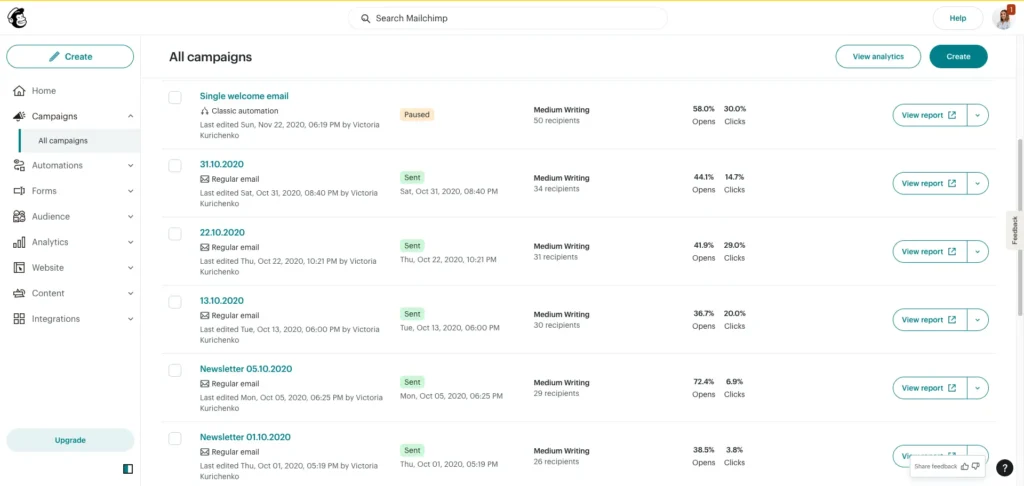
You can see my dashboard below. I sent my last newsletter on Mailchimp on October 31st, 2021, before looking for Mailchimp alternatives and switching to Kit (Former Convertkit).
First off, it wasn’t easy to use. I had to spend way too much time just figuring out how to make a decent-looking newsletter template. Additionally, I experienced challenges setting up email automation for different segments. In the end, I wasted more time than I should have.
Maybe it was because I was new to email marketing back then. But still, good software should be beginner-friendly. Nobody wants to spend hours digging through tutorials just to get started, right?
So, I started exploring other options.
I tested different platforms and paid close attention to what other creators were saying on Twitter about Mailchimp and other email tools.
One thing was clear: I didn’t want to spend money on expensive courses just to learn how to use Mailchimp and their automation tools. I’d already fallen for that trap with Medium courses before, and it wasn’t worth it.
It’s honestly frustrating how much time and effort it takes to research and test tools just to figure out what actually works. But that’s exactly what I had to do.
I ended up trying three different newsletter platforms before finally landing on beehiiv. But I’ll get into that later.
For now, let’s go over paid and free Mailchimp alternatives that I’ve personally tested, plus a few recommended by other content creators.
P.S. This post includes a few affiliate links. If you decide to try any of these tools, I might earn a small commission at no extra cost to you. Just being upfront about it! I’m only recommending tools I’ve used myself and truly believe in. 
10 best Mailchimp alternatives
- Moosend — An email marketing and automation platform that allows you to send unlimited email campaigns.
- beehiiv — Best for growing and monetizing newsletters with built-in SEO, referral programs, and the Ad Network.
- Brevo — All-in-one AI-powered platform for customer nurturing via email, SMS, WhatsApp, chat, and more.
- Omnisend — An email and SMS marketing tool for ecommerce businesses.
- Kit (formerly Convertkit) — Suitable for creators and businesses looking for powerful email marketing automation.
- Sender — Email marketing software for ecommerce and small business marketing needs.
- Elastic Email — An all-in-one email marketing platform offering dedicated toolkits for content creators, e-commerce stores, and companies of various sizes.
- MailerLite — Great for small businesses looking for an affordable, easy-to-use email marketing tool.
- Campaign Monitor — An affordable email marketing service.
- Substack — A free content platform for managing subscription-based newsletters.
1. Moosend
- Best for: Businesses of different sizes in need of a robust email marketing platform. Ecommerce businesses can also use Moosend to power their online stores, create email automations, and send transactional emails.
- Pricing: Paid plans start at $9 per month for 500 subscribers, with a 20% discount for annual payments or a 15% discount for biannual payments. If you have an average email list of 3,000 subscribers, you’ll pay only $32 monthly ($100 if you use Mailchimp).
- Free trial: Moosend offers a 30-day free trial that gives you access to all the Pro features, with no credit card required.
Moosend is an affordable email marketing platform that is a go-to solution for businesses of any size and solopreneurs who need robust marketing automation without the high price tag.
Forbes Advisor ranked Moosend as one of the “best email marketing software” in 2024, particularly thanks to its straightforward and affordable pricing and powerful automations.
Let me give you a brief overview of Moosend’s products and features so you’ll know whether this email platform suits your needs.
Email marketing
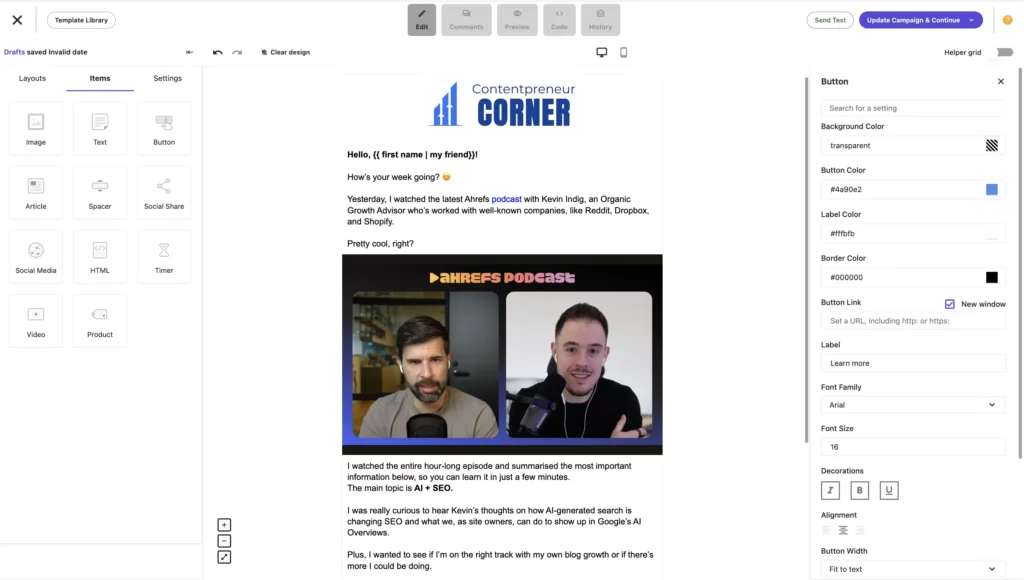
It’s about creating and sending personalized and customizable newsletters that convert. You get a drag-and-drop email editor feature, email personalization, A/B testing, reporting, and more!
The ultimate goal is to help you send the right emails to the right people at the right time.
When setting up a campaign, you’ve got three options depending on your current business needs:
- Regular: This is where you can create regular newsletters and send them out to your audience.
- A/B testing: Pick this one if you want to test different versions of your email. It works with bigger email lists.
- Repeatable: You can create an automated email campaign that automatically pulls out content from a particular URL and sends your newsletters to your audience (could be great for regular news digests).
Once you are done with basic settings, you can pick the most suitable email template for your current email campaign, whether that’s a regular weekly newsletter, a holiday campaign, or a transactional email. Moosend offers 138 professional-looking and customizable templates for any occasion you might need.
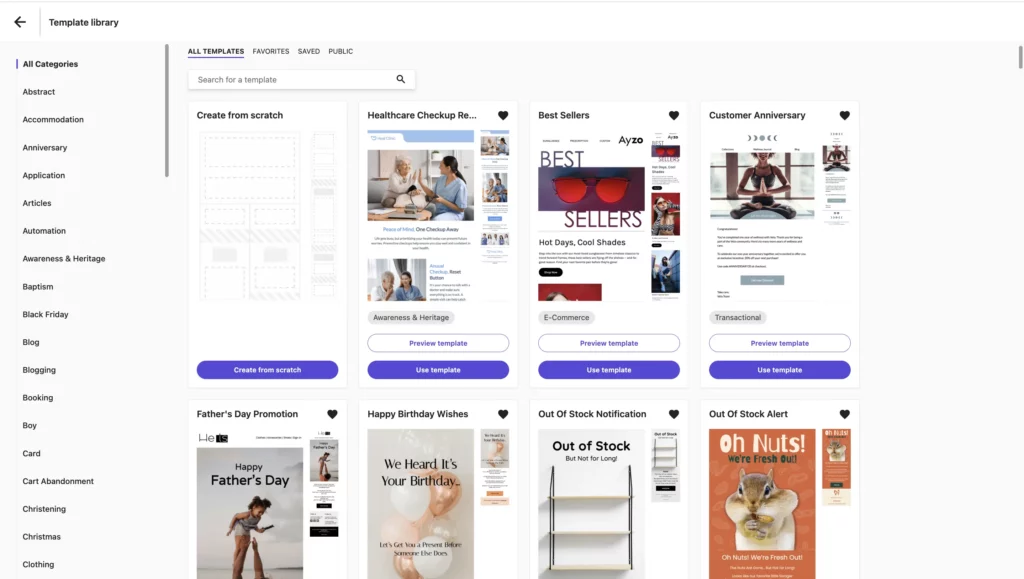
You can also create a custom template with the drag-and-drop email editor feature.
For example, I used Moosend’s email editor to quickly put together a weekly newsletter that I send to my audience. It was easy to do, and I spent no more than 5 minutes designing my newsletter, considering that I’ve never used Moosend before.
Moosend’s user interface is simple and intuitive, so you’ll likely feel right at home. Besides text, images, videos, and social shares, you can also embed products if you sell any.
Marketing automation
These features can help you put your email campaigns on autopilot.
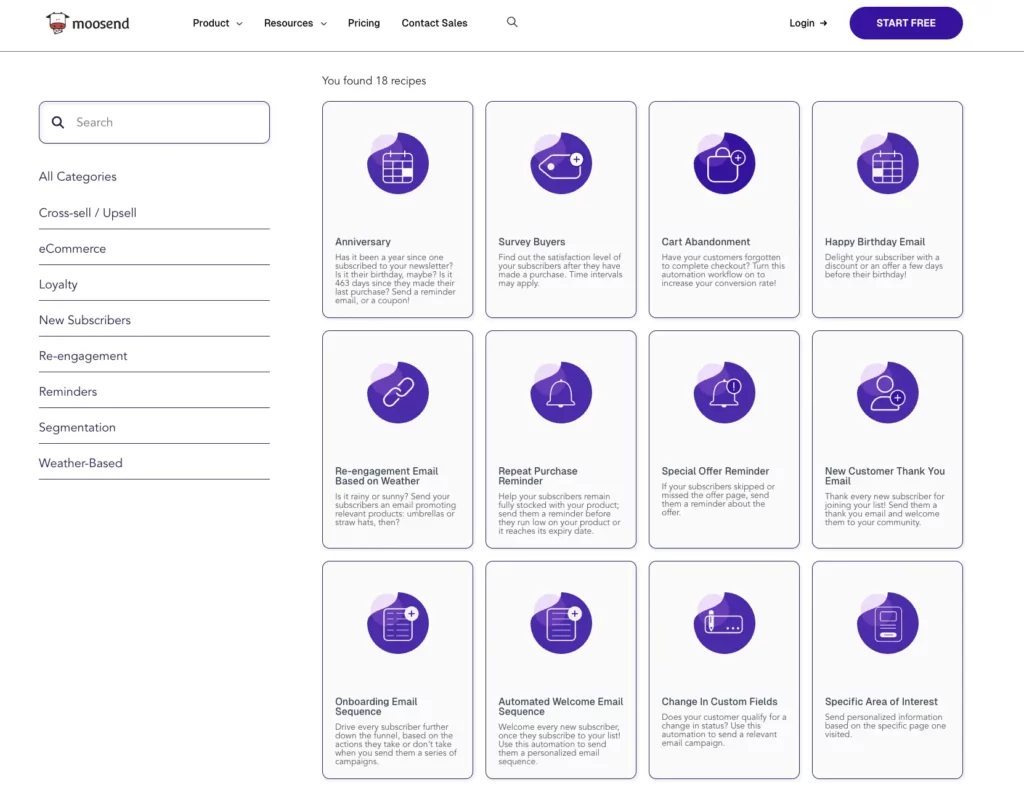
There are 18 different automation templates (called “receipts”) that you can use to automate your marketing campaigns for different occasions, including automated birthday campaigns, onboarding email sequences, abandoned cart reminders, repeat purchase reminders, and more!
Growth tools
Moosend provides many tools to help you capture email addresses and grow your email list on autopilot.
You can create landing pages with drag-and-drop functionality and embed subscribe forms to turn your visitors into subscribers.
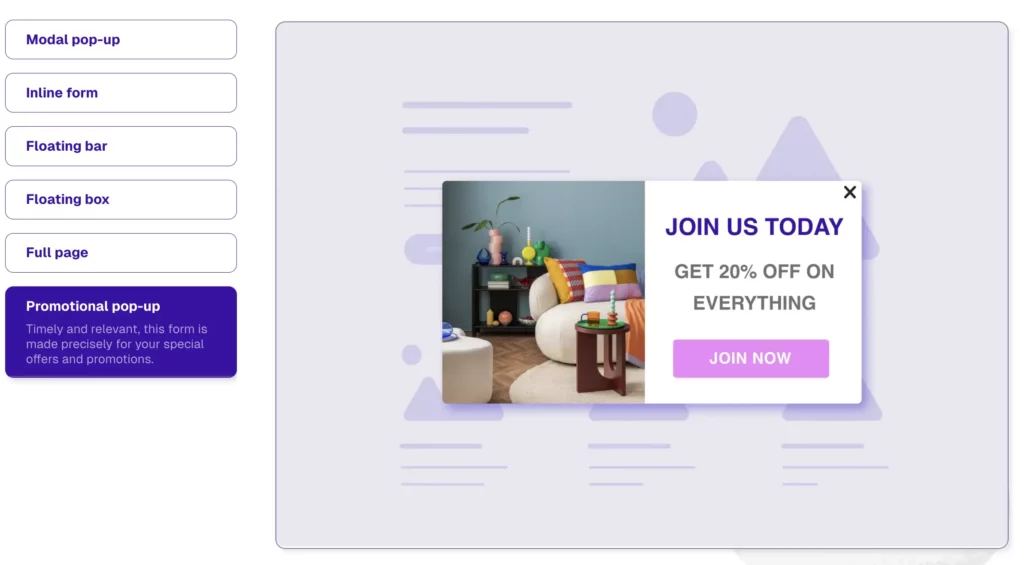
With the Subscription Builder, you can design custom forms, like pop-ups, floating boxes, or inline CTAs, and keep track of how they perform with impressions, clicks, conversions, and drop-offs.
Audience management
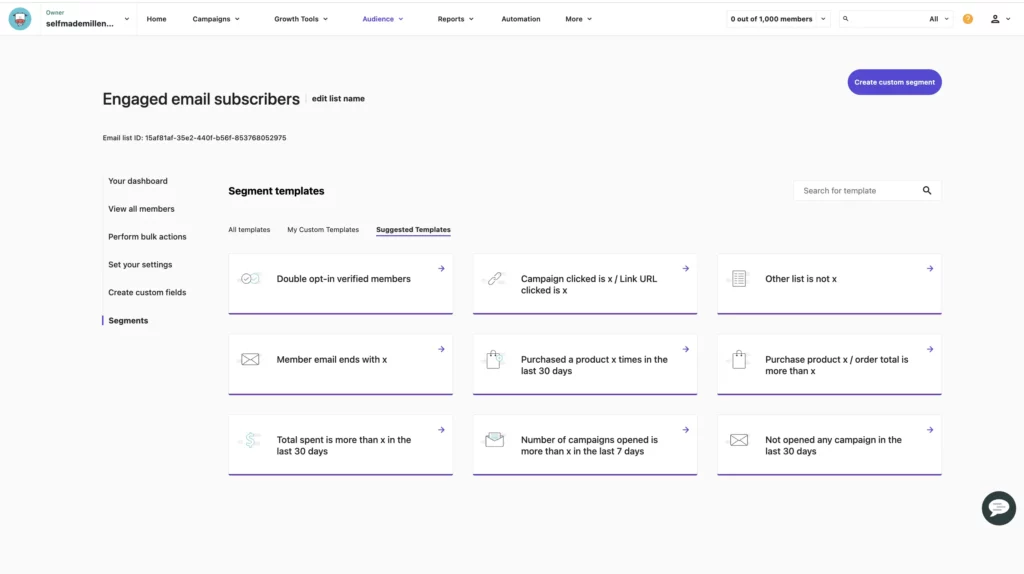
This one is all about helping you understand who’s on your email list and segment them using custom fields, tags, and any criteria that’s important to you.
Moosend AI
Moosend AI is an AI-powered assistant that can help you become more productive when creating and managing your email campaigns.
For example, you can quickly create drafts and generate subject lines with Moosend’s AI Writer. It works simply as:
- Define a type of email you need
- Specify the cone of voice
- Specify the wordcount
- Generate copy
- Update it as many times as needed before hitting “Send”
With Moosend AI, you can also automate product recommendations for users based on their preferences and understand your audience better and faster.
After trying out Moosend, here are a few things that stood out to me compared to other email marketing tools:
- Unlimited email marketing campaigns, which is rare.
- Affordable pricing plans starting at $9/month, suitable for small email lists of 500 subscribers.
- They offer flexible plans like Moosend+ and Enterprise, depending on your needs.
- There’s a 30-day free trial and no credit card required.
- The Email Editor lets you crop and resize images on the spot.
- Conditional visibility content (something I haven’t really seen with other tools).
- AI-powered product recommendations, suitable for ecommerce businesses.
- “When someone views any product” trigger for automated workflows.
- “When someone browses any page” trigger for automated workflows (super handy if you want to target people checking out specific pages).
- Detailed performance reports that track everything from opens and clicks to purchases, carts, and custom events.
- You can invite two team members, even on a free trial.
- Ability to send transactional emails.
Moosend vs. Mailchimp
When you put Moosend and Mailchimp side by side, some key differences stand out.
One of the major differences between Mailchimp and Moosend is pricing.
If you have an email list of, let’s say, 1,000–2,000 subscribers, you’d have to pay $60 with Mailchimp and just $24 if using Moosend — making a yearly saving of at least $432, which is a lot!
All Moosend plans allow you to send unlimited emails. This is another major advantage over Mailchimp’s email sending limits.
Unlike Mailchimp, which charges you multiple times if a contact is on more than one list, Moosend has a “one email address, one contact” policy, making its pricing model fair. Additionally, Mailchimp charges users for unsubscribers, since they are technically on the email list.
Now, let’s talk integrations.
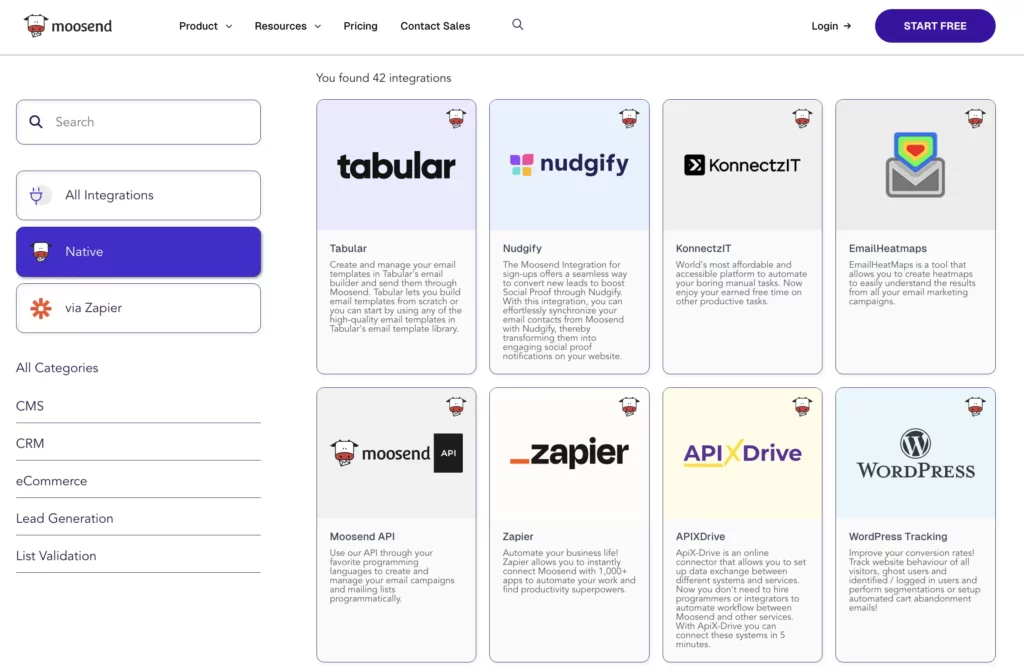
As of September 2025, Moosend offers 82 different integrations, and 42 of them are native—so you don’t need an extra automation tool to connect them. That’s a big plus. I can’t tell you how many headaches I’ve had trying to connect Stripe to my current email tool through Zapier (and it’s not cheap either!).
Depending on your business setup and needs, you’ll benefit from the following native integrations offered by Moosend:
- WordPress
- WooCommerce
- ThriveCart
- Salesforce
- Zapier
- And more!
If your preferred tool isn’t on the list of Moosend integrations, you can connect it using Zapier.
I couldn’t find many new reviews on Reddit, but Capterra has over 196 reviews with an average rating of 4.6/5. I looked into those as well.
Most people on Capterra pointed out positives like how easy Moosend is to use, the variety of templates, customer service, personalization, and integrations with other tools. A few users mentioned they’d like faster support, and some wished for a mobile app, which, to be fair, isn’t common for many email marketing tools.
Overall, Moosend is a solid and budget-friendly option for ecommerce brands and growing businesses. You can test it out with a 30-day free trial (no credit card needed), and after that, paid plans start at just $9 per month.
2. beehiiv
- Best for: An all-in-one platform to run, publish, grow, and monetize your newsletter.
- Pricing: There’s a free plan for up to 2,500 subscribers. If you want access to beehiiv’s growth and monetization features, you’ll have to upgrade to the Scale plan, which starts at $49 per month.
- Free trial: There’s a 30-day free trial.
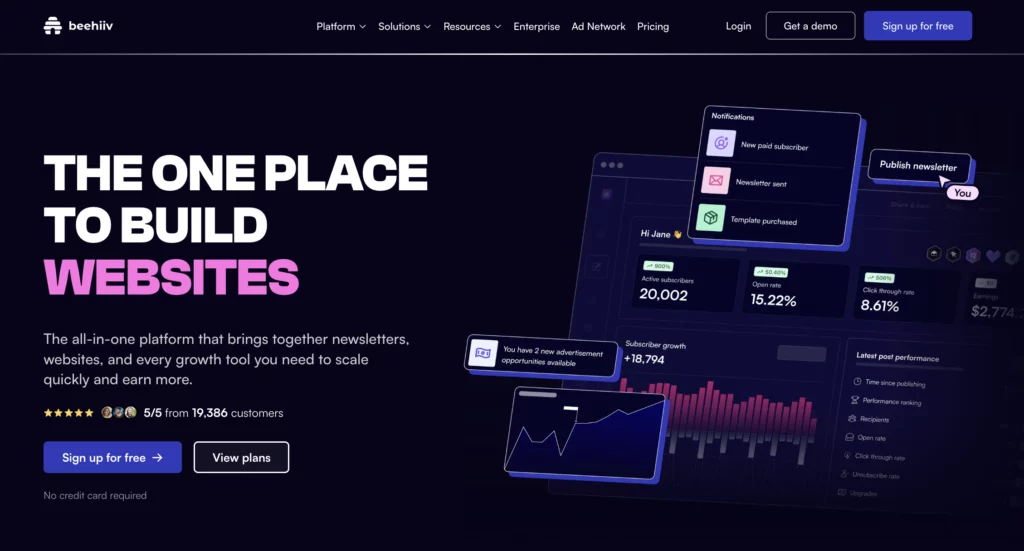
beehiiv is a fairly new newsletter platform. It was launched in 2021, and it’s one of the best Mailchimp alternatives I’ve used.
I switched from Mailchimp to Kit and then from Kit to beehiiv in January 2024. Since then, I’ve been growing and monetizing my newsletter on beehiiv.
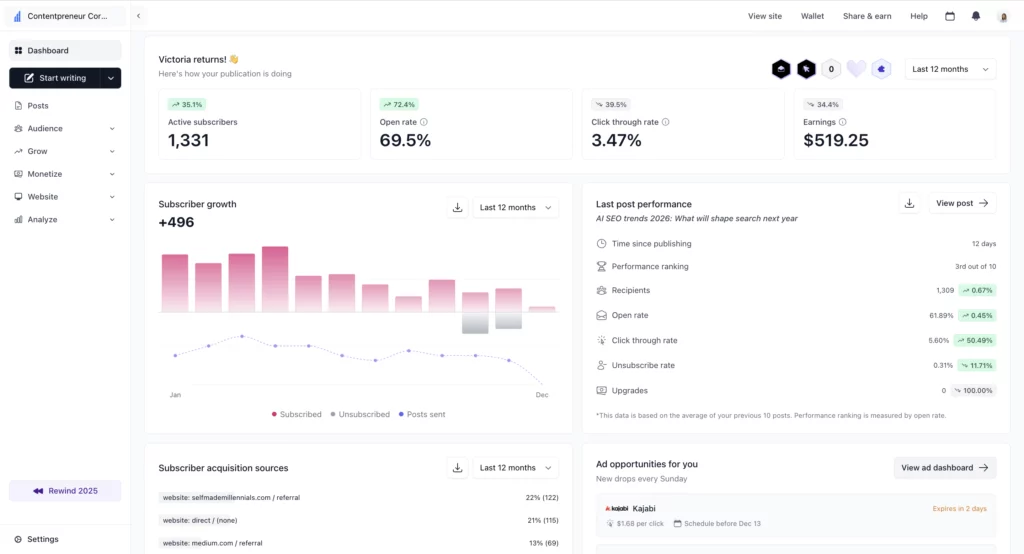
Here’s what I achieved with beehiiv in 2025:
- Newsletters written: 75
- Average open rate: 68.8%
- Average CTR: 3.3%
- Email list: 1,300 subscribers
- Earnings from subscriptions: $392
- Earnings from ads: $138
- Earnings from Boosts: $328
- beehiiv Partner Program earnings: $6,516.89
Not too bad, right?
Especially considering that my newsletter is just a side project. I spend most of my time running my website and my client business.
With beehiiv, you can organize your audience into segments, track and improve newsletter performance, set up paid subscriptions, monetize your newsletter with sponsored ads, build websites with their powerful drag-and-drop toolkit, use email editor to style your newsletters, and more!
One advanced feature that stood out to me is Boosts. It allows creators to pay for new email subscribers. But it’s not just about spending money. You can also earn money by promoting other newsletters!
beehiiv estimates that the average cost per subscriber (CPA) is about $2.25.
I’ve had boosts running on my newsletter, and I’ve been earning anywhere from $1 to $3 for each new subscriber I refer.
I’m sharing more details in my detailed beehiiv review.
There’s also a video that explains well how Boosts work.
If you wonder whether beehiiv will work for you, give it a test run free for 30 days! If you like it, you can then use my code TRYBEEHIIV to get 20% off your first 3 months! 🚀
3. Brevo
- Best for: It’s an email marketing solution with a built-in CRM feature. Suitable for sending transactional emails to clients and running automated marketing campaigns through email, SMS, and WhatsApp.
- Pricing: The Starter plan is $9 per month for up to 5,000 emails. If you want extra features, such as powerful automation, the Business plan starts at $18/month.
- Free trial: There’s a free plan you can use for as long as you want. It lets you try out the tools and send up to 300 emails a day.
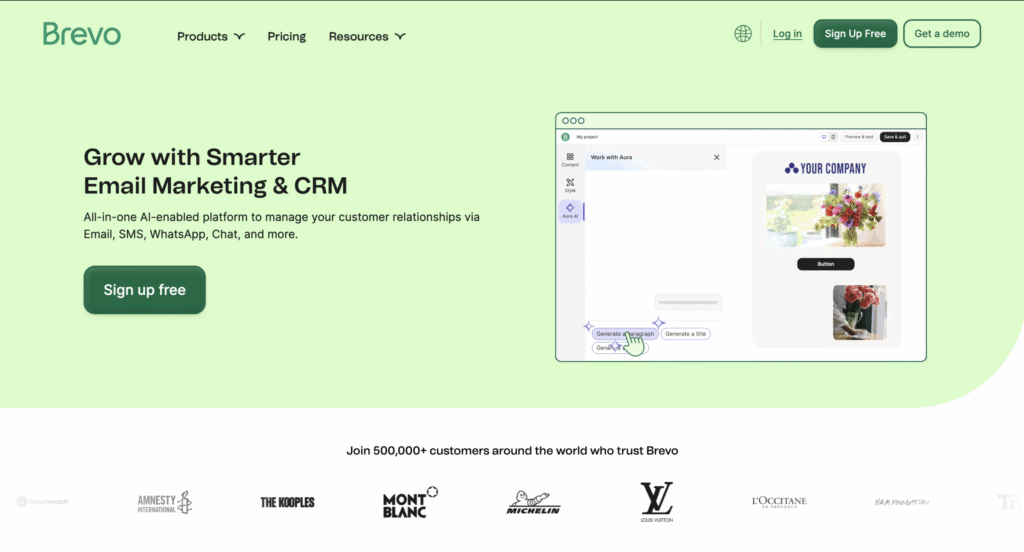
Brevo is an email marketing solution that helps businesses build customer relationships through email, SMS, WhatsApp, CRM integration, and more.
Over the years, it grew into a full suite of marketing tools with a wide range of key features, so much so that in 2023, it rebranded from Sendinblue to Brevo to reflect its broader focus beyond just emails.
Brevo for email marketing:
- Create email, SMS, WhatsApp, and web push marketing campaigns
- Create automated email workflows and email sequences
- Chat with customers on your website
- Generate and improve your email content with an AI assistant
- Optimize time zones and send times based on user data
- Segment your audience for targeted campaigns
- A/B test your emails to see what performs best
- Design beautiful emails with a drag-and-drop editor
- Track opens, clicks, and other key email metrics
- Create sign-up forms
- And more!
Brevo for CRM needs:
- Send transactional emails (like order confirmations and password resets)
- Manage your CRM and drip campaigns
- Organize contacts into lists or pipelines
- Track customer interactions and history
- Set tasks and reminders for follow-ups
- Score leads to focus on high-potential contacts
- Sync contacts from other tools (like Shopify or Salesforce)
- Use email marketing automation based on CRM activity
- Create chatbots for online communication with customers
- Let people book meetings with you
- Make, receive, and manage phone support directly from your desktop and mobile
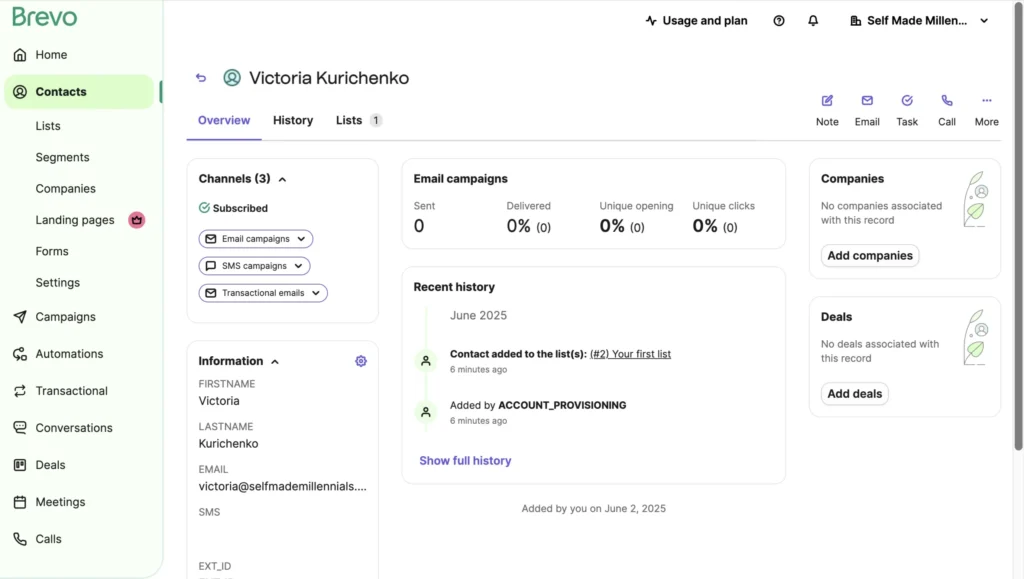
To me, Brevo feels like an all-in-one tool for marketing and communication with customers, especially useful for growing businesses. The Contacts dashboard actually reminds me a lot of HubSpot. I used HubSpot a ton back when I worked full-time in marketing, and I still use it today for contact management, customer data tracking, and other business needs.
The fact that Brevo combines email marketing and CRM makes it very helpful for small businesses that want to keep track of their mailing list.
It’s worth noting that Brevo is more affordable than Mailchimp, especially as your subscriber list grows.
While Mailchimp charges based on how many contacts you have, Brevo charges based on how many emails you send. That’s a big plus for startups or small teams trying to keep costs low.
Brevo’s free plan lets you send up to 300 emails a day (that’s 9,000 a month), and paid plans start at just $18/month, with email automations included.
So if you’re after a solid and easy-to-use email marketing tool with advanced segmentation, Brevo’s definitely worth checking out.
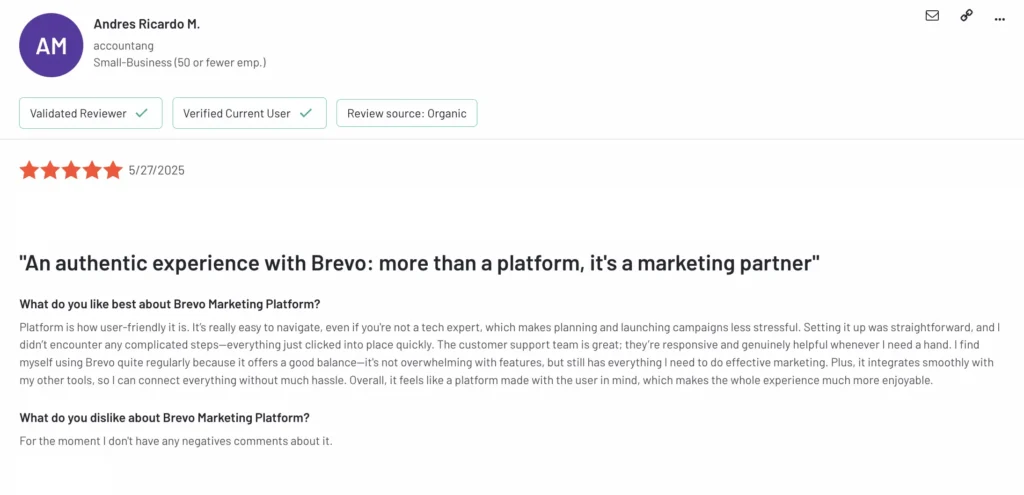
To find out what users are saying, I checked Brevo’s reviews on G2.com. It has over 2,346 reviews and an average rating of 4.5 out of 5.
One recent review that stood out to me was from Andres Ricardo, who shared how he uses Brevo to run email campaigns for his small accounting business.
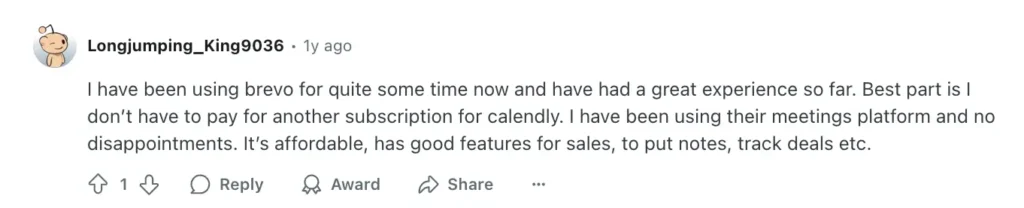
Another perk I’ve noticed with Brevo, and it seems Reddit users agree, is the built-in meeting scheduler. You don’t need to use external tools, like Calendly. Instead, you can book calls right inside the platform while also capturing customer info straight into your CRM. Super handy.
4. Omnisend
- Best for: Ecommerce businesses that also use SMS marketing.
- Pricing: Plans start at $16/month for up to 500 subscribers and 6,000 emails. You’ll save 30% if you go with the 3-month plan.
- Free trial: There’s a free plan you can try out for as long as you want. It includes all Omnisend features and lets you send up to 500 monthly emails.
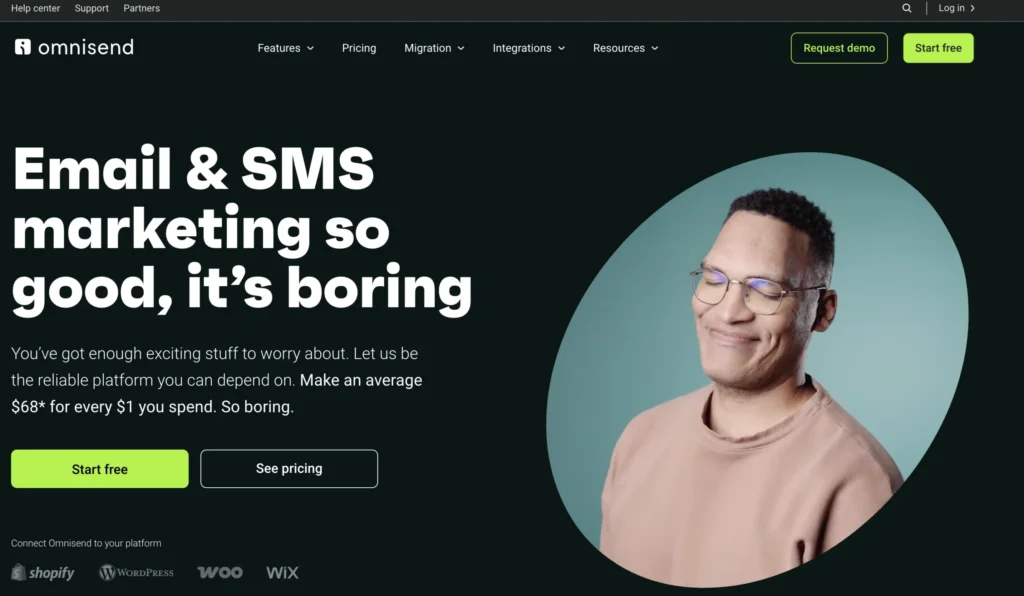
Omnisend is an email marketing tool developed specifically for ecommerce businesses.
It started back in 2014 in Lithuania, originally called Soundest. Since then, it’s grown a lot. Today, over 125,000 brands use Omnisend, and the team has more than 250 people. It’s safe to say they’ve really found their sweet spot.
When it comes to the pricing structure, Omnisend has three plans to choose from:
- Free Plan – Great for beginners. You get access to most features without needing to enter a credit card.
- Standard Plan – Starts at $16/month and is great for growing businesses. It includes the ability to send up to 12 times your email list size each month, access to unlimited web push notifications, and live chat support.
- Pro Plan – Starts at $59/month and is suitable for bigger businesses or anyone who wants to use SMS marketing. It includes unlimited emails, free SMS credits, advanced reports, and priority support. Plus, if you pay for three months upfront, you’ll save 30%.
No matter which plan you choose, here’s what’s included:
- 24/7 live chat and email support
- 250+ email templates and customization options
- Ready-to-use workflows and audience segments
- 160+ ecommerce integrations (like Shopify, WooCommerce, Wix, and WordPress)
- Contact list cleaning tools
- Performance and sales tracking, and detailed analytics
- And a bunch more helpful ecommerce features
One thing that makes Omnisend stand out, compared to Mailchimp offers, is that you can easily add products from your online store straight into your emails using their Email Builder.
Handy, right?
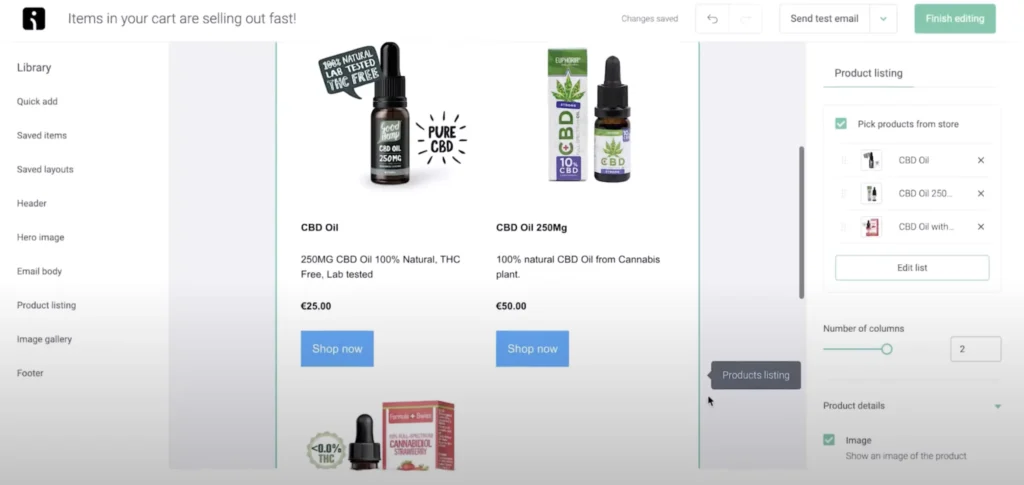
What I also liked about Omnisend is the prebuilt automation templates for cases when users abandon a cart, product recommendations based on a users’ shopping habits, post-purchase follow-ups, and post-sales. It’s honestly a powerful tool for anyone running an online store.
While I was researching Omnisend for this article, I came across a key difference between Omnisend and Mailchimp that’s worth mentioning:
Mailchimp charges you based on the number of contacts, including unsubscribers, while Omnisend doesn’t.
On top of that, Omnisend also gives you tools to clean your email list, so your emails have a better chance of landing in people’s inboxes instead of getting flagged as spam.
I also checked what others say about Omnisend on platforms like LinkedIn, Capterra, and Reddit.
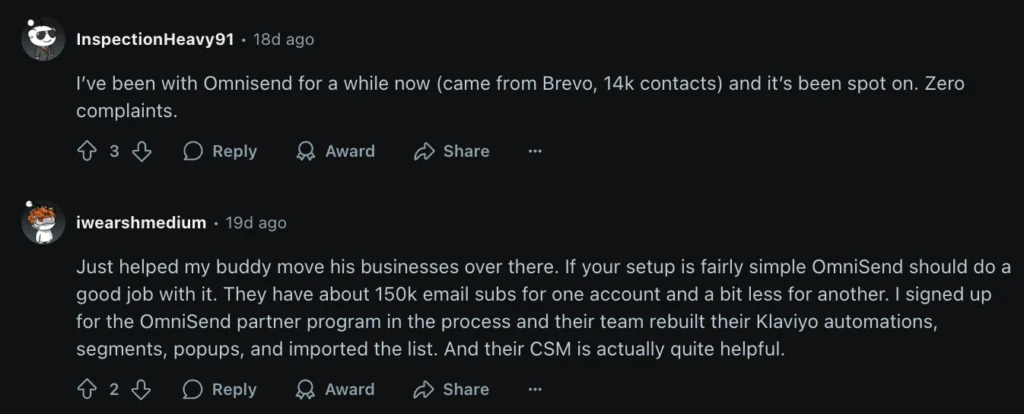
Reddit, in particular, was interesting. I went through posts from the past four years. Early on, users had some complaints, mainly about slow customer service and a few bugs. But more recent reviews are much more positive. People now see Omnisend as a strong alternative to Mailchimp, but also to Klaviyo.
I highlighted two reviews that stood out, especially for people managing large email lists. One user said they had a list of 150,000 contacts, and Omnisend’s team helped them migrate everything from Klaviyo, including all the automations. That kind of support saves time for busy newsletter owners.
One more thing worth mentioning, especially now that we live in an AI-powered world—Omnisend AI.
It’s your personal helper for digital marketing. It can suggest subject lines, write product descriptions and emails, and even tell you the best time to hit “send,” all based on what works best for your audience. You’re still in charge of the tone and message, but the AI gives you a solid starting point. So instead of staring at a blank screen, you get ideas and drafts you can tweak and make your own. It takes a lot of the pressure off and saves you time.
Bottom line? If you’re running an online store or thinking about starting one, Omnisend is definitely worth a look.
5. Kit (formerly Convertkit)
- Best for: Email marketing automation.
- Pricing: Kit offers a free plan for up to 10,000 subscribers, but it’s limited to one automation and email sequence. For growth and monetization features, you’ll have to upgrade to at least the Creator plan that starts at $39 per month for 1,000 subscribers.
- Free trial: A 14-day free trial for the Kit Creator plan.
A few years back, I made the switch from Mailchimp to Kit (formerly ConvertKit), and honestly, I’ve never regretted it. The platform is super user-friendly, which means I didn’t have a steep learning curve. Instead, I spent less time figuring things out and more time actually getting work done.
As an SEO specialist, I used Kit to build and monetize my email newsletter. I was on the Kit Creator plan, which cost me about $39 a month — a bit more expensive than Mailchimp’s pricing.
It has a user-friendly interface, can help you boost customer engagement, and sell your products on autopilot.
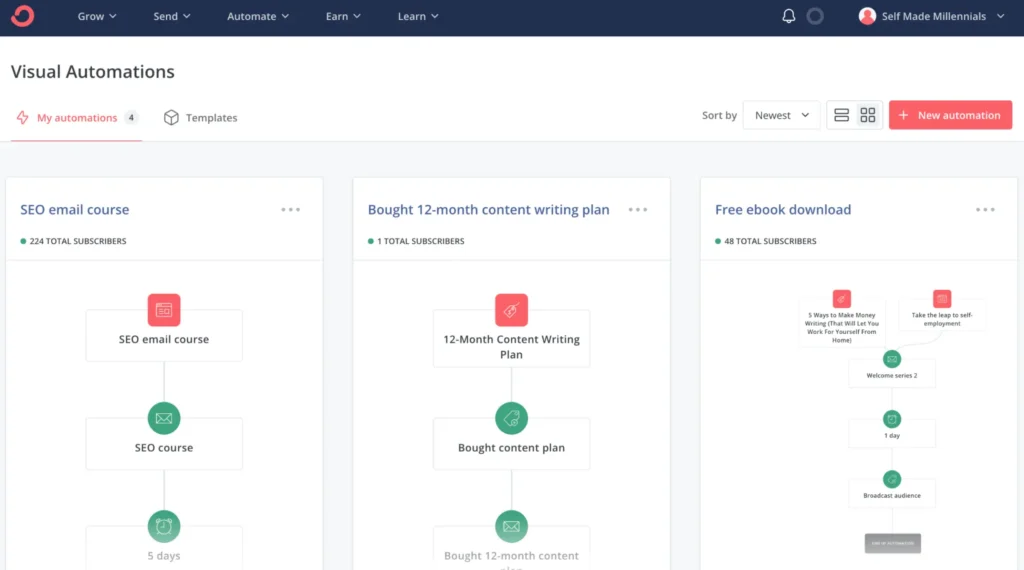
With Kit, you can create email campaigns, click maps, and decide who gets them and when, and let the system handle everything for you in the background. That way, you can focus on more important things instead of constantly managing emails.
Here’s an example of how I set up automation in Kit:
Another thing I love about Kit is how fair they are when it comes to pricing—especially for creators selling products through Kit Commerce.
Their transaction fee is just 3.5% + $0.30 per sale, which is way better than Gumroad (10%) and even PayPal (4.75% +).
They also offer a free plan for up to 10,000 subscribers, plus one automation—something I would’ve loved when I was just starting out.
If you’re curious and want a deeper dive into Kit, here’s my full Kit review.
If you’ve happened to use the tool in the past and are looking for other suitable options, here’s my go-to list of Kit alternatives.
6. Sender
- Best for: Ecommerce businesses, small and mid-sized companies.
- Pricing: The Standard plan starts at $10/month for 1,000 subscribers and 12,000 marketing emails. If you have more subscribers or plan to send more newsletters, you’ll have to upgrade.
- Free trial: There’s a free plan with a few limitations for up to 2,500 subscribers and a 15,000 emails monthly limit. No credit card required to get started.
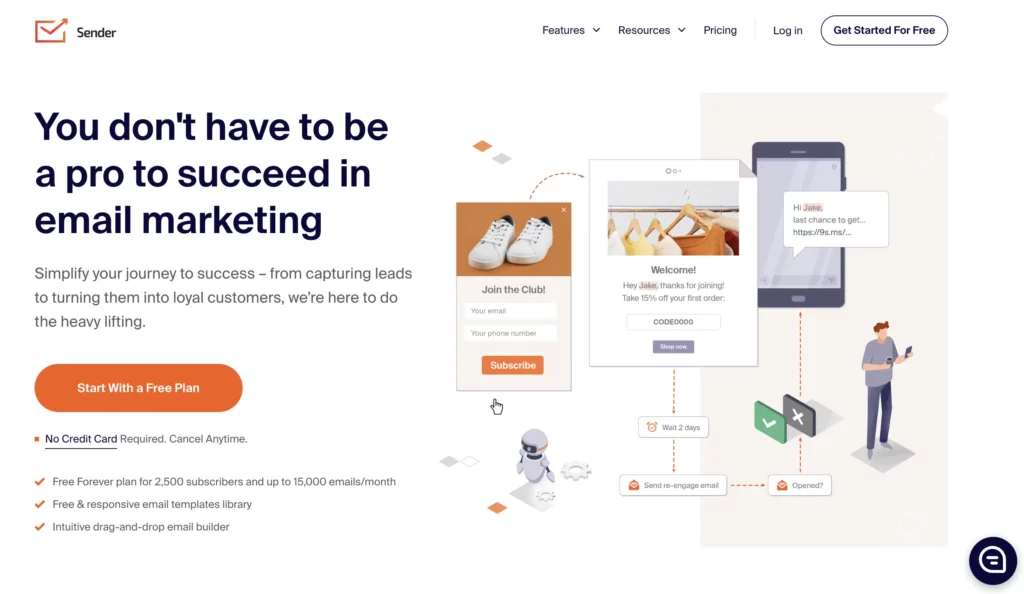
Clean email design, nice templates, helpful support even on the free plan. — That’s my experience with Sender after testing their email marketing features.
If you’ve never heard of Sender.net before, let me give you a quick intro.
Sender is an email marketing platform that was founded in 2012 with the goal of being “the world’s most affordable and easy to use email marketing platform,” according to their LinkedIn page. After digging into the platform, I think they stick to their values.
What stood out to me is Sender’s generous free plan.
Unlike Mailchimp, Sender gives you up to 2,500 subscribers and 15,000 emails per month for free. No credit card needed. So, you can get started without worrying about upfront costs.
The free plan includes most of the features from the $10/month Standard plan (or $7/month if you pay yearly). There are just a few things you won’t get:
- A free plan comes with Sender.net branding
- There’s only one user seat
- SMS campaigns aren’t available
- There’s no auto-resend for people who didn’t open your email
If you’re just starting out or have a small list, the free plan should be more than enough.
However, if you have a big email list, let’s say 10,000+ subscribers, you’ll pay at least $57 for sending 120,000 emails per month. If you plan to email your list daily, you’ll probably need to bump up your plan to send more.
So, keep in mind that Sender’s pricing depends on the number of subscribers and the number of newsletters you plan to send.
Sender doesn’t charge for unsubscribes and duplicate subscribers like Mailchimp. So, you don’t have to worry about being overcharged all the time.
After you create an account with Sender, you’ll be asked to fill out a few forms with your business details. It’s a little inconvenient, since you won’t be able to skip this step, but it’s part of their setup process.
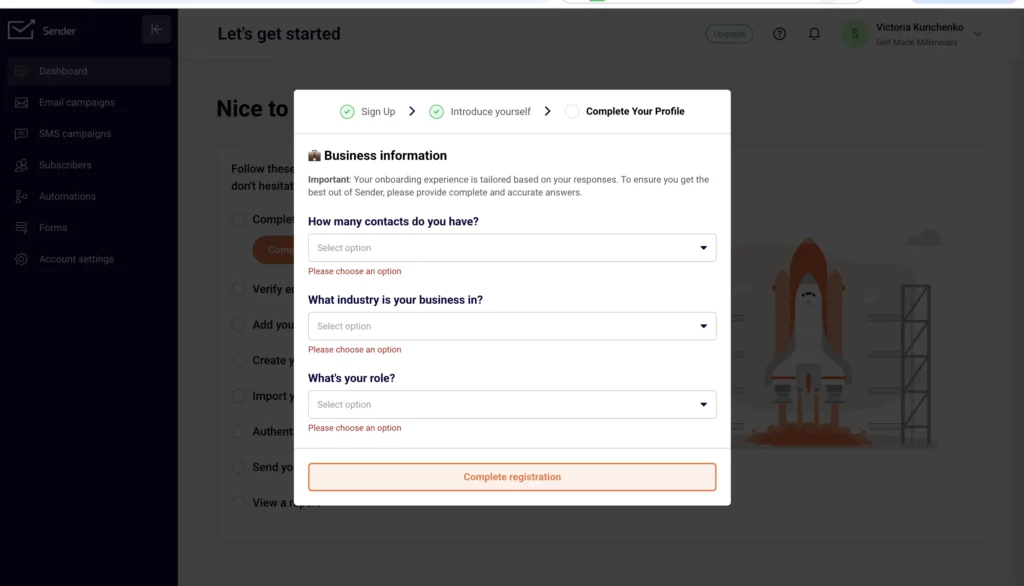
As soon as you finish setting up an account, you’ll be prompted to a dashboard with a clean user interface (UI) design. From there, you’ll see a bunch of options, like:
- Creating your first email campaign
- Sending SMS campaigns
- Importing your subscribers (manually, from a file, or even from Mailchimp or GetResponse)
- Setting up segments for different sales funnels
- Building automation workflows
- Designing subscription forms and popups, including fun ones like spin-the-wheel
Once your campaigns are up and running, you’ll get real-time stats on open rates, clicks, unsubscribes, and how much of your plan you’ve used.
Personally, I believe Sender’s interface is really simple and straightforward. You likely won’t run into any issues, but if you do, there are built-in tutorials and 24/7 support available to help you out.
Sender has a native integration with many CRMs and ecommerce platforms, including WordPress, PrestaShop, WooCommerce, and Zapier.
You can also integrate with custom systems using an API.
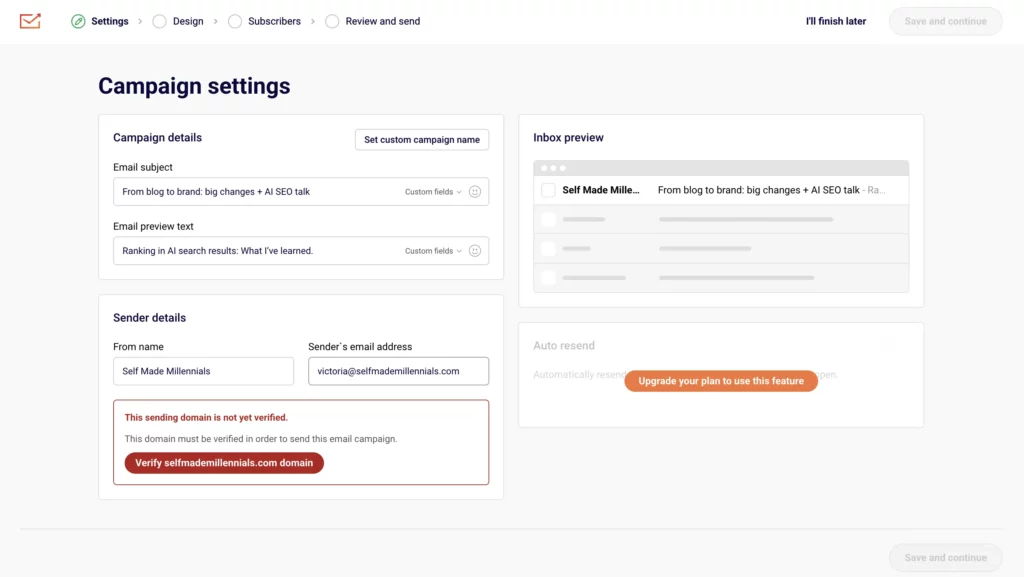
Before sending your first email campaign, Sender will ask you to add and verify your domain name. That’s a requirement from Google for bulk senders, those who send more than 5,000 emails to Gmail addresses in one day. Google forces email marketers to send email campaigns from verified domains only to avoid issues with deliverability.
Speaking of deliverability….
Sender’s strongest advantages over Mailchimp is its customer support and deliverability. All the latest user testimonials that I’ve checked on TrustPilot, G2 review platform, and GetApp have a positive sentiment about Sender’s support team. Sender even claims to have a 10-second response time – quite impressive!
Here’s what one of the Sender users shared about his experience on Trustpilot on July 11, 2025, where 92% of the user testimonials are 5-star:
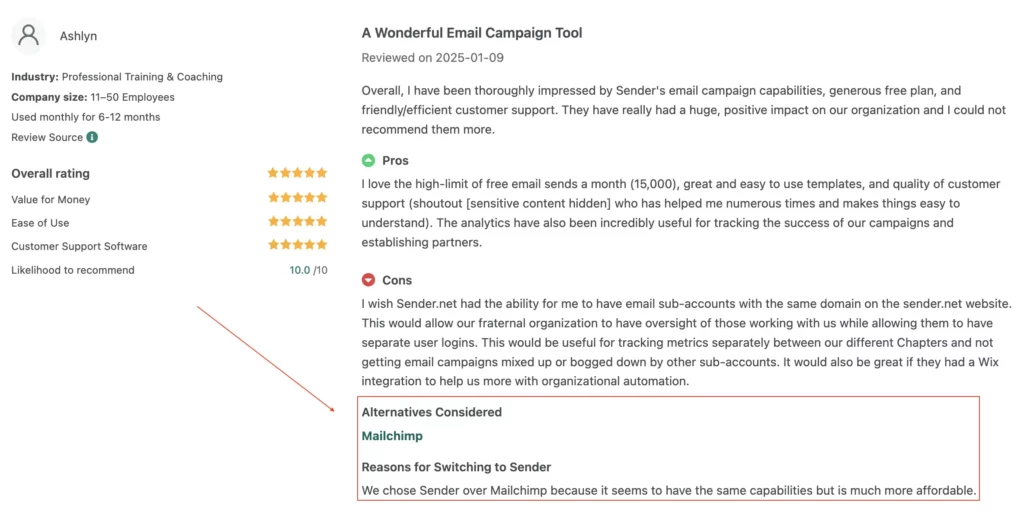
Besides the functionality part, users also point out that Sender is more affordable than Mailchimp, which is one of the reasons many switch.
7. Elastic Email
- Best for:
- Creator Suite: For content creators and solopreneurs to help them monetize their online businesses.
- Email Marketing: For businesses, solopreneurs, and marketers who want an affordable, easy-to-use tool to manage newsletters, promotions, and customer communication at scale.
- Email API: For SaaS companies, ecommerce stores, and marketers who need reliable bulk or transactional email delivery with built-in analytics.
- Pricing: The price depends on the product you choose. The Creator Suite pricing starts at $19 per month for up to 2,500 email subscribers. The Email API Starter product also starts at $19 per month for up to 50,000 emails. The Email Marketing Pro starts at $49 per month for up to 2,500 subscribers, including all essential features, such as email automations.
- Free trial: You get unlimited access to test all the features—no credit card required. You only upgrade when you’re ready to send your first campaign.
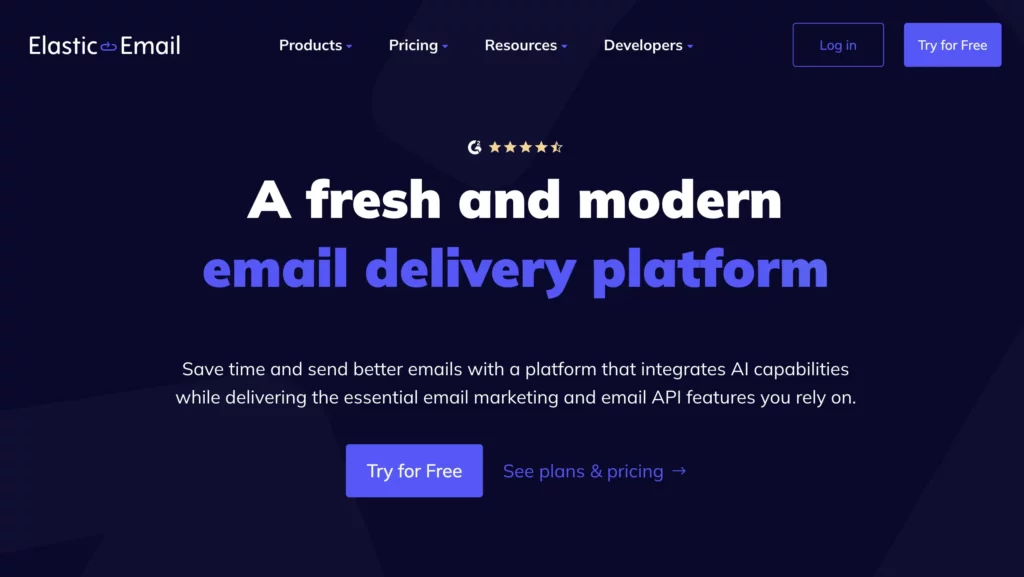
Elastic Email is an email marketing platform built to fit different needs — whether you’re a content creator willing to monetize your audience, an ecommerce brand, or a business looking for a strong alternative to Mailchimp (but with more flexibility).
What stood out to me when I explored the tool was how the team designed separate toolkits for different users. It’s not a one-size-fits-all approach. It’s truly “elastic,” adjusting to your needs.
Elastic Email offers three email marketing products:
Creator Suite: This one’s specifically designed for content creators and micro-businesses. It includes features like landing page creation, “Link in Bio” setup, sign-up forms, email automation, audience segmentation, real-time analytics, and a built-in way to sell digital products.
Email API: This product lets developers and businesses integrate email sending and tracking directly into their apps or websites. It’s especially useful for SaaS companies, ecommerce stores, and marketers who need bulk or transactional email delivery with performance data. If you are looking to automate email workflows, like order confirmations, newsletters, or system alerts, you’ll likely benefit from using this product.
Email Marketing: Lets you create, send, and automate email campaigns while tracking your campaign performance. Those looking to grow their audience, boost engagement, and drive sales through email will benefit most from using it.
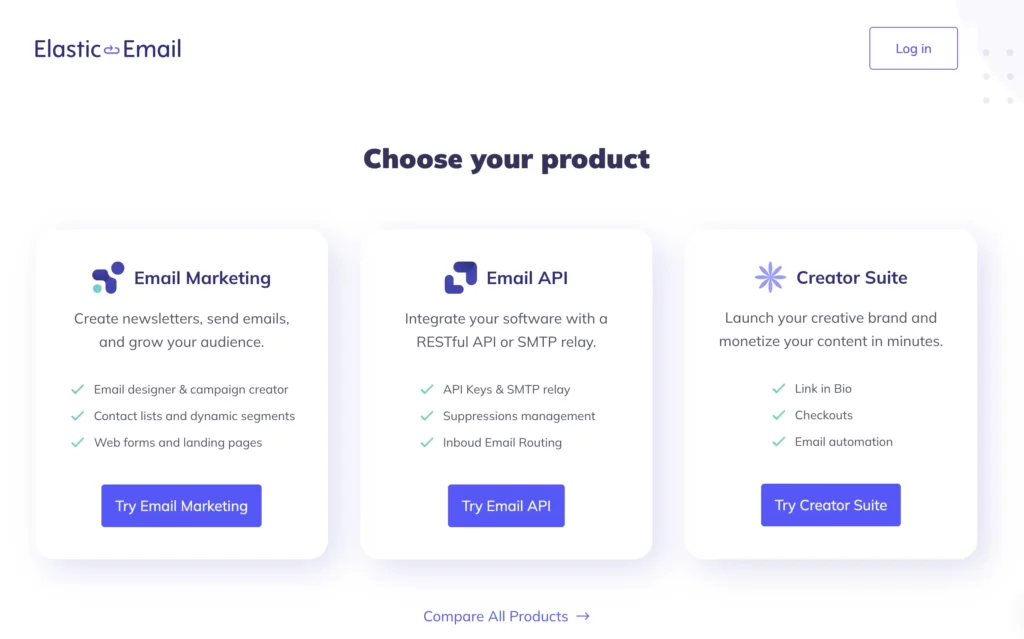
Since this article is all about Mailchimp alternatives, I decided to test the Email Marketing product.
After a quick survey about my business goals and how I discovered Elastic Emails, I got access to the dashboard. The layout is clean, simple, and easy to navigate, which I really appreciate. I’ve tested plenty of tools in the past years, and not all of them are straightforward.
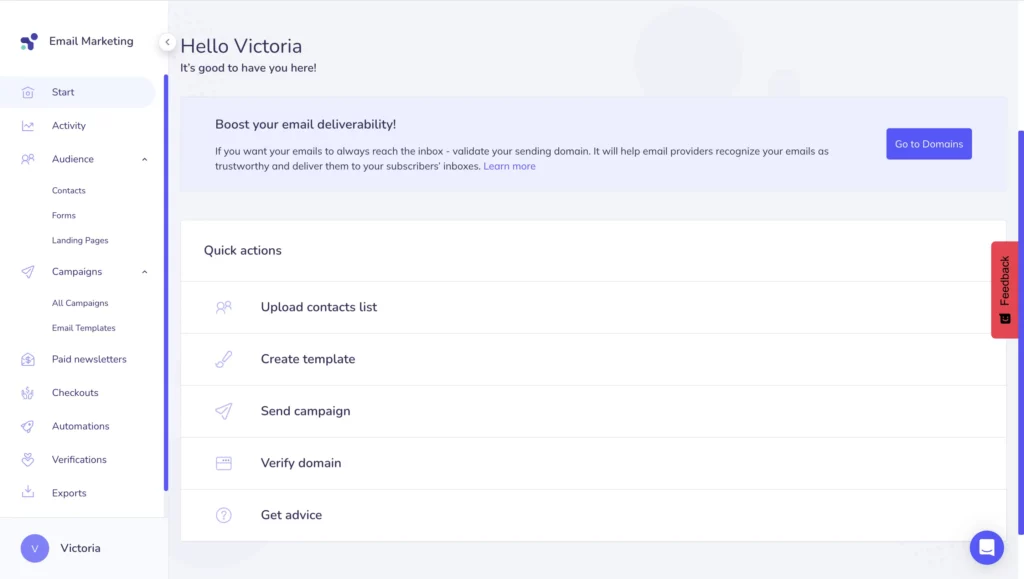
On the left sidebar, you’ll see handy tools to manage your email marketing:
Activity: This is a summary report to track the overall success of your email campaigns. You’ll see stats like email list growth, open and click rates, and which links people click the most.
Audience: Here’s where you’ll find everything about your subscribers. You can check their acquisition channels, where your audience is located, what devices they use, and track unsubscribes.
Campaigns: All your past and present email campaigns and drafts live here. You can also design your own template or pick from 85+ pre-made ones for different occasions.
Paid Newsletter: Unlike Mailchimp, Elastic Email lets you put content behind a paywall. You can charge your readers monthly, quarterly, or yearly.
Checkout: This is one of my favourite features, as a content creator. You can set up a checkout page for your product in minutes, share it with your audience, and start earning from your newsletter right away.
Automations: This lets you automate campaigns so the right subscribers get the right emails at the right time.
Verifications: With this feature, you can clean your email list in bulk, or validate email addresses one by one. If you haven’t done it with Mailchimp, Elastic Email lets you eliminate spam traps and invalid email addresses to boost your email marketing performance.
Exports: This is where you can download your email list in CSV, JSON, or XML formats in just one click.
Settings: Manage your account details, verify emails and domains, and more.
Overall, it’s a powerful toolkit that covers everything you need to run high-performing email campaigns, from custom email templates to automated free and paid newsletters.
Depending on the product you choose to work with, the functionality will slightly differ. What I described above is the Email Marketing product. If you’re using the Creator Suite, your dashboard will look a little different.
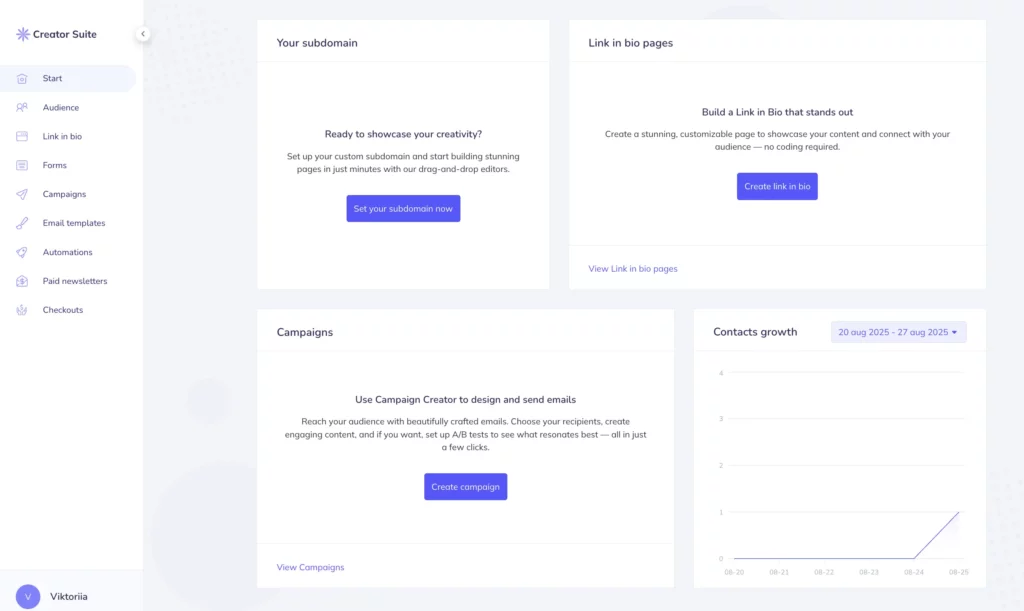
There’s one more thing I want to cover about Elastic Emails — email campaign creation.
You can choose between two types:
- Regular – Send out one template to your list.
- A/B Test – Try out a few versions to see which one performs best.
You can pick from ready-made templates, but I usually like starting with a blank page so I can design something that fits my business. The email editor makes it super easy.
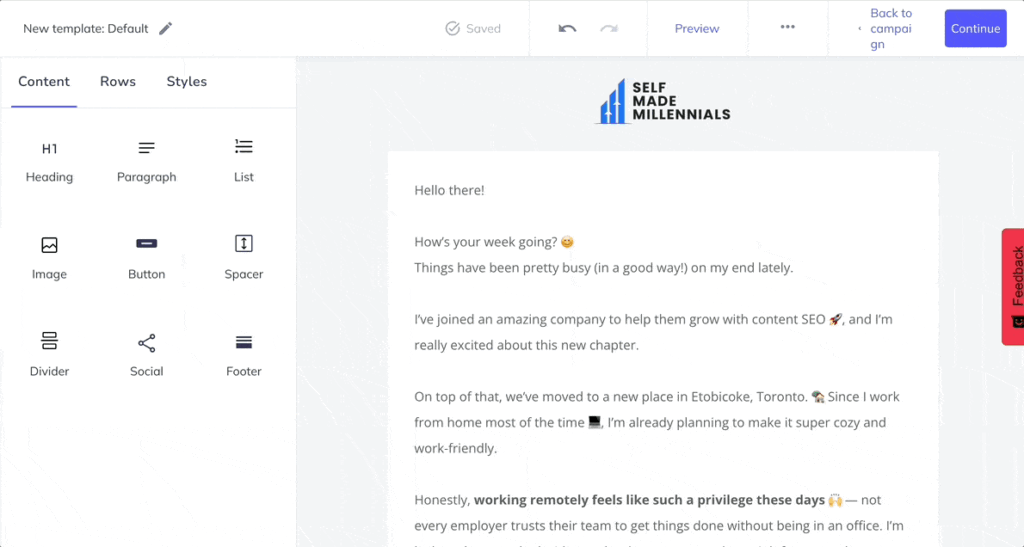
Honestly, it took me less than five minutes to put together a newsletter that you can see below where I updated my audience about my creator journey, shared my latest posts, and promoted my SEO ebook. Quick and effective—that’s all I need.
When collecting info about Elastic Email, I came across some comments saying it doesn’t have many integrations. That made me curious, so I dug a bit deeper to see if that was really true. My advice is always to double-check the facts yourself instead of just trusting user comments.
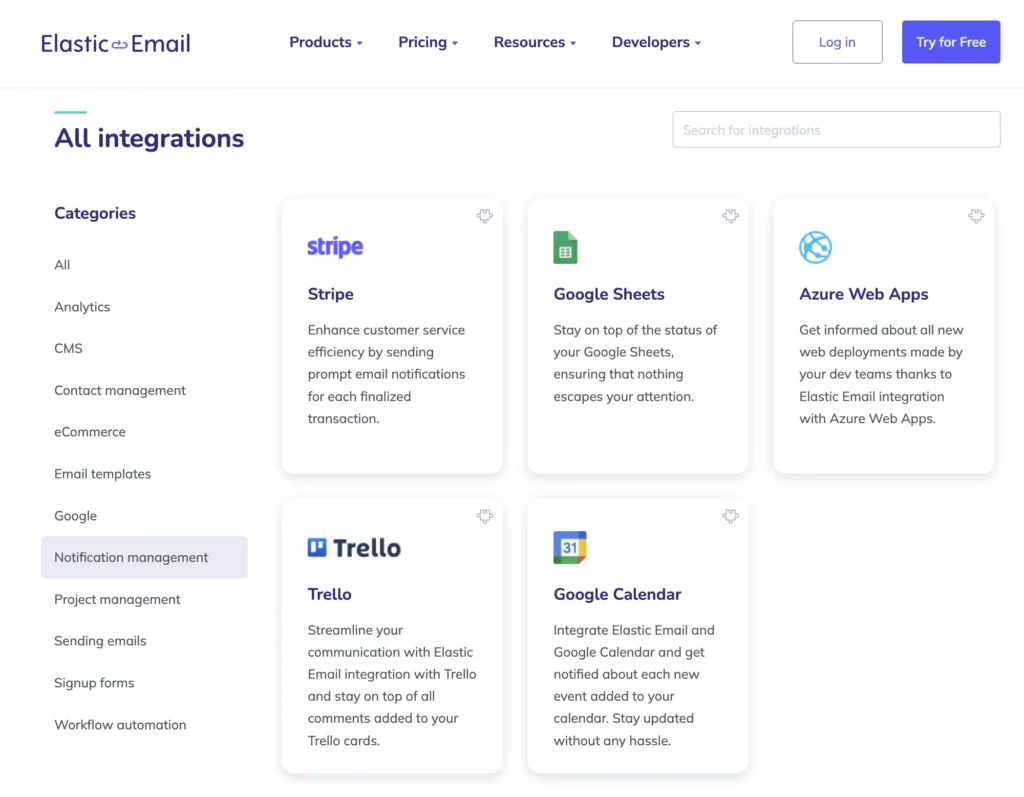
As of August 2025, Elastic Email offers 74 integrations, including big ones like Zapier, Trello, Stripe, WordPress, Shopify, Google Sheets, Google Calendar, and Google Ads, just to name a few.
You can see if your favorite integration is available on the Elastic Email Integrations page.
Before recommending this tool as a Mailchimp alternative, I wanted to see what other users think.
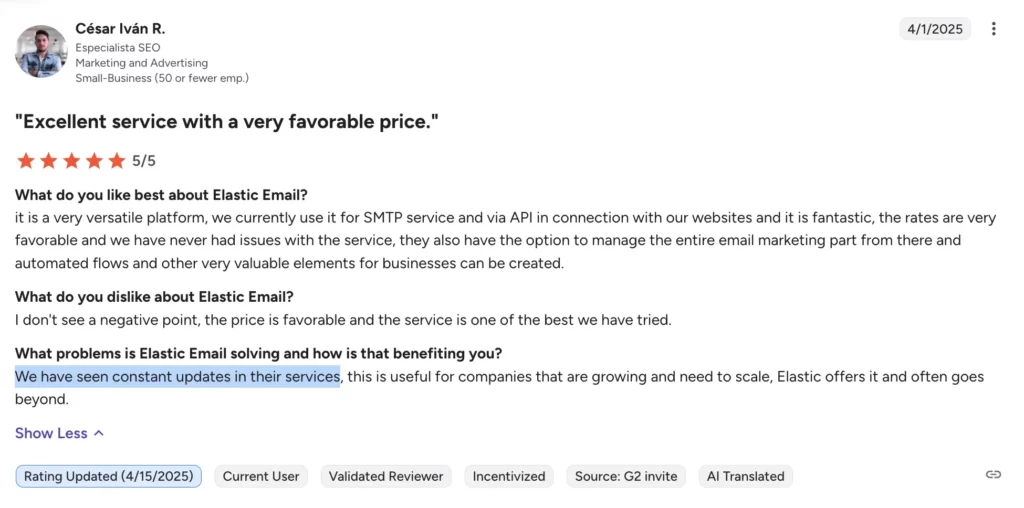
On G2.com, it has over 206 reviews with an average rating of 4.5/5
Users often mention how easy it is to use Elastic Emails and the variety of its features and I completely agree with that! On the flip side, some mentioned that support could be quicker and the Activity report could show more details about user engagement.
But honestly, it all comes down to what one user said: “Constant updates in their services” and “Excellent service with a very favorable price.” That’s what really sums up Elastic Email.
If you want to give it a try, you can use Elastic Email for free with no time limit and no credit card required. You only need to upgrade when you’re ready to send a campaign to your audience. Enjoy exploring Elastic Email!
8. MailerLite
- Best for: Creators and businesses of all sizes looking for an affordable email marketing software.
- Pricing: Starting at $10 for up to 500 subscribers with unlimited monthly emails and templates. The tool is free for up to 1,000 subscribers, but you’ll only have 12,000 monthly emails and one user seat.
- Free trial: 14-day free trial for Mailer Lite Advanced. No credit card required.
If you need a simple way to manage email subscriptions and stay in touch with your audience, check out MailerLite.
Unlike Mailchimp, MailerLite offers an easy-to-use, all-in-one email marketing platform.
You can use customizable templates, automation builder, and segmentation features to send the right emails to the right people for lead generation.
It’s a great option for businesses and creators who want to connect with their audience.
I’d say MailerLite is one of the best alternatives to Mailchimp, offering strong email marketing tools and even a website builder.
I’ve published an in-depth review of MailerLite alternatives if you are looking for the best tool to switch to.
9. Campaign Monitor
- Best for: This is a great pick for agencies, retail shops, nonprofits, and publishing businesses that need powerful email tools to manage their audience effectively.
- Pricing: The Lite plan starts at just $11 a month for up to 500 subscribers with unlimited user seats and 5x subscriber emails per month.
- Free trial: You get a 30-day free trial, no credit card needed. Just keep in mind there’s a cap of 500 emails and 500 contacts during the trial period.
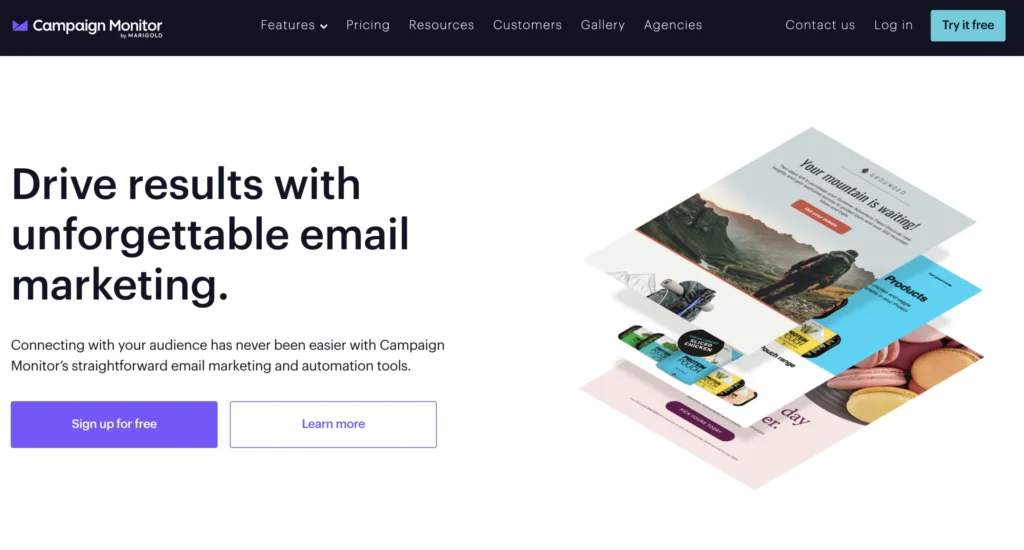
If you’re looking for an alternative to Mailchimp, Campaign Monitor is a solid option for email marketing.
Campaign Monitor offers tools to help you organize your audience, automate your emails, and run targeted campaigns.
Additionally, it’s super easy to use. You can design beautiful newsletters, track how they perform, and tweak things as you go. No guesswork, just clear insights into what’s working and what needs improvement.
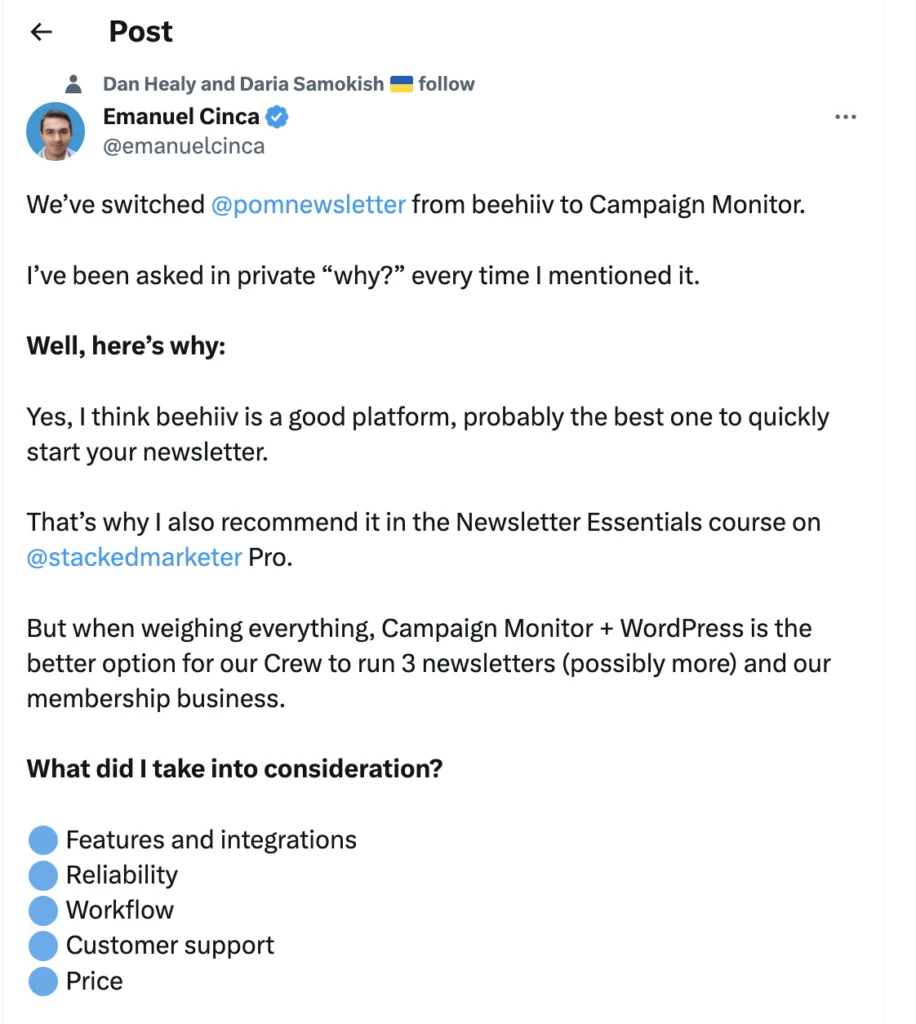
Oh, and I came across a tweet from a content creator who runs three newsletters. They shared why they prefer Campaign Monitor over other platforms, which makes me even more curious about its benefits!
10. Substack
- Best for: Startups, businesses, and individual creators who need a solution that integrates blogging and email marketing
- Pricing: It’s free to use Substack. There’s a 10% platform fee on paid subscription revenue, plus credit card processing fees (2.9% + $0.30 per transaction) from Stripe, with an additional billing fee for recurring subscriptions
- Free trial: Not applicable. The platform is free to use
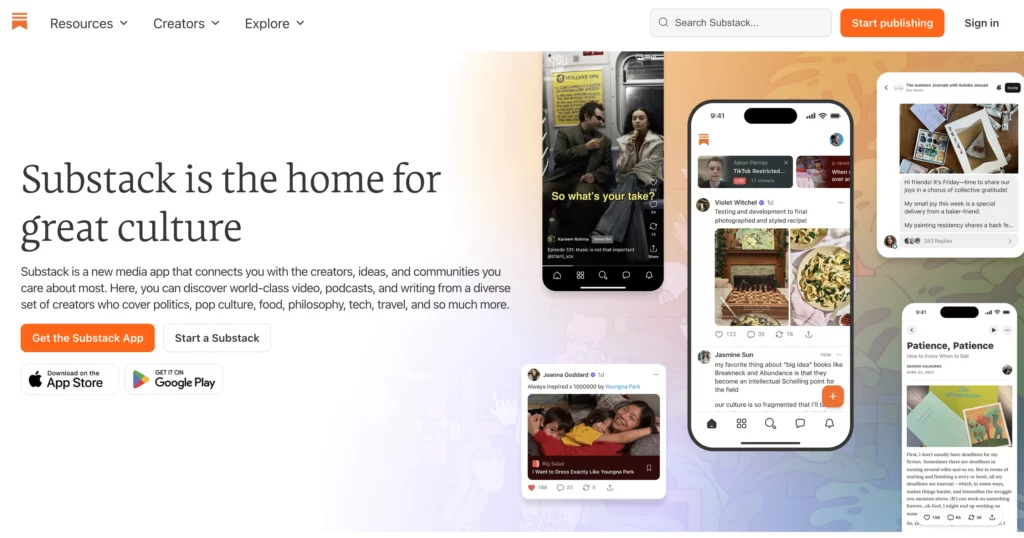
I’ve noticed people sometimes debate what’s better: Substack vs. Mailchimp.
Personally, I think there’s a pretty big difference between the two.
Substack isn’t just an email marketing tool like Mailchimp. It’s been around since 2017 as a full media platform for things like videos, podcasts, blogs, paid memberships, and newsletters.
The free version has some limitations, but if you’re just getting started and don’t want to spend on email marketing, Substack is a solid and free alternative to Mailchimp to test out your ideas before diving into something paid.
What sets Substack apart is that it’s not just about email. It’s a complete content marketing tool. You can create a website, gather emails with sign-up forms, and even sell paid subscriptions. Plus, Substack has an app for iOS and Android, so you can manage everything on the go. Not many platforms offer that kind of flexibility.
But if you’ve tried Substack and are looking for other options, I’ve published a post on my favorite Substack alternatives.
FAQ
When should you start looking for a Mailchimp alternative?
If you’re thinking about switching from Mailchimp, it’s worth figuring out why first.
Everyone’s situation is different.
For some, it’s the price. Mailchimp can get pricey quickly once you move past the free plan, especially now that they charge for all contacts, not just active subscribers.
Others start looking for alternatives when they need more advanced email automation. Mailchimp’s free plan doesn’t offer it, and even the paid plans can feel a bit limiting.
If you manage multiple email lists, you might also find it frustrating that Mailchimp keeps them separate, making segmentation and organization more complicated than it needs to be.
And if you try to build dynamic landing pages or run A/B tests, you might feel boxed in, since Mailchimp’s tools for those features are pretty basic.
Finally, if you need a real CRM to manage clients and deals, Mailchimp’s version is too light, and no pipeline management features are included.
If you can relate to any of these points, it might be time to check out more affordable platforms like Brevo, Omnisend (suitable for ecommerce), or beehiiv (built for fast growth and monetization).
What is a better alternative for Mailchimp?
The best Mailchimp alternative really depends on your business needs, budget, and type of business.
For example, I’m a creator, and my main goal is to grow and monetize my email list fast. That’s why I use beehiiv. It’s built for people like me, content creators, but it’s also trusted by established businesses. beehiiv makes it easy to host, run, and automatically monetize newsletters with their built-in monetization tools.
If your focus is on audience growth and making money from your newsletter, it’s a great option. But the “best” choice for you will ultimately depend on your priorities.

Join the newsletter for actionable SEO tips, case studies, and a behind-the-scenes look at my affiliate marketing journey.
No spam. Unsubscribe anytime.