

If you are searching for the best email newsletter platforms, you are probably thinking about launching one.
And you are absolutely right!
According to Statista, the number of email users worldwide will increase by 4,894 million users by 2027, which is a 6.53% increase from 4,594 million email users in 2025.
I’m glad you landed on my post. In this article, I’ve shared my experience of running my newsletter using three different platforms: beehiiv, Kit, and Mailchimp.
I’ve also revealed how I monetize my humble newsletter with just a bit over 1,000 subscribers.
Since I have over 5 years of experience running my newsletter using different email newsletter platforms and software, this would be an in-depth post with insights you won’t find anywhere.
You’ll learn about the pros and cons of each platform, their pricing, and which one might be the best fit for your needs.
I’ll also share the challenges I faced, what worked well, and what I would do differently if I were starting from scratch.
If you’re launching your first newsletter or looking to switch platforms, this guide will help you make an informed decision.
By the end of this post, you’ll have a clear understanding of which newsletter platform aligns with your goals and budget.
Let’s dive in!
How I picked these online newsletter platforms
Before we get into the details, let me be upfront about how I chose these newsletter platforms.
I didn’t just pick them randomly—there’s a reason each one made the list.
The first four are platforms I’ve been using since 2020, and I still use them today. You’ll even see screenshots from my dashboards with dates.
I also tried the last one on the list, but it didn’t stick with me. I’ll explain why later. Still, I included it because it might be a good fit for you.
Here’s how I’m evaluating these platforms:
- Ease of use – You should be able to figure it out quickly, even if you’re a total beginner.
- Monetization – I considered how each platform helps creators make money.
- Pricing – I included both free and paid newsletter platforms.
- Audience growth – Some platforms provide tools to help you grow your email list faster.
- Paid subscriptions – You’ll find out which ones let you offer paid tiers.
- Partner programs – Some newsletter platforms reward their ambassadors, and I’ll tell you which ones do.
I’ll also share my favorite platform, the one I’ve been using for over a year and absolutely love.
Let’s dive in!
Top 5 free and paid newsletter platforms & software
Here are my top picks for the best newsletter platforms:
- beehiiv — Great for growing your newsletter and making money, even with a small email list.
- Kit (formerly ConvertKit) — Comes with powerful email automation and works well with many other tools.
- Omnisend — All-in-one email marketing software for ecommerce brands.
- Mailchimp — A solid choice for businesses that need both email marketing and CRM features.
- Substack — Suitable for writers who want to run a paid newsletter.
Now, let’s take a closer look at each one!
1. beehiiv
- Best for: Turning your newsletter into a website and monetizing your content
- Pricing: From $49 per month for the Scale plan with up to 1,000 subscribers.
- Free trial: 30-day free trial for the Scale and Max plans.
I’ve been using beehiiv since January 2024.
Before that, I used Kit, but it didn’t have the monetization options I needed. beehiiv, on the other hand, helped me monetize my newsletter easily, which was exactly what I was looking for.
As a content creator with a small email list, I needed an easy, low-effort way to make money from my newsletter.
In 2024, I earned $940.32 from beehiiv Boosts and sponsored ads with an email list of about 1,000 subscribers.
Fast forward to August 2025, and I made over $7,315.98 through the beehiiv Partner Program by sharing my experience with the platform.
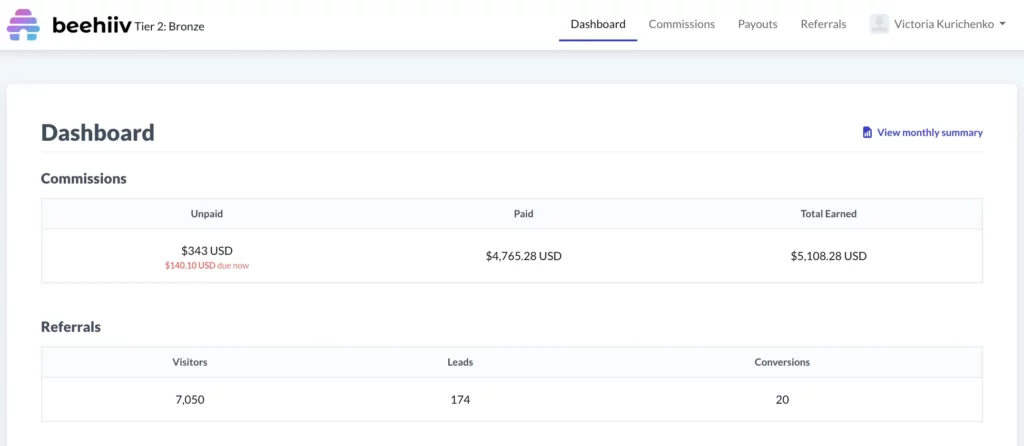
So, if you’re thinking about monetizing your newsletter, I highly recommend checking out beehiiv. They offer some of the best earning opportunities:
- Boosts – Earn $1-$3 for every subscriber you refer to other newsletters.
- Sponsored Ads – beehiiv sends regular ad sponsorship requests, so you can make money from clicks or views. I get around 10-15 ad offers each month.
- Paid Newsletters – Charge subscribers through monthly subscriptions or one-time payments.
If you want to make money from your newsletter, beehiiv makes it simple.

There are a few more beehiiv features I want to talk about that might be worth your attention.
Website builder
With beehiiv’s no-code website builder, you can easily set up a space to host your newsletters, posts, and premium content—all with a built-in sign-up option to grow your audience.
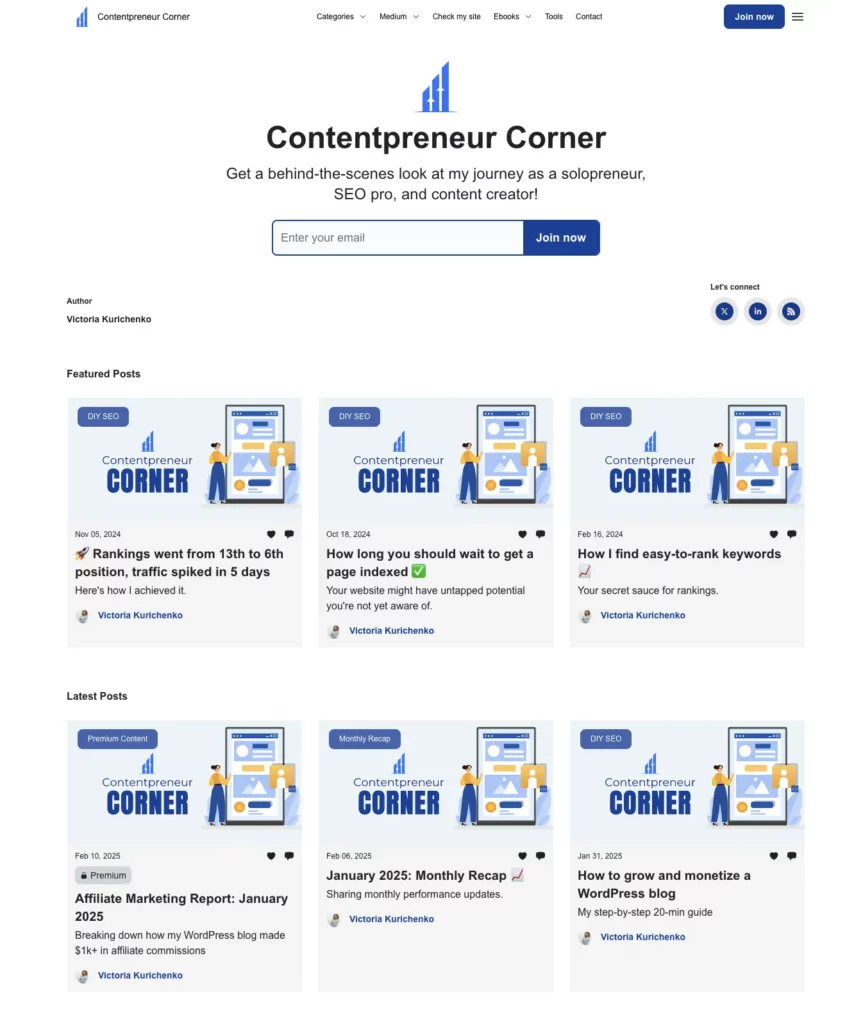
Below, you can see what my website on beehiiv looks like. You can create something similar (or even better) in just a few minutes!
I’ve organized my newsletters into categories like DIY SEO, Content to Cash, Monthly Recap, and Affiliate Reports (which my premium content). These posts are essentially my newsletters that I’ve made public so my audience can access them anytime.
3D Analytics
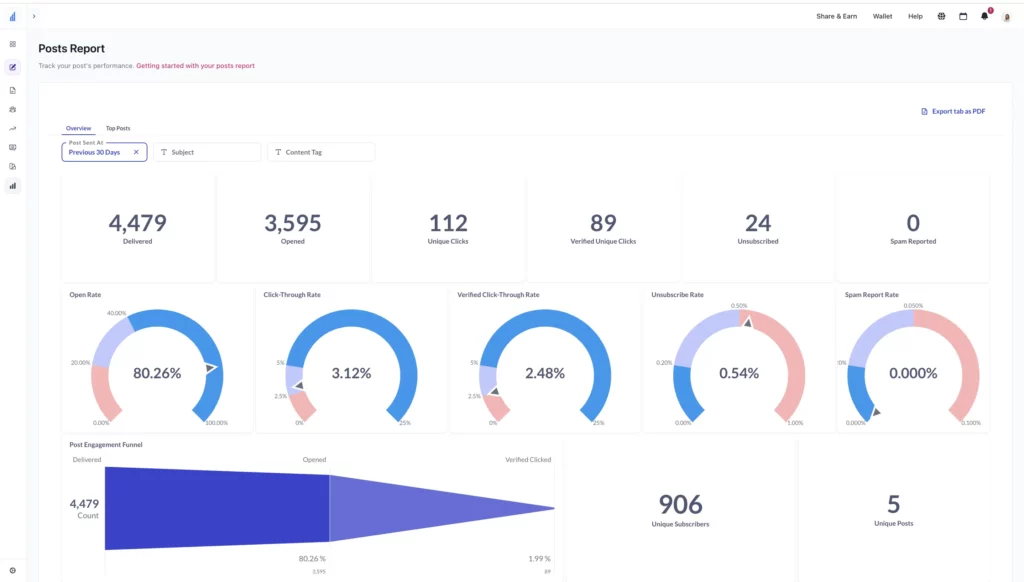
beehiiv has the most powerful analytics report out of all newsletter platforms I’ve ever used. It lets you know exactly how your email marketing software performs and helps you make informed decisions.
In particular, beehiiv 3D Analytics can help you with the following:
- Monitor subscriber growth over time with detailed breakdowns.
- Analyze open rates, click rates, and other key performance indicators.
- Identify unsubscribe trends and potential causes.
- Track earnings from subscriptions, sponsorships, and referrals.
- Evaluate individual email campaigns to see what resonates with subscribers.
- Filter and analyze data based on audience demographics and behaviors.
- Understand which links, topics, or formats drive the most engagement.
- See how well emails reach inboxes and avoid spam filters.
- Measure how newsletters drive sign-ups, purchases, or other desired actions.
- Export data and create custom reports tailored to specific goals.
- And more!
Below, you can see an excerpt of the Posts Performance report that I review monthly on beehiiv. It shares tons of helpful information about my work.
Let me tell you that open rates and click-through rates have been my priority lately. I’m glad I could boost the open rates significantly. There’s still plenty of work to make my newsletters even more helpful to my audience.
Here is my in-depth beehiiv review if you want to learn more about the platform.
2. Kit (former Convertkit)
- Best for: Creating easy visual newsletter automations
- Pricing: If you’re just starting out, Kit has a free plan you can use for up to 10,000 subscribers. It’s pretty basic, only letting you set up one automated sequence for emails. If you want more features to help you grow, you’ll need to upgrade. The Creator plan starts at $29 a month for up to 1,000 subscribers.
- Free trial: 14-day free trial for the Kit Creator plan; you can start a free trial here.
Kit was the second email newsletter service I tried after Mailchimp, and I used it from 2021 to 2024.
Honestly, it’s a solid platform. I probably wouldn’t have left if they had multiple monetization features similar to beehiiv.
One thing I love about Kit is how easy it is to use. You don’t waste time figuring things out—you just get things done.
Here’s a quick rundown of what you can do with Kit as a content creator:
- Connect it with Stripe, Shopify, and social media to simplify content distribution and monetization.
- Choose from tons of newsletter templates to create professional-looking emails.
- Collect and segment subscribers easily with built-in landing pages and signup forms.
- Track key performance metrics like open rates, click-through rates, and unsubscribes.
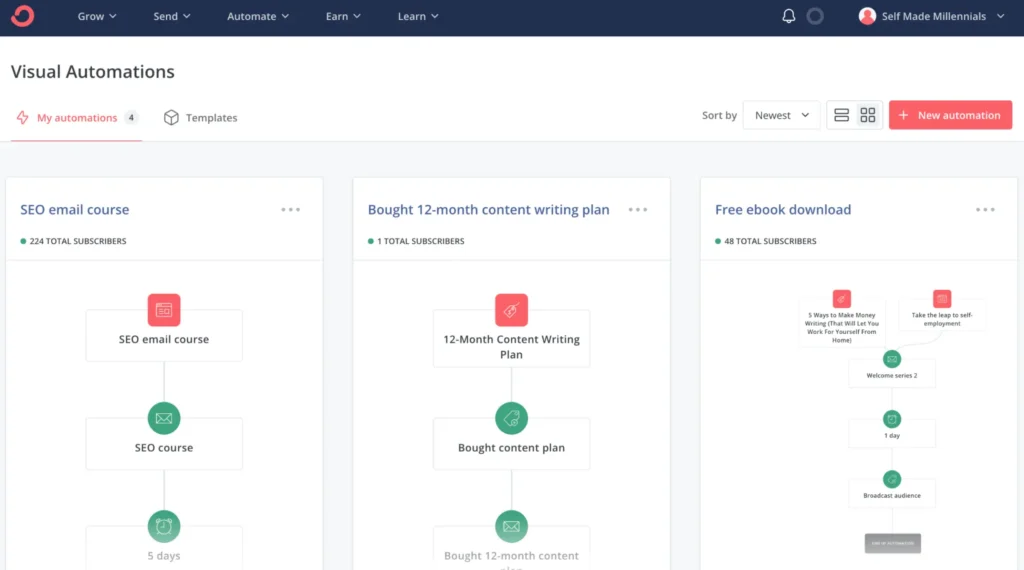
- Automate customer journeys with the Visual Automations tool.
- Grow your email list with the Recommendations feature.
- Run paid newsletters and subscriptions.
- And more!
As an SEO specialist, I used Kit to build and monetize my email list. I was on the Kit Creator plan for about $29/month, and my favorite feature was Visual Automation. It made it effortless to nurture my audience and sell my products on autopilot.
With Kit, you can set up email campaigns, decide who gets them and when, and let automation handle the rest while you focus on other things.
Here’s an example of how I used automation in Kit:
Another thing I appreciate about Kit is its fair pricing for creators selling products through Kit Commerce. The transaction fee is just 3.5% + $0.30—way lower than Gumroad’s 10% or even PayPal’s 4.75%+.
And if you’re just starting out, they offer a free plan for up to 10,000 subscribers with one email automation—a game-changer for new creators.
Want a deeper dive? Check out my full Kit review.
If you’ve used Kit in the past and are looking for better newsletter platforms, here’s my go-to list of Kit alternatives.
3. Omnisend
- Best for: Ecommerce businesses that also use SMS marketing.
- Pricing: Starts at $16/month, which covers up to 500 subscribers and 6,000 emails. If you sign up for 3 months, you’ll get 30% off.
- Free trial: You can use the free plan as long as you like. It gives you access to all Omnisend features and lets you send up to 500 emails a month to 250 contacts.
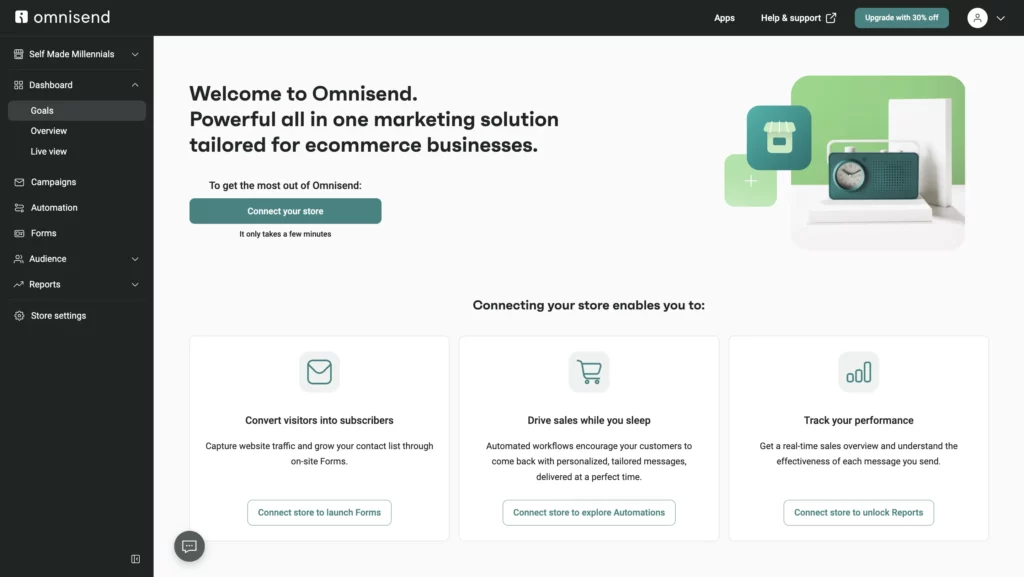
Omnisend is an email marketing platform developed for ecommerce businesses.
It started back in 2014 in Lithuania under the name Soundest. Fast forward to today, and over 125,000 brands rely on it, supported by a team of 250+ people.
Let’s talk pricing. Omnisend keeps it simple with three plans:
- Free Plan – Perfect if you’re just starting out. No credit card required. You get 250 contacts, 500 monthly emails, 60 one-time SMS, and 500 web push notifications. Keep in mind that the free plan includes Omnisend’s branding.
- Standard Plan – From $16/month. A solid option for growing businesses. You can send up to 12x your list size in emails each month, use unlimited web push notifications, and get live chat support.
- Pro Plan – From $59/month. Best for bigger businesses or those who need to use SMS marketing. It comes with unlimited emails, free SMS credits, advanced reporting, and priority support. Pay three months upfront and you’ll save 30%.
Whichever plan you choose, you’ll get access to the following set of tools:
- 24/7 live chat and email support
- 250+ email templates
- Ready-to-use workflows and audience segments
- 160+ integrations (like Shopify, WooCommerce, Wix, and WordPress)
- List cleaning tools
- Performance and sales tracking
- Track how your campaigns perform for each audience segment
- Marketing performance tracking by channel
- Email and SMS campaigns’ deliverability performance
- And a bunch more helpful features!
Omnisend offers 18 pre-built email marketing workflows, so you can quickly set up automated welcome email campaigns, abandoned cart and checkout automated emails for shoppers, order confirmation receipts, shipping confirmations, order follow-ups, and more!
It’s honestly a powerful tool for anyone running an online store!
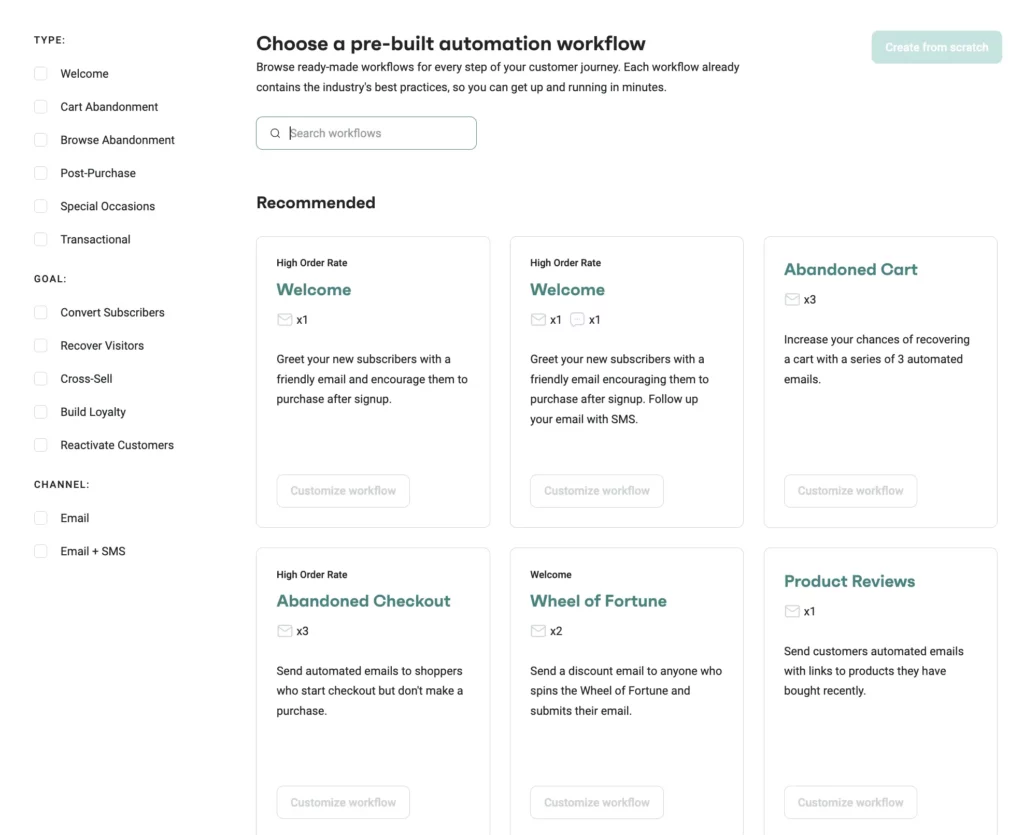
One thing that makes Omnisend stand out, compared to other newsletter platforms, is that you can easily add products from your online store straight into your emails using their Email Builder.
You can either create custom email campaigns or use Omnisend’s pre-designed templates for any occasion, such as:
- Promote a product
- Engage your audience
- Announce a sale
- Offer a discount
- And more!
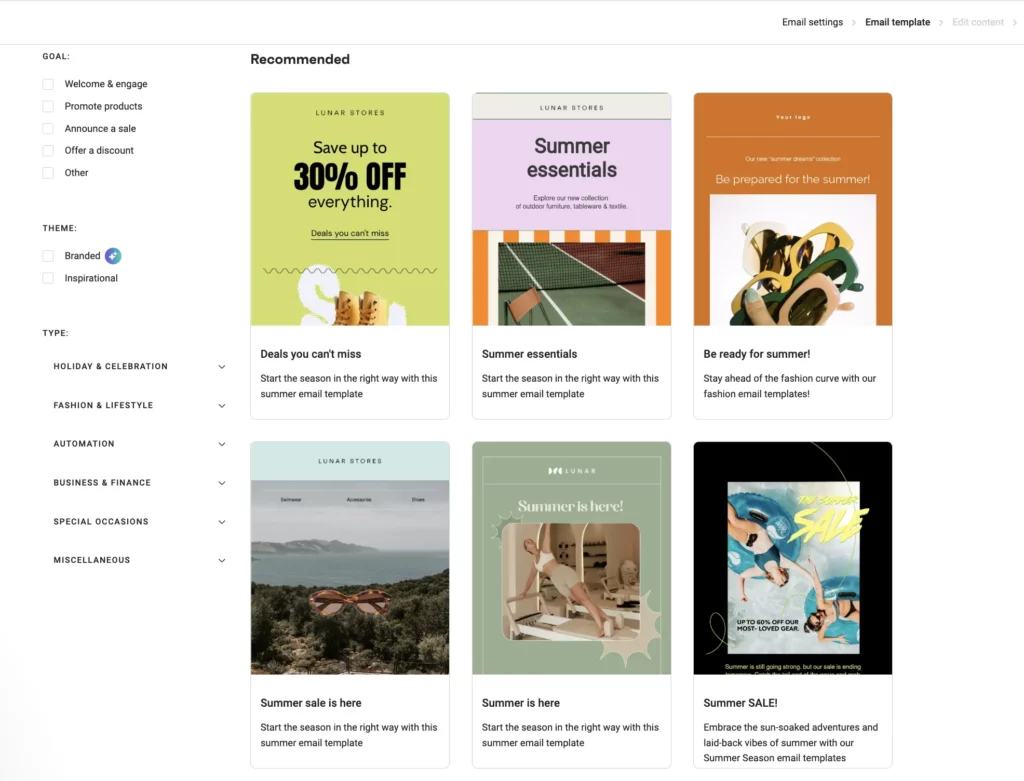
While researching Omnisend for this article, I found out Omnisend doesn’t charge extra for unsubscribes. That’s great, because some other platforms, like Mailchimp, actually do.
Omnisend also gives you tools to clean your email list, which helps your emails land in inboxes instead of spam folders.
One more thing worth mentioning, especially now that we live in an AI-powered world—Omnisend AI.
It’s like your personal assistant for email marketing. It can suggest subject lines, write product descriptions and emails, and even tell you the best time to send them. You still control the tone and message, but the AI gives you a strong starting point. Instead of staring at a blank page, you get ideas you can edit and make your own. It saves time and makes the process easier.
I also liked the following video that shows how AI can speed up your work and make it more effective. Omnisend shares even more tips, tutorials, and updates on their YouTube channel, so if you’re interested, it’s worth a look.
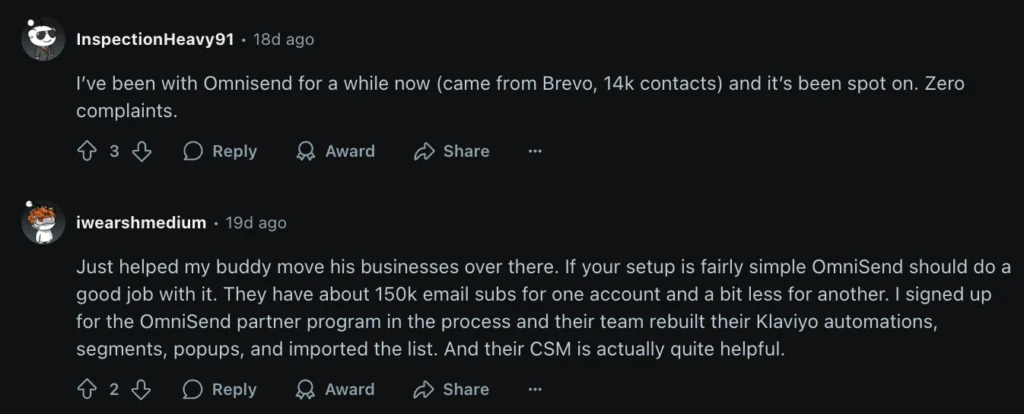
I also looked at what people are saying about Omnisend on LinkedIn, Capterra, and Reddit.
Reddit was especially interesting. I went through threads and posts going back four years. In the early days, a lot of users mentioned slow support and some bugs. But the newer reviews tell a different story. Now, many see Omnisend as a solid newsletter platform.
A couple of reviews really stood out to me, especially for anyone managing big email lists. One person shared that they had 150,000 contacts, and Omnisend’s team personally helped them move everything over from Klaviyo, automations included. That’s a huge time-saver for busy newsletter owners.
So, if you’re running an online store, or planning to, Omnisend is definitely worth checking out.
4. Mailchimp
- Best for: Startups, businesses, and individual creators looking for a comprehensive email marketing solution with ecommerce features.
- Pricing: Starts at $20/month for up to 500 subscribers.
- Free trial: 14-day free trial available for the Mailchimp Standard plan.
Mailchimp was the first newsletter platform I ever tried.
My journey with it began in August 2020 when I set up my first email list. Back then, it had a solid free plan that even included automation, which was a big plus.
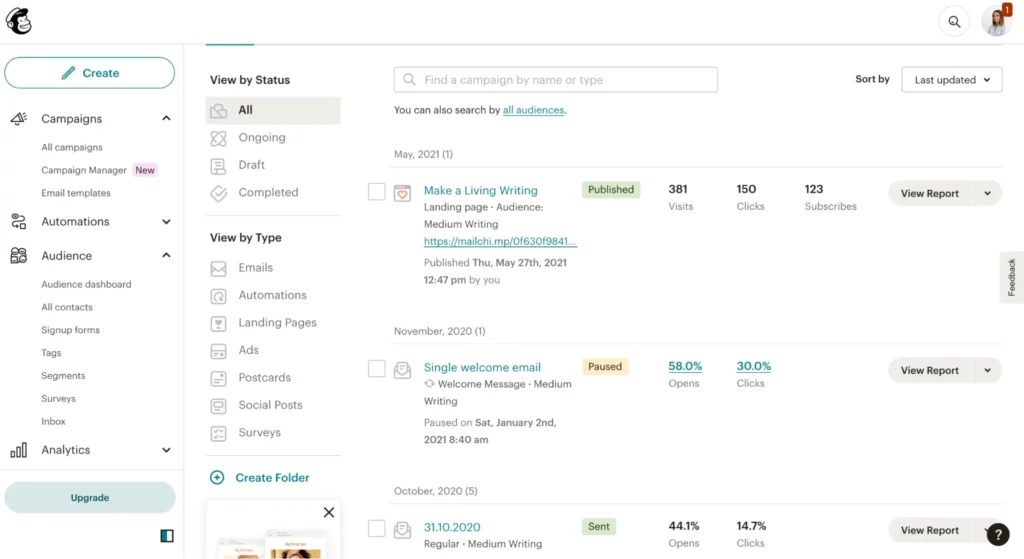
At first, it took me time to understand the Mailchimp user interface (UI).
Their dashboard was cluttered, and I struggled to design my newsletters and set up a welcome series.
Maybe that’s just me. If you’ve used email tools before, you might not have the same trouble.
Here’s a look at the dashboard. It’s a bit cluttered at first, but once you get used to it, it’s not too bad.
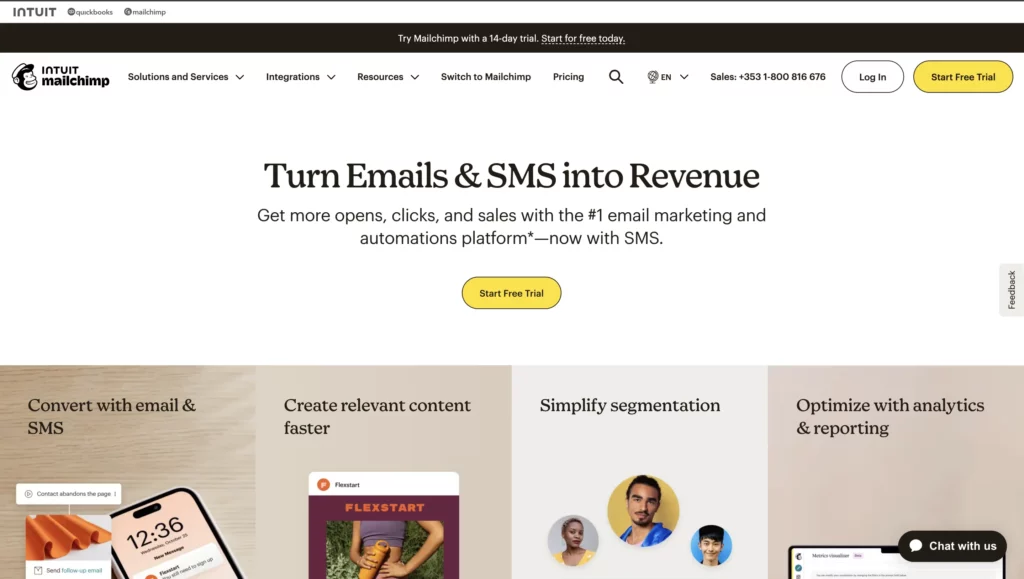
Unlike some of the other newsletter platforms I’ve mentioned, Mailchimp is more than just an email tool—it’s a full-fledged marketing platform.
Here’s what it offers:
- Social media marketing
- A built-in CRM (customer relationship management) tool
- An AI-powered email marketing assistant
- AI content creation tools
- SMS marketing (a unique feature)
- Integrations with 300+ tools like Canva, Shopify, Zapier, Wix, Stripe, and WordPress
- And more!
Mailchimp started as a simple newsletter platform back in 2001, but over the last 22 years, it has evolved into an all-in-one marketing solution.
If you’re looking for a tool to help grow your audience and boost sales, Mailchimp might be a great fit for your business.
5. Substack
- Best for: Creating paid subscriptions and newsletters
- Pricing: No upfront fees, but a 10% commission applies per sale
- Free trial: Not offered
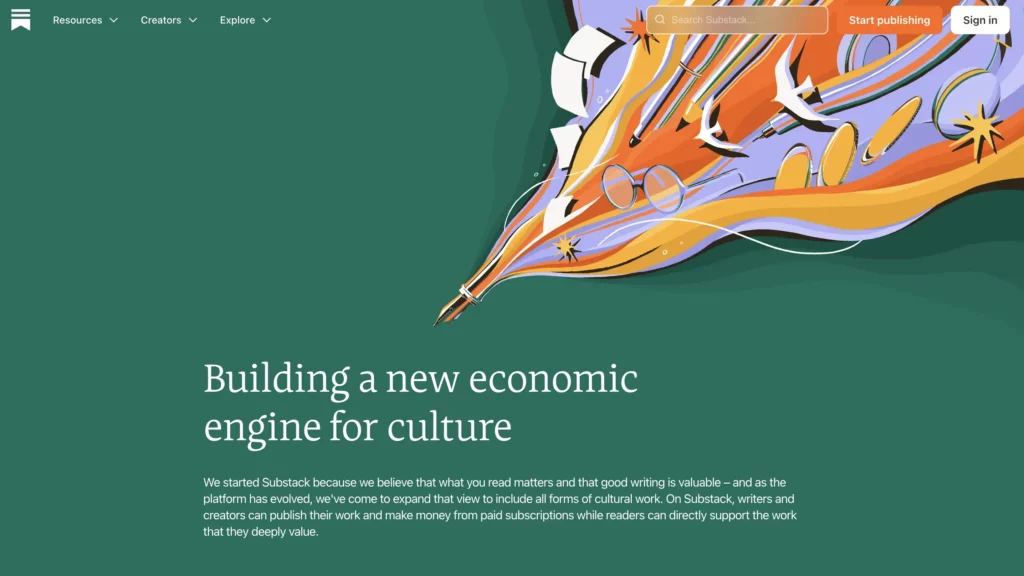
I remember trying Substack when I just started blogging, but it didn’t stick.
Eventually, I switched to Medium for publishing my stories on the web and Mailchimp for experimenting with a newsletter.
It seems to be more popular nowadays due to its freemium business model, which basically makes it a free newsletter platform to manage your email list. You don’t pay a penny until you actually start selling via Substack.
Some key features for newsletter creators include:
- A built-in audience discovery system that should help you get discovered by new readers
- Native podcast and video support for multimedia content
- A simple writing interface with no need for coding or design skills
- Direct community engagement through comments and discussion threads
- Paid subscriptions with built-in payment processing via Stripe
Substack helps creators grow through built-in recommendations. It’s great for organic discovery.
beehiiv gives you more control. You get advanced customization, automation, and detailed analytics. It’s better for scaling and making money.
I’ve also shared reasons why I won’t be switching to Substack due to its organic performance in my Substack alternatives post.
What I believe is the best newsletter platform now
I’ve tested multiple creator tools, but beehiiv stands out as the best option for solopreneurs and content creators like me.
Since launching my newsletter in January 2024, I’ve found beehiiv to be the most intuitive and growth-focused platform available.
One of my favorite things about beehiiv is the ease of monetization, whether through ads, paid subscriptions, or partnerships.
I have a bold plan to grow my email list to 10k on beehiiv and make $1k monthly. Let’s see if and when it will happen.
With beehiiv AI, it has already become an AI newsletter platform, letting content creators generate newsletters and custom images in minutes.
Now, I don’t use AI to write my newsletters, but I have to admit some of these AI features are pretty handy:
- Auto-complete sentences
- Fix spelling and grammar
- Change the length of the text
- Simplify your writing
- Alter the tone of voice
- Seamlessly translates your content into some of the most popular languages, including French, Spanish, German, Italian, and Portuguese
Another thing I love? The beehiiv team is super active on social media. If you hang out on Twitter or LinkedIn, you’ve probably seen their posts. They absolutely crush it.
It’s built for newsletter operators who understand what’s needed to succeed. If you’re serious about growing a newsletter, especially in the writing, SEO, or solopreneurship space, beehiiv is the platform to be on.
FAQ
I’ve collected a few more questions about newsletter software and apps you might want to review as well.
What’s an email newsletter?
An email newsletter is like a regular update sent straight to your inbox. It’s a personal letter from a brand, business, or creator you follow. It usually includes useful tips, stories, or updates to keep you in the loop.
You can check all my formerly published newsletters here.
What’s the best newsletter platform for a small business?
If you’re running a small business and want a solid newsletter platform, beehiiv and Kit are the two best options.
beehiiv is ideal if you’re looking to grow fast with built-in audience tools, while Kit is great for easy automation and ecommerce features.
It really comes down to whether you need growth-focused tools (beehiiv) or a simple, hands-off approach (Kit).
What’s AI newsletter software?
We live in the AI era, and it feels like every online tool jumps on the AI bandwagon to make things faster and more efficient for users.
Newsletter platforms are no exception. They’re turning into AI newsletter software that helps people write emails quicker, proofread on the fly, generate content with simple prompts, create unique AI images, translate text in seconds, and more.
And I don’t see this slowing down anytime soon. AI is only going to become a bigger part of email marketing in the years ahead.
Here’s what Tyler Gillespie, Head of Partnerships & SEO at beehiiv, shared about AI-powered email marketing in 2025:

How do I choose a suitable email newsletter platform?
The right email newsletter platform depends on your goals and budget.
If you want a platform that’s built for growth, has strong monetization features, and is easy to use, beehiiv is a solid choice, especially if you’re serious about scaling your audience.

Join the newsletter for actionable SEO tips, case studies, and a behind-the-scenes look at my affiliate marketing journey.
No spam. Unsubscribe anytime.