


If you’re searching for the best SEO content writing tools, you’re in the right place.
As an SEO specialist and website owner, I’ve tested a bunch of free and paid SEO writing tools to create content that ranks.
In my experience, many tools provide different keyword suggestions, search volumes, and keyword difficulties. Plus, switching between several tools can be a hassle.
I’ve also come across many articles listing tons of tools. But just because a tool is mentioned there doesn’t mean the author has actually used it. And not every tool will help you create well-optimized and helpful content.
In this article, I’m sharing my go-to SEO content writing software, both free and paid.
I’ve used these tools to help businesses grow their online presence and attract customers. I also rely on them for keyword research and growing my own WordPress blog.
In the FAQ section, you’ll also find my insights on what SEO content writing is and why it’s a must for anyone looking to grow a website.
P.S. Some links are affiliate in this post. This means I’ll earn a small commission if you decide to use any of the recommended tools. I’m sharing this because you deserve to know this info. Even if you don’t go for it, I’m happy to feature these tools, as I’ve been using some of them to grow my website and help my clients. 
6 paid and free SEO content writing tools
- Keywordly — Helps you automate the content creation from keyword research and clustering to competitor keyword gap analysis, content generation, and publication.
- Semrush Content Toolkit— Helps you research topics, create outlines, generate images, and write SEO-friendly articles in 7 languages and automatically publish them to your site. Provides weekly content ideas.
- Writesonic — An AI SEO agent for anything content-related, including on-page and off-page audits, content gap analysis, and automated internal linking, content generation, and performance tracking in AI search engines.
- AI Content Helper — Ahrefs’ content optimization tool that can help you align your content with user search intent. It supports 174 languages.
- Koala Writer — Customize outlines, the tone of voice, and generate listicles, Amazon product reviews, and more.
- SE Ranking Content Editor— Plan your SEO strategy, write content, optimize it, and track its performance.
1. Keywordly
- Best features: CMS integration, keyword research on Google, Amazon, Reddit, Quora, Keyword clustering, AI-powered content generation, Rewrite with AI.
- Pricing: Starts at $14 monthly.
- Free trial: Keywordly offers a free plan, no credit card required.
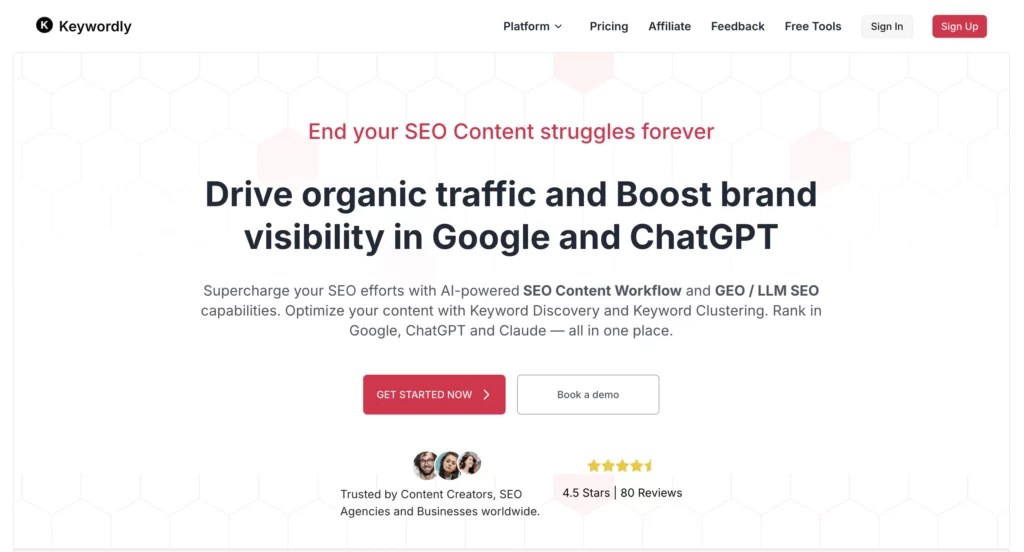
Keywordly AI is an SEO content writing tool powered by AI for content marketers.
It can help you find keywords across places like Google, Reddit, Quora, and Amazon, and group them into clusters so you know exactly what topics to cover.
As a next step, you can use Keywordly to generate content and publish it via your content management system, like WordPress, or Ghost.
Here’s what you can use Keywordly for:
- Find and analyze keywords for Google and Bing ads
- Discover long-tail and related keywords
- Dig up relevant Reddit and Quora threads
- Spot keyword gaps between you and your competitors
- Find product-related keywords on Amazon
- Get tons of keyword ideas from one simple search (kind of like Semrush’s Keyword Magic tool)
- Generate outlines
- Analyze how your brand performs across AI-generated search results
Sounds pretty helpful, right?
Personally, I find the Reddit keyword tool helpful. It saves me so much time by surfacing relevant threads and subreddits in seconds. If you’re doing any kind of Reddit marketing, definitely give it a try. (Remind me to share how I rank Reddit posts sometime… but let’s get back to keyword clusters for now.)
As you research, you can either save keywords to a list or pick them one by one—it’s up to you.
Additionally, Keywordly can group up to 500 keywords at once, which makes it a great fit for mid-sized content projects.
2. Semrush Content Toolkit
- Best features: Topic Finder, SEO Brief Generation, AI Article Generation, Content Optimizer
- Pricing: $60 per month
- Free trial: 7-day free trial
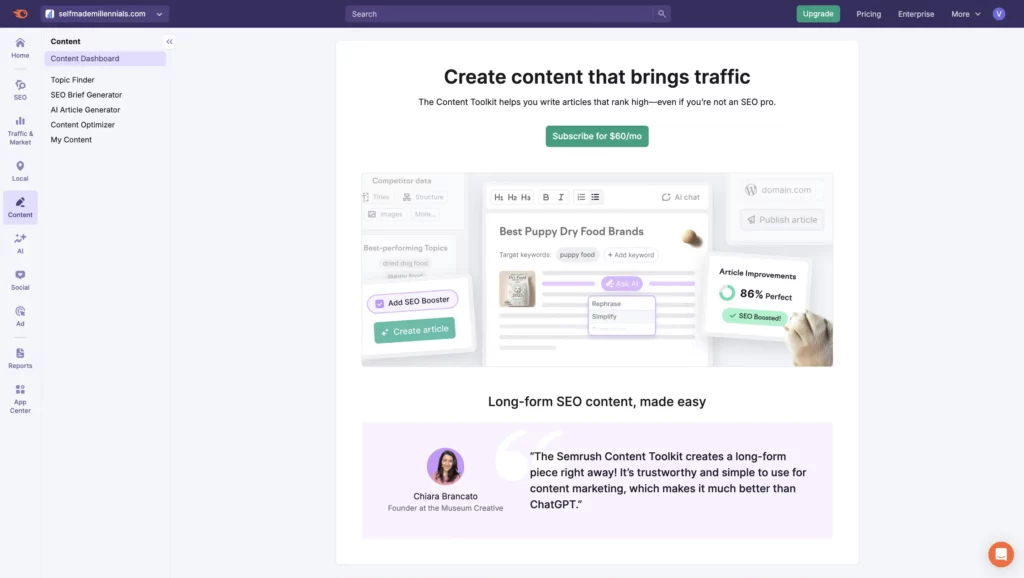
Semrush Content Toolkit (formerly ContentShake AI) is an SEO writing tool by Semrush. Its goal is to help writers, SEOs, and creators quickly generate high-quality, SEO-optimized articles.
It can generate content automatically, integrate keywords, and work across different niches.
Plus, it supports 7 languages: English, French, Spanish, Dutch, German, Italian, and Portuguese.
You can also connect Semrush Content Toolkit to your WordPress blog and publish articles directly to your site. No need to format or click a “Publish” button manually.
It also provides built-in stock images and an AI image generator, so you won’t have to spend hours making visuals as I do in Canva.
Semrush also suggests fresh topic ideas every week based on your niche and target location. It’s helpful if you’re always looking for new content ideas (like me!)
Plus, it checks out what competitors are doing and finds trending topics to keep your content relevant.
Oh, and it can even tweak each piece to match your writing style, target audience, and brand voice. Pretty handy, right?
Semrush Content Toolkit has one paid plan at $60/month, unlocking everything:
- Unlimited SEO-friendly articles
- 25 fresh content ideas every week
- Unlimited brand voices
- Localized content suggestions
- Free SEO boost with SERP insights
- AI-powered image search and creation
- Built-in AI chat
- Content optimizer
- Handy Chrome extension
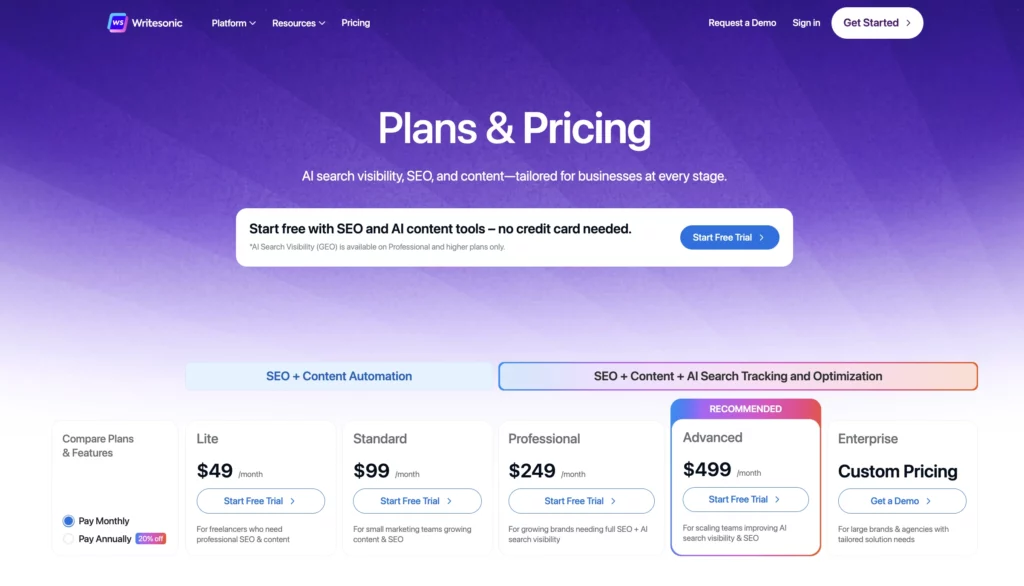
3. Writesonic
- Best features: SEO Checker and Optimizer, Humanizer, and Botsonic to create chatbots for your website.
- Pricing: Starts at $49 per month.
- Free trial: 7-day free trial, no credit card required. There’s also a free plan.
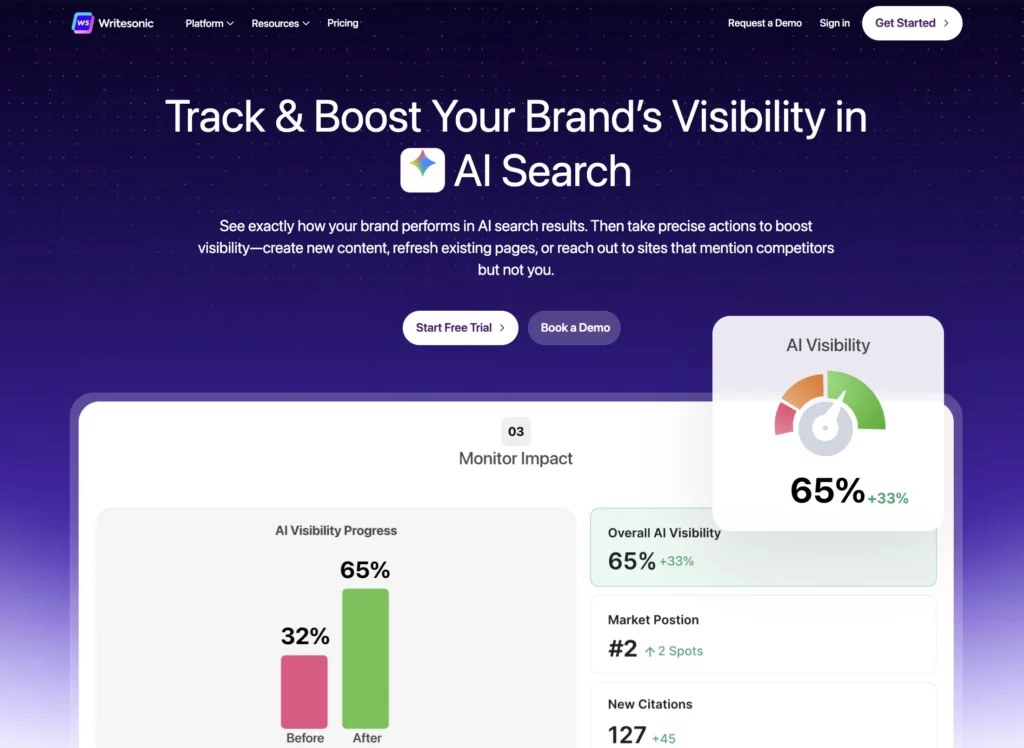
Writesonic, like ContentShakeAI, is an AI-powered content writing tool for SEO designed to help you with every step of your SEO content process—from research to writing, editing, publishing, and tracking how your content performs.
Here’s a quick look at what you can do with Writesonic at each stage:
- Research —There are three features that can help you conduct keyword research and analyze keywords, discover the most searched topics and questions relevant to your audience, and create topic clusters.
- Writing — You can use tools like AI Article Writer 6.0, an article rewriter, and templates for social posts or expert content. It also lets you build custom outlines and write long-form posts (up to 5,000 words), like listicles or how-to guides.
- Personalized writing style — You can upload your content so the AI learns your voice and uses it when creating new pieces.
- Content optimization — There’s an SEO checker and optimizer (similar to Ahrefs’ AI Content Helper), plus features for spotting content gaps and adding internal links automatically.
- Content publication — Easily publish your content straight to WordPress and other platforms.
- Content repurposing — Rewrite or tweak content to make it sound more human and share it across different platforms using ready-made templates for emails, social posts, and more.
- Reporting — You can connect Google Search Console and track your website’s impressions, clicks, top-performing keyword, and pages.
Plus, there are bonus tools for creating AI images and realistic voiceovers, too.
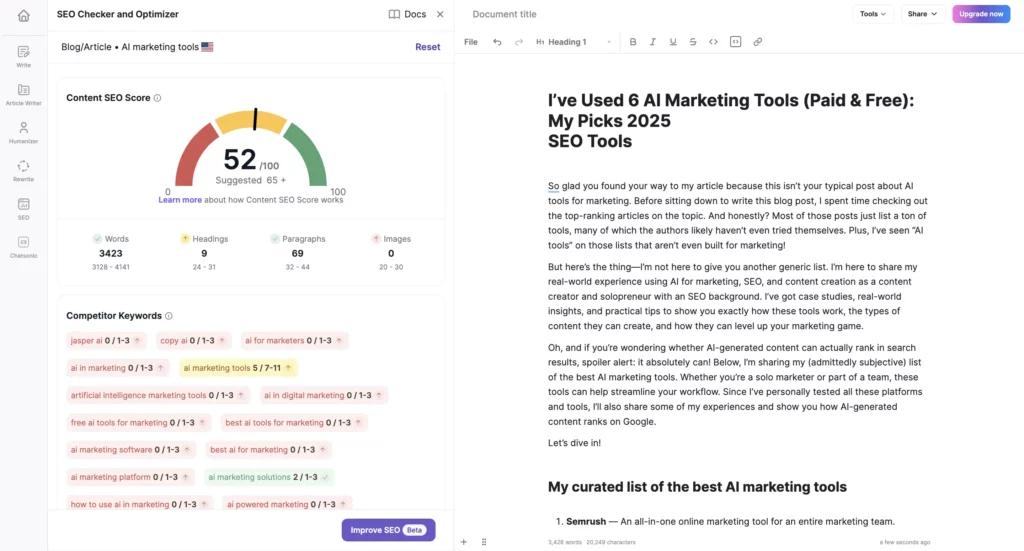
Something else that stood out to me, Writesonic actually connects with tools like Ahrefs, Semrush, and Google Search Console to show you keyword and domain info.
Pretty clever, right? Even if you don’t have your own Semrush or Ahrefs account, you can still get insights from their data.
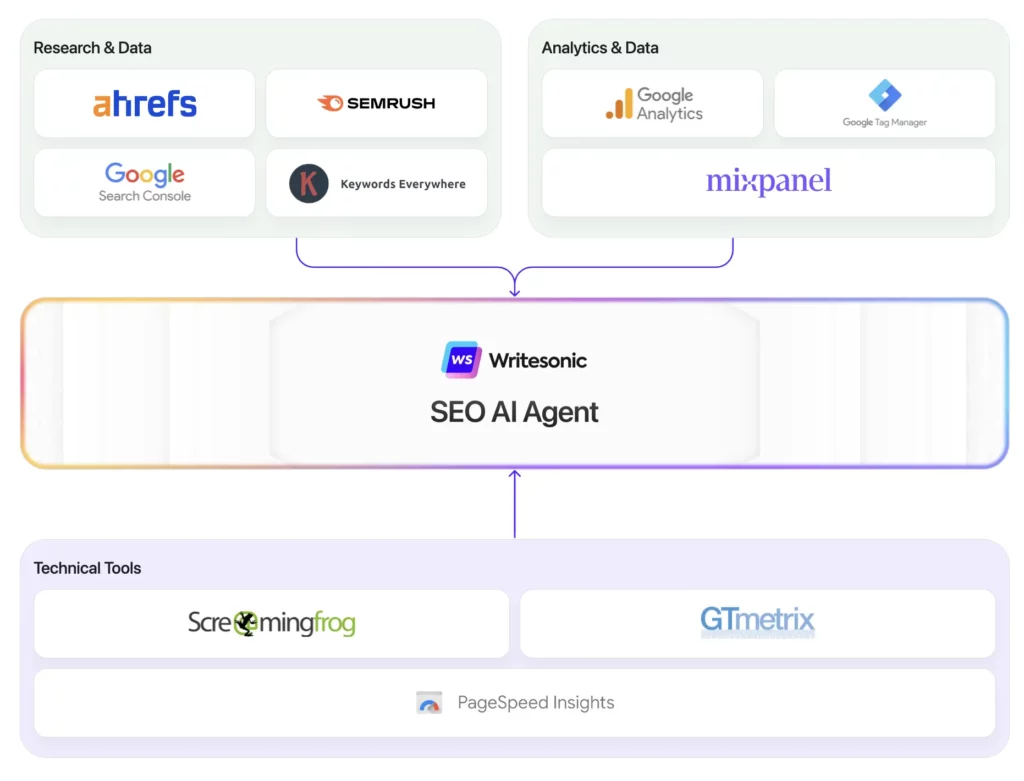
What’s cool is that Writesonic also lets you keep an eye on how your brand shows up in AI search results, like how visible it is, what people are saying about it, and how it ranks for important topics. This kind of tracking is getting pretty popular, which is why it’s quickly becoming a must-have feature.
Writesonic offers a generous free plan, where you can sign up without a credit card, which makes it super easy to try out.
The free plan gives you access to all core AI Agents and tools. You can also conduct a site audit (up to 100 pages) for free.
It also supports more than 25 languages and includes handy features like browser extensions and one-click WordPress export.
If you find yourself needing more, paid plans start at $20 per month, offering unlimited words and advanced tools. But honestly, the free plan is a solid way to explore what Writesonic can do without spending a dime.
4. AI Content Helper
- Best features: Helping you align your content with search intent, suggesting themes to holistically cover your topic, comparing your content and competitor articles with the AI Writing Assistant.
- Pricing: It’s part of any Ahrefs’ paid plan, which starts at $99 monthly.
- Free trial: Not available.
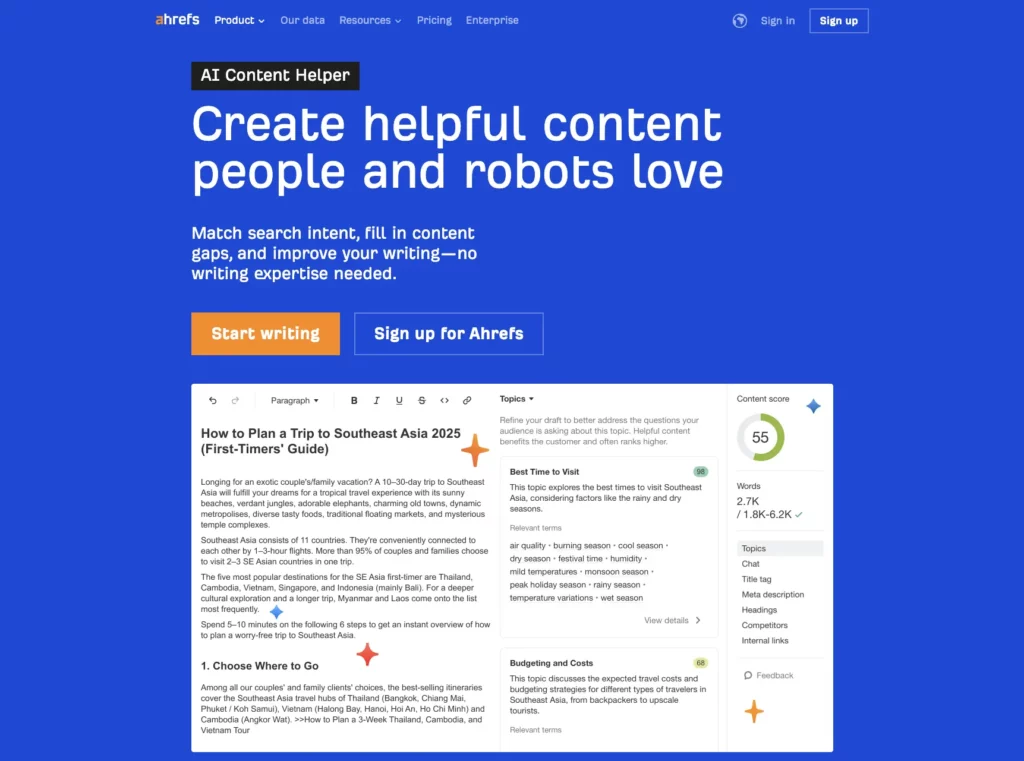
AI Content Helper is a content optimization tool developed by Ahrefs.
The Ahrefs team says they’ve launched AI Content Helper as a response to how most content optimization tools promise users to generate high-quality content at scale but end up doing the opposite.
Instead of building another SEO content writing tool, Ahrefs launched its own content optimization tool, focusing on helping you align your content with users’ search intent.
So, instead of optimizing for keywords, like many existing SEO writing tools do, AI Content Helper optimizes for topics, ensuring your content aligns with what users are looking for in search results.
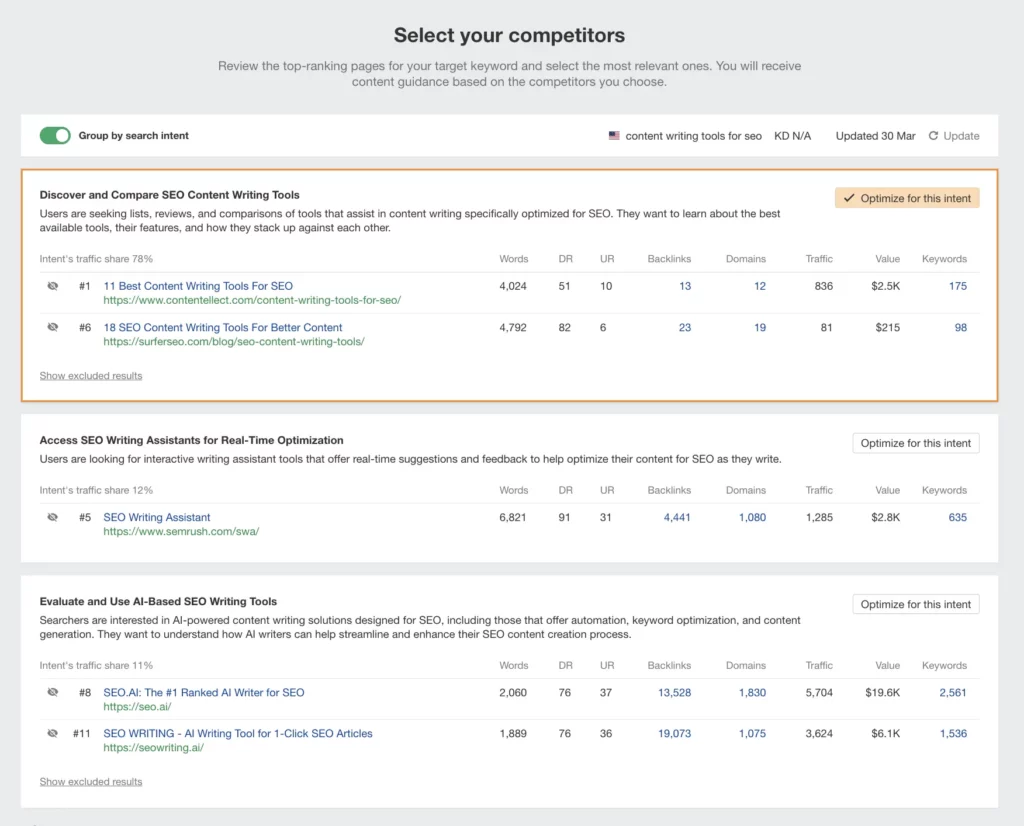
As an SEO content writer, I support the idea of optimizing for topics because that’s exactly what I’ve been doing to grow my website (successfully) and help my clients boost their online visibility. And it works!
So, when I heard about AI Content Helper, I was curious to see if it actually lives up to the hype.
There are quite a few things that the Ahrefs’ content optimization tool can help you achieve:
- Check whether your existing content (whether it’s a blog post, landing page, or home page) aligns with the keyword search intent
- Provide recommendations on how to cover topical gaps
- Use AI to brainstorm title tags, meta descriptions, and headings
- Analyze how top-ranking articles structure their headings
- And more!
Inside my AI Content Helper account, I’ve also noticed that the Ahrefs team is currently working on a new super helpful feature — automated internal linking. I believe this should help speed up the interlinking process to boost content authority and avoid orphaned pages.
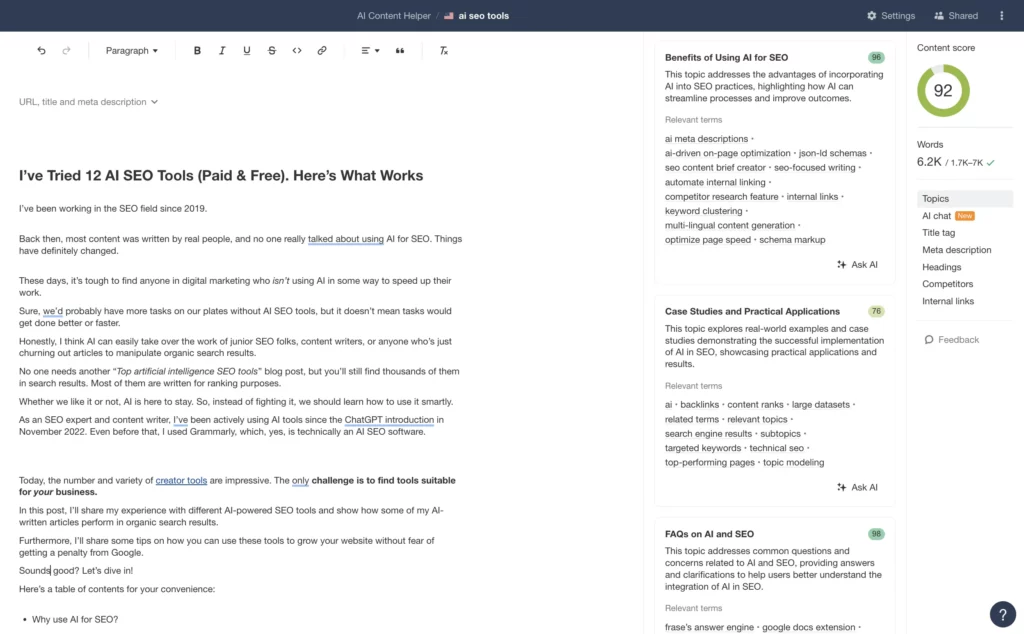
The AI Content Helper won’t generate content for you. It’s not the purpose of the tool. Instead, it will score your content as you write the article against competitors’ content in real-time, helping you outperform competitors and align your content with user search intent.
For example, my top-performing article, which ranks #1 for the AI SEO tools keyword, scored 92/100 according to Ahrefs. It’s worth mentioning that I put a lot of effort into writing, rewriting, and optimizing the article to ensure that my long content piece meets users’ search intent.
It’s great to see that the way I approach SEO writing aligns so well with what AI Content Helper is designed to support.
If you’re on any Ahrefs paid plan, you can only optimize one piece of content each month. But if you need more, there are two add-ons you can pick from, depending on what works best for you:
- AI Content Helper: You get 50 documents (basically, 50 pieces of content) for $99/month.
- Content Kit: Starts at $99 and gives you 250 documents. It also includes the AI Content Helper, AI Content Grader, and a new feature coming soon called Content Inventory.
Therefore, depending on the volume of content you work with, you can scale up with the option that best suits your workflow.
5. Koala Writer AI
- Best features: KoalaWriter, Koala Images.
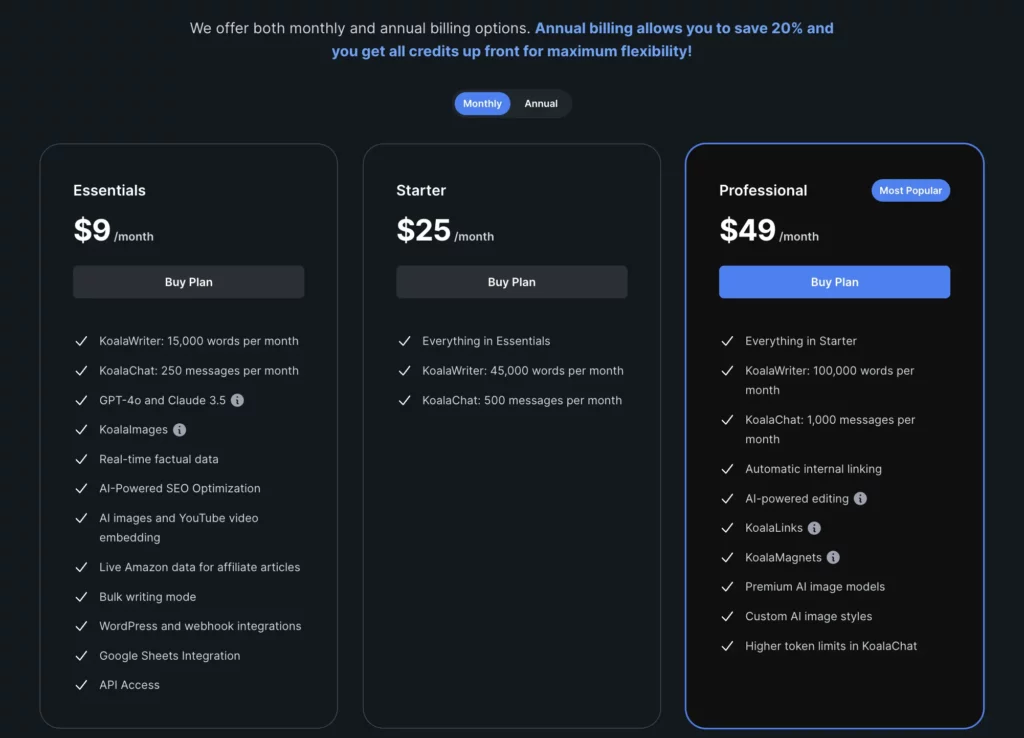
- Pricing: Starts at $9 monthly for 15,000 generated words, which is about three long-form articles.
- Free trial: Koala offers a free plan, which lets you generate up to 5,000 words per month.
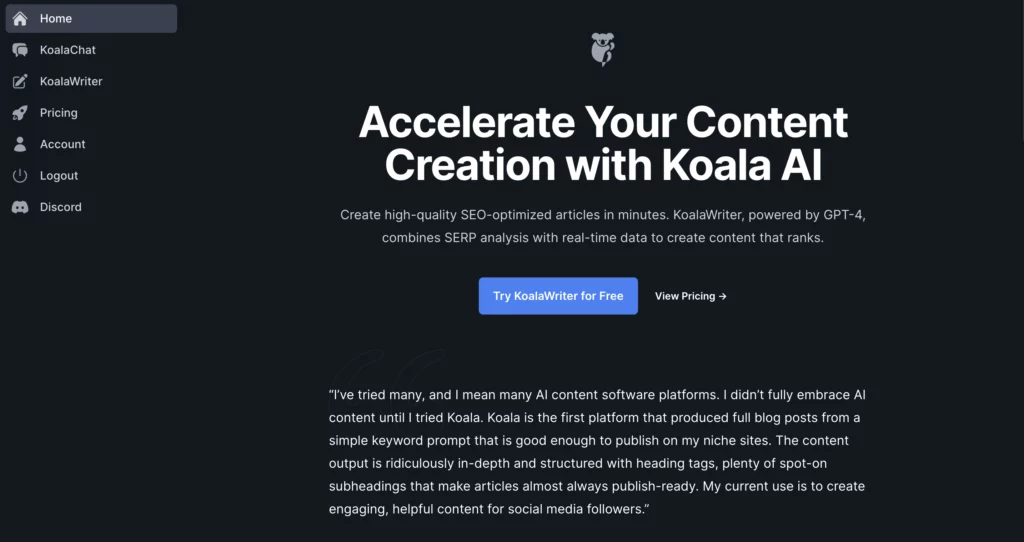
I’ve been using Koala SEO Writer for several years to create content for my website.
Funny enough, I even used it to generate my own Koala review.
Of course, I added my own insights and personal take, and now that article ranks in the top 10 for my target keywords.
What I like about Koala AI is how easy it is to use. Plus, it gives you a ton of ways to customize your content before it’s generated.
Here’s what you can do:
- Choose the tone of voice
- Set the word count
- add your target keyword
- pick a country for optimization
- Customize the outline
- Generate content in over 100 languages
- And more!
You can use Koala’s free plan to generate up to 5,000 words per month for free. That’s basically enough for one article with some edits.
If you need more content, the Koala’s paid plans start at $9 monthly for 15,000 words.
6. SE Ranking Content Editor
- Best features: Integration with Google Docs, Readability and Content scores, Content briefs creation, Outline creation, Optimization.
- Pricing: $119 monthly
- Free trial: 14-day free trial, no credit card required
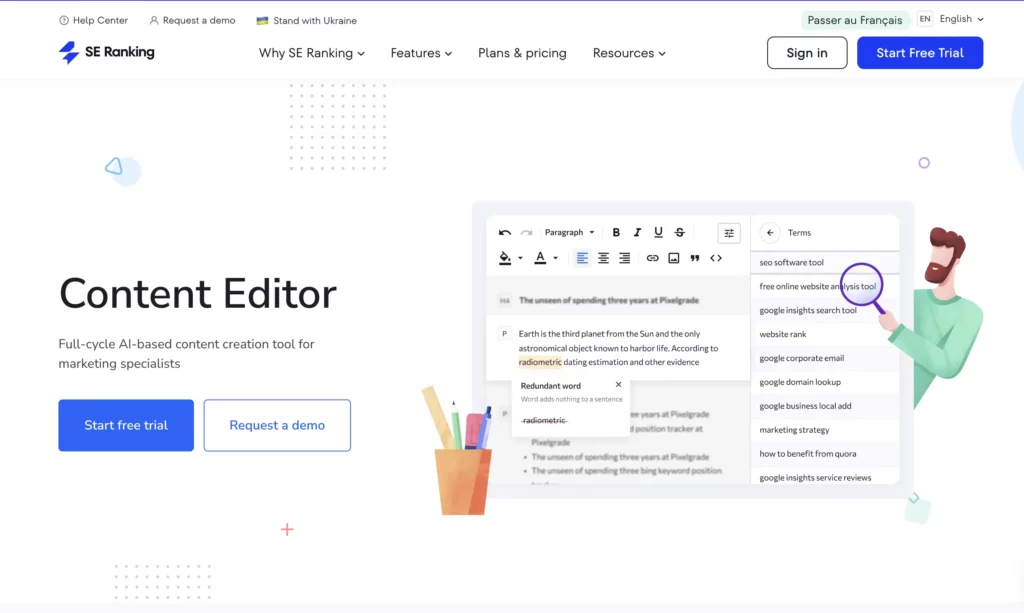
SE Ranking’s Content Editor is a content creation tool that can help you optimize the entire content production process from topic selection to outline and content generation. It reminds me of a mix of Semrush’s Writing Assistant and Content Toolkit.
SE Ranking’s Content Marketing module, with its built-in AI Writer, allows you to generate content ideas, generate content, and optimize it for search engines. The goal? More traffic and conversions for your site.
If you’re on the most affordable plan, you can generate up to 15 articles with a total of 25,000 AI-generated words, which works out to about 1,600 words per article. That might be enough for some topics, but in my experience, top-ranking content is usually longer, especially for competitive keywords.
This tool analyzes your competition to see what content ranks best for your target keywords.
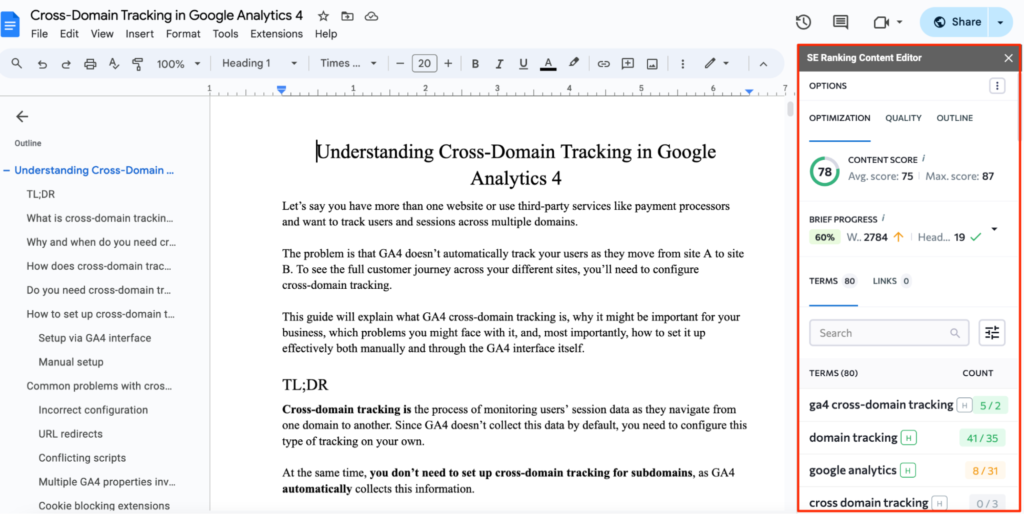
Then, based on a deep SERP analysis, it gives you suggestions on different content parameters, such as word count, keywords to target, and text structure.
It also has a Content Score that shows how your article compares to the top-ranking ones. The tool even gives you simple tweaks to improve your score, which can help boost your rankings.
You can work on your content directly in Google Docs using SE Ranking’s Content Editor. It installs as a sidebar and gives you real-time SEO insights while you write, so you don’t have to jump between tools.
FAQ
What is SEO content writing?
Let me ask you something: How do you usually look for answers online?
Do you google them?
Maybe you post a question on social media, Quora, or Reddit?
Studies say that about 68% of online experiences start with a search engine.
And before making a purchase, nearly half of people (47%) check out at least 3–5 pieces of content before deciding.
Sure, social media can be great for business, but organic traffic is just as important, if not more.
Since most people (over 75%) never click past the first page of Google, your job as a writer is to create content that ranks high enough to be seen.
How do you do that? With SEO writing.
I’m a huge fan of SEO writing because it brings long-term results that actually matter.
SEO writing is about optimizing your content with keywords and phrases people are already searching for.
If you want to master it and make your content easier to find, you’ll need to use suitable SEO content writing tools and follow proven strategies.
The good news? I’ve learned a lot about this, and I’m sharing it all in this article.
How do you choose the most suitable SEO content writing tool?
If you’re a solopreneur, dropping $200 a month on a tool might not be the best use of your money. But for established companies, that’s just another business expense they can easily cover.
With so many SEO content optimization and writing tools out there, how do you pick the right one for your needs?
As someone who writes SEO content daily and knows a thing or two about marketing, I recommend considering these factors when choosing a tool:
- Budget – Can you afford to spend money on it every month?
- Accuracy– Does it provide accurate metrics? More precise data usually means a higher price tag.
- Learning Curve – Some tools take time to master. Is it worth the effort?
- Impact– Will this tool actually help you hit your business goals?
I stick to a free Semrush account, which gives me 10 searches per month. That’s usually enough for a quick website analysis, keyword research, finding related keywords, and optimizing content.
If you’re on a budget, check out Koala AI. Its keyword research tool is solid. While it doesn’t cover as much ground as Ahrefs or Semrush, it’s still a great option for the price.
At the end of the day, the best tool is the one that works for your needs and budget.

Join the newsletter for actionable SEO tips, case studies, and a behind-the-scenes look at my affiliate marketing journey.
No spam. Unsubscribe anytime.

0 Responses
Victoria, thank you for this straightforward, helpful, and up-to-date review!
Very important info for all of us bloggers. Thank you Victoria. I’m wondering. I am from Greece and i recently found you and followed you. Is the ebook good for me? I mean, can it help me while i’m in Greece and my blog too of course?
Thank you so much, Victoria <3
Victoria, thank you for this straightforward and up-to-date review. I am from Bangladesh and recently found you and followed you.
You can certainly see your expertise within the article you write.
The world hopes for more passionate writers like you who aren’t
afraid to mention how they believe. All the time follow your heart.
Wow, marvelous blog format! How long have you ever been running a blog?
you made blogging look easy. The total glance of your website is
wonderful, as neatly as the content material!
I love the way you write and share your niche! Very interesting and different! Keep it coming!
Excellent website! I adore how it is easy on my eyes it is. I am questioning how I might be notified whenever a new post has been made. Looking for more new updates. Have a great day!
Simply want to say your article is as astonishing.
The clarity of your submission is simply great and I
can think you are knowledgeable in this subject. Fine along with
your permission allow me to snatch your feed to
keep up to date with drawing close posts. Thank you one
million and please carry on the gratifying work.