

If you’ve ever stared at a giant list of keywords and wondered, “Now what?”, you’re not alone.
As an SEO specialist and a website owner, I’ve been there, too.
From a practical standpoint, implementing keyword clustering doesn’t require advanced technical skills. At its simplest, you can start clustering manually by organizing keywords in spreadsheets based on shared intent and topic relationships.
However, trying to group thousands of keywords manually is a time-consuming process.
That’s where keyword clustering tools come in. But not all tools are created equal, and I’ve tested quite a few that didn’t live up to the hype.
In this article, I’ll share the best keyword clustering tools based on my experience as an SEO and content strategist.
I picked them using a few simple but essential criteria:
- Ease of use – Can you figure it out quickly, even if you’re new to SEO?
- Does it do what it promises? – I check if the tool helps you achieve what it claims on its homepage (spoiler: not all of them do).
- Pricing – I cover free, paid, and budget-friendly options so you can find the best fit for your needs.
That’s it. Just three things. No overcomplicated scoring systems.
Let’s dive in and find the right tool to make your keyword research actually useful.
My top 6 keyword clustering tools, free and paid
- Keywordly AI — It automates the SEO content creation process, from keyword research and clustering to competitor keyword gap analysis, content generation, and publication.
- Semrush Keyword Strategy Builder — It can analyze up to 10,000 keywords at a time and create a content strategy with pillar pages and subpages to structure your website.
- Writesonic AI Topic Clusters — It leverages AI keyword clustering to help you create a map of keywords. It also integrates with AI Article Writer, which helps you generate content based on the keyword clusters identified.
- Cluster AI — It lets you turn a cluster of up to 200 keywords for free into structured lists of topics.
- RyRob — It’s an AI-powered and free keyword cluster tool that can help you create topic clusters for your target keywords.
- SEO AI Keyword Clustering Tool — It’s a free tool that uses AI to understand search intent and generate topic clusters on a keyword.
Paid keyword clustering tools
Here are the paid tools I rely on for accurate and reliable keyword clustering.
1. Keywordly
- What it does: It’s a keyword research and content creation tool that helps automate your content production process. It helps you research keywords on Google, Reddit, Quora, and Amazon, and creates content clusters by grouping related terms.
- Pricing: Plans start at $39/month for the Team plan that includes keyword clustering.
- Free Plan: There’s also a free version you can try out. It lets you explore some of Keywordly’s main tools, like keyword research and the AI Topical Map.
If you work with content SEO often, you might want to check out Keywordly AI.
Keywordly’s Keyword Research toolkit lets you do the following:
- Research keywords for Google and Bing ads
- Find related and long-tail keywords
- Find conversations on Reddit and Quora related to your topic
- Spot keyword gaps between you and your competitors
- Find product keywords for Amazon
- Get hundreds of ideas from just one seed keyword (kind of like Semrush’s Keyword Magic tool)
Pretty solid toolkit, right?
Personally, I really like the Reddit keyword research tool. It saves me time by surfacing relevant subreddits and discussions. If you’re into Reddit marketing like I am, you’ll probably find it useful too. I should probably share more about how I rank content on Reddit, but for now, let’s stick to keyword clustering.
While researching, you can easily save keywords to a list for later. Or just add them manually, one at a time — up to you.
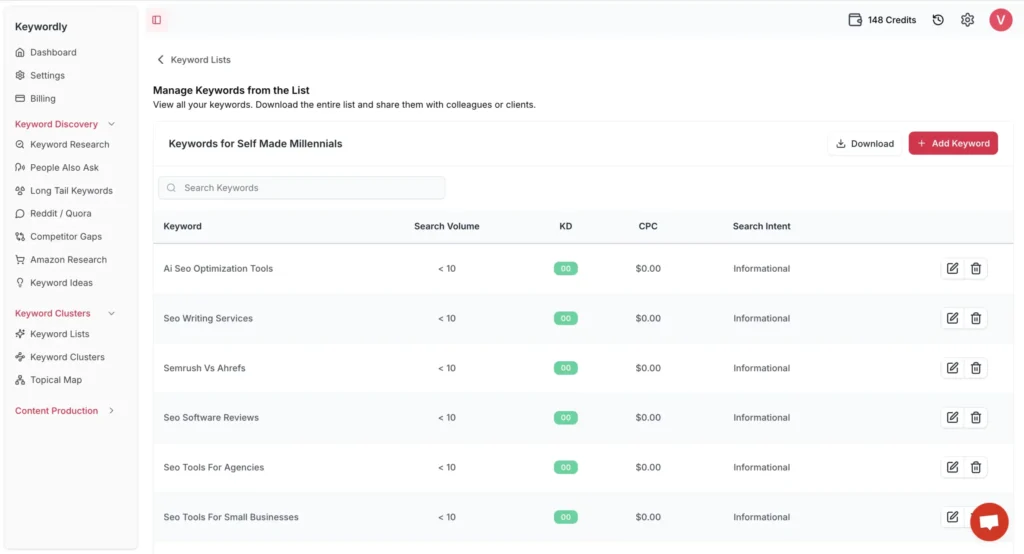
Once you’ve got your list of keywords, you can start the keyword clustering process automatically.
But before you do that, you’ll need to pick how you want to cluster them—there are two ways: semantic clustering or SERP-based clustering.
Let me explain the difference between these two.
Keyword clustering with the semantic method groups keywords by meaning, like synonyms or related ideas. On the other hand, SERP-based clustering groups them based on what Google shows in the search results, meaning if the same pages rank for different keywords, they likely belong in the same cluster. So really, it’s the difference between what sounds similar and what Google thinks is similar.
I’d recommend going with SERP clustering, since you have to align your content with Google’s algorithms to appear in search results.
Note that Keywordly can process up to 500 keywords in a single clustering operation, making it suitable for mid-sized projects or topic-focused content planning.
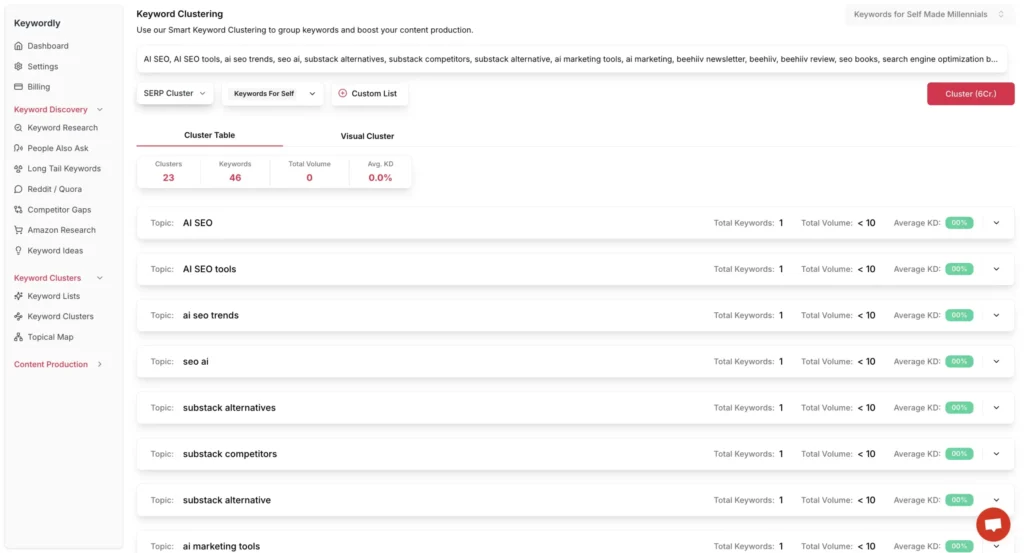
As a result, Keywordly will automatically sort your keywords into different topics and give you a quick look at how much business potential each one has based on how often people search for it and how competitive it is.
When you’re finished clustering keywords, just hit the “Export” button to download the list of topics.
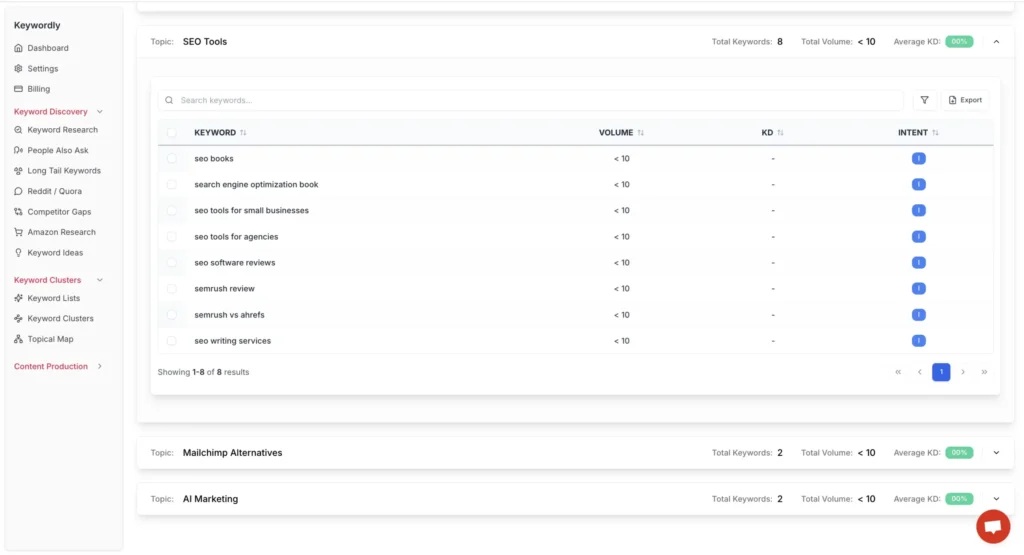
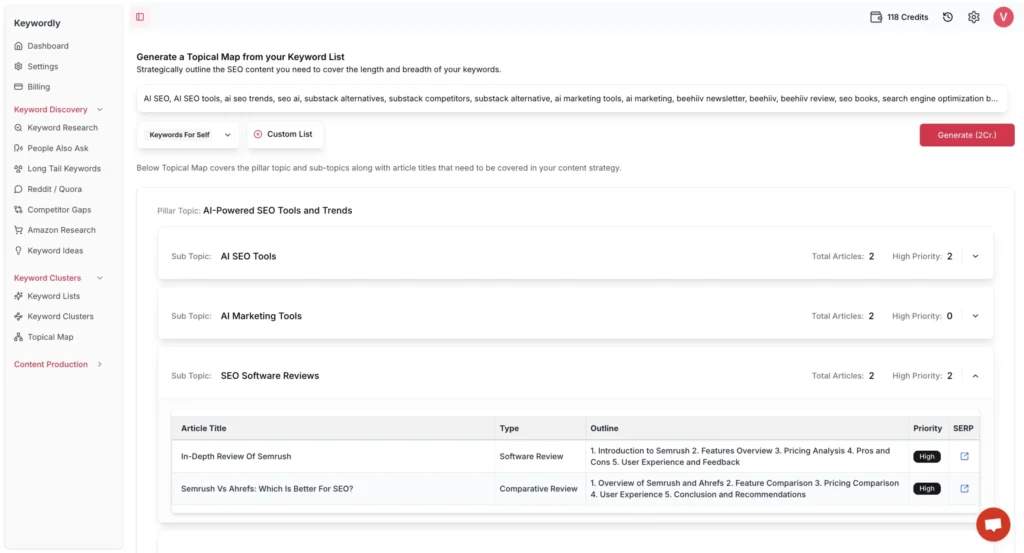
Aside from the keyword clustering tool, there’s another feature I really recommend checking out — the Topical Map.
Here’s how it works:
- Upload your keyword list to the Keywordly Topical Map tool
- Hit “Generate”
That’s it! Keywordly will then organize your keywords into pillar pages and suggest subtopics for each one, basically laying out a whole content structure for your website. It’s an easy way to handle something that usually takes time.
I’ve manually created a topical map for my website before, but when I tried Keywordly, it actually suggested a bunch of great pillar pages, including some I already had and some I hadn’t thought of, like “SEO software reviews.”
And since I already have content that fits under that topic, why not group it all together to boost topical authority?
So, if you’re starting from scratch or working with a fresh list of keywords, Keywordly’s Topical Map can save you a lot of time and help you build a solid site structure fast.
Once you’re done grouping your keywords and setting up your pillar pages, the next step is using Keywordly’s Content Production tool. It helps you outline your articles, write the content, and even publish it to your WordPress site.
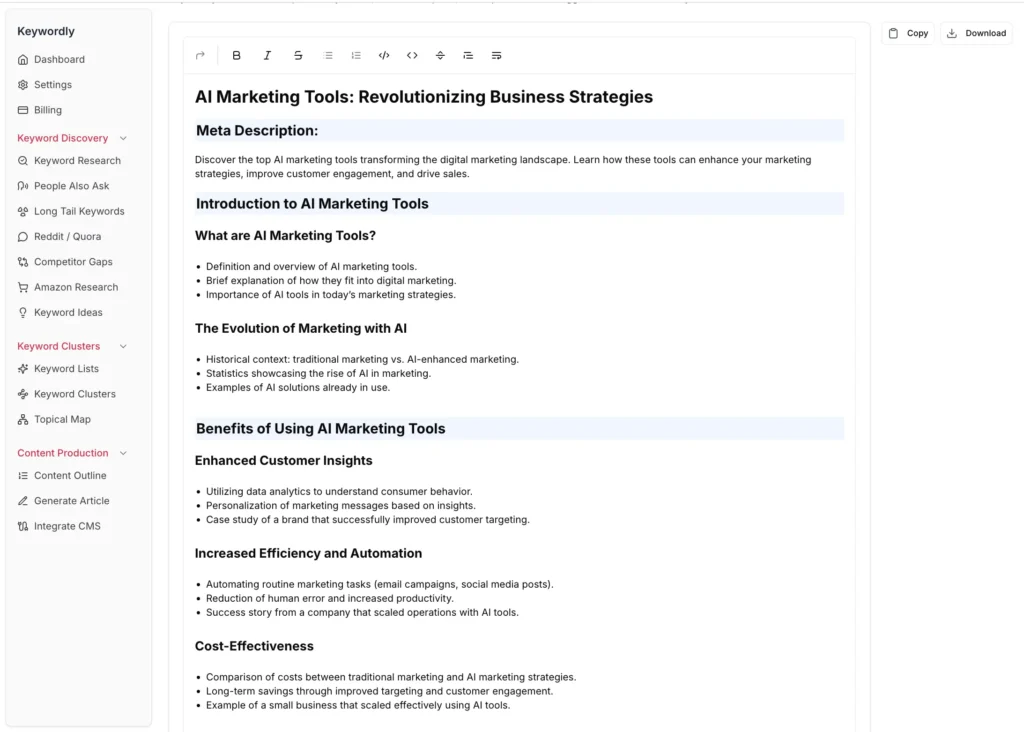
As you’ll see below, Keywordly creates solid outlines, which include related keywords, FAQs, a conclusion, and a call-to-action.
Nevertheless, I still recommend checking out the top-ranking pages yourself and tweaking your outline. It’s the best way to make sure your content stands out and adds value to readers.
For example, I already wrote a post about AI marketing tools. While it includes many of the suggested sections, I outlined it differently to convey my unique experience related to using various tools for online marketing.
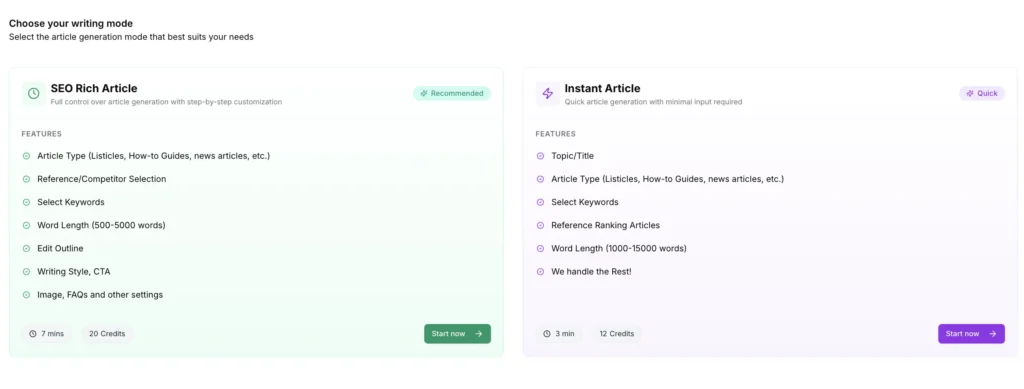
Similar to Writesonic, you can choose the content creation mode that works best for you.
I’d suggest using the “SEO Rich Article” option since it gives you full control over tweaking and customizing every step of the content creation process. This way, the final piece is much more likely to match your quality standards.
Keep in mind, though, this feature is only available if you’re on the Business or Agency plan, which starts at $79 a month.
I’ve stumbled upon the following testimonial on Appsumo when searching for user feedback on Keywordly:
This testimonial aligns with my own experience. Keywordly substantially reduced my time required to move from keyword research to actionable content plans.
Despite its strengths, I’ve stumbled upon some limitations, which the Keywordly team is already addressing. As of today, keywords must be added individually, meaning research lists of 1,000 keywords would require 1,000 separate clicks. There are some inaccuracies with search volumes and keyword difficulties.
This is a pretty new and solid tool, which is in active development. The Keywordly team is super responsive and supportive. Additionally, they keep their roadmap open for users, so you can check what their team is working on and recommend new features.
2. Semrush Keyword Strategy Builder
- What it does: It automatically generates content clusters with pillar pages, topics, and subtopics, analyzing up to 10,000 keywords at a time.
- Pricing: It’s available only with a Semrush paid subscription, starting at $139.95 per month.
- Free Plan: There’s no free plan, but you can access the tool and all the Semrush features with a 14-day free trial.
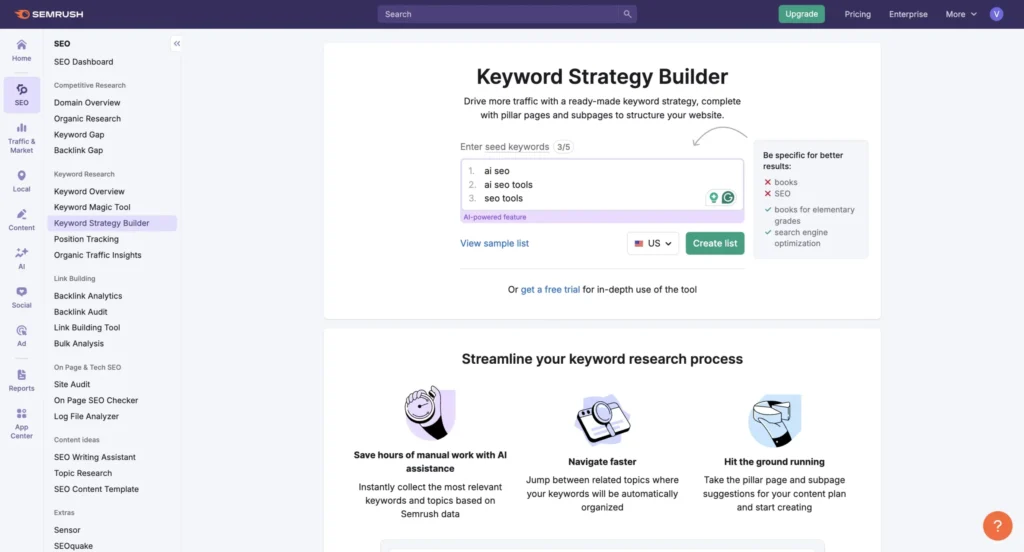
Keyword Strategy Builder is part of Semrush’s Keyword Research toolkit that can help you with the following tasks:
- Automate keyword clustering for up to five seed keywords
- Organize keywords into Topics, Pillar Pages, and Subpages
- Visualize clusters through mind maps and tables
- Integrate with Semrush’s broader SEO ecosystem for content generation and optimization
Now, unlike tools like Keywordly, you can’t just upload a big list of keywords and expect it to sort everything out for you. Instead, Semrush builds detailed content clusters around your seed keywords, which you can use right away in your SEO content strategy.
You’ll also get access to the Topical Map, which gives you a clear visual of all the clusters, including pillar pages and subtopics.
The clustering methodology prioritizes relevance to seed keywords as the primary factor, while also considering keyword volume, difficulty, domain diversity, and SERP feature patterns.
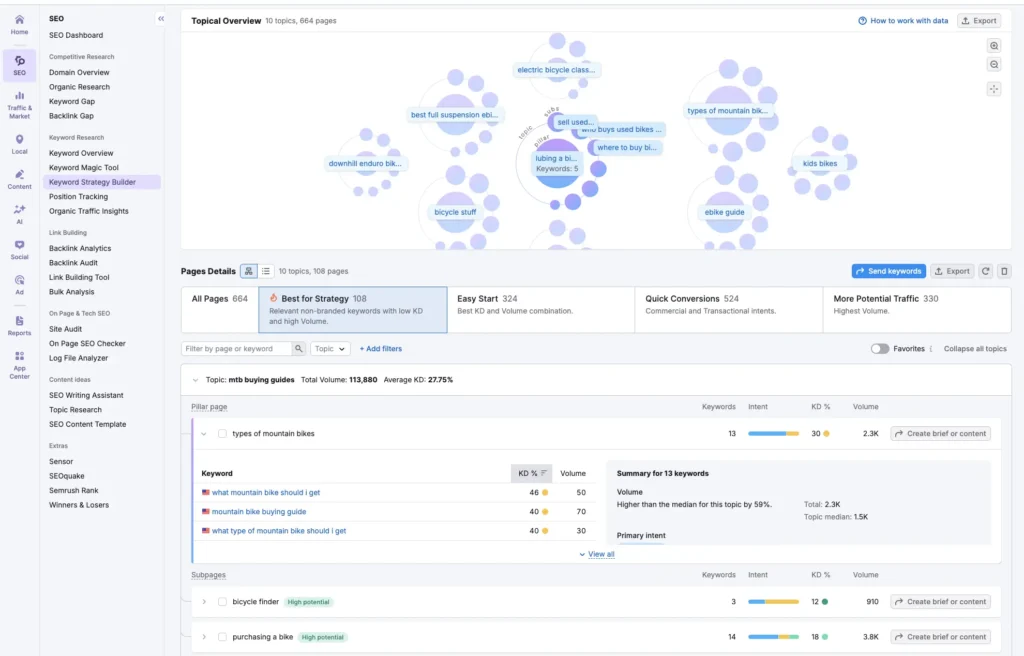
Before you start clustering keywords, you’ll first need to put together a keyword list. Semrush offers several ways to do this:
- From the Keyword Strategy Builder homepage
- From Keyword Overview
- From Keyword Magic Tool
- From Keyword Gap
- From Organic Research (Positions and Position changes tabs)
- Import manually
If you’re new to Semrush, I recommend checking out my Semrush review, where I dive into its keyword research tools (and more).
Personally, I tend to create my keyword list while doing keyword research with the Keyword Magic Tool, so it’s ready to go when I get to clustering.
When it comes to clustering, Semrush goes beyond the basics by offering preset filters that save you time and follow SEO best practices. Filters like “Best for Strategy,” “Easy Start,” “Quick Conversions,” and “More Potential Traffic” help tailor the clustering process to your business goals and site authority.
Just like Keywordly, Semrush lets you automate content creation and optimization once your keyword clustering is complete.
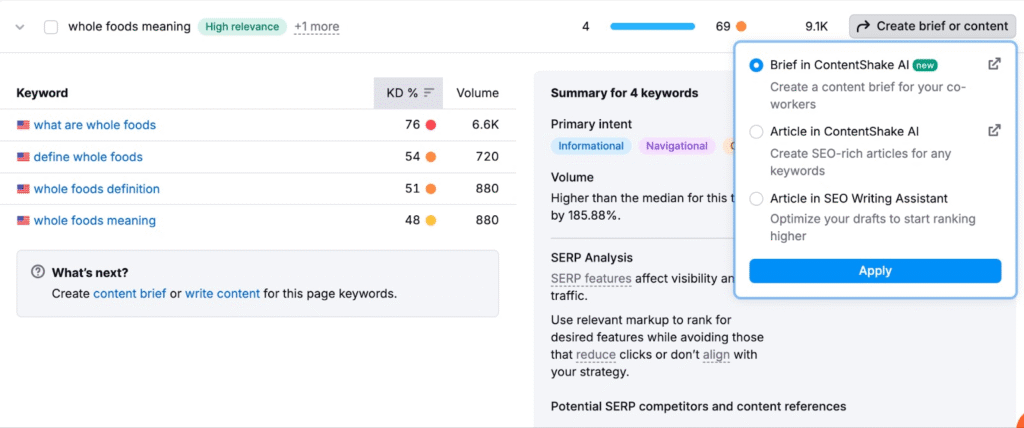
To start content creation, check the “What’s next?” box at the end of your keyword list.
From there, you can use links to the “content brief” and “write content” features, which connect to tools like ContentShake AI and SEO Writing Assistant. These tools let you either prepare a content brief or start writing your content right away.
Keep in mind that ContentShake AI is only available for English content and comes with a $60/month fee. You can learn more about it in my ContentShake AI review.
3. Writesonic AI Topic Clusters
- What it does: It automatically generates keyword clusters by grouping together keywords that are related to each other in terms of topic or theme.
- Pricing: Plans start at $20 per month.
- Free Plan: There’s a free plan that lets you access all core AI Agents & Tools, but some advanced features are available on paid plans exclusively.
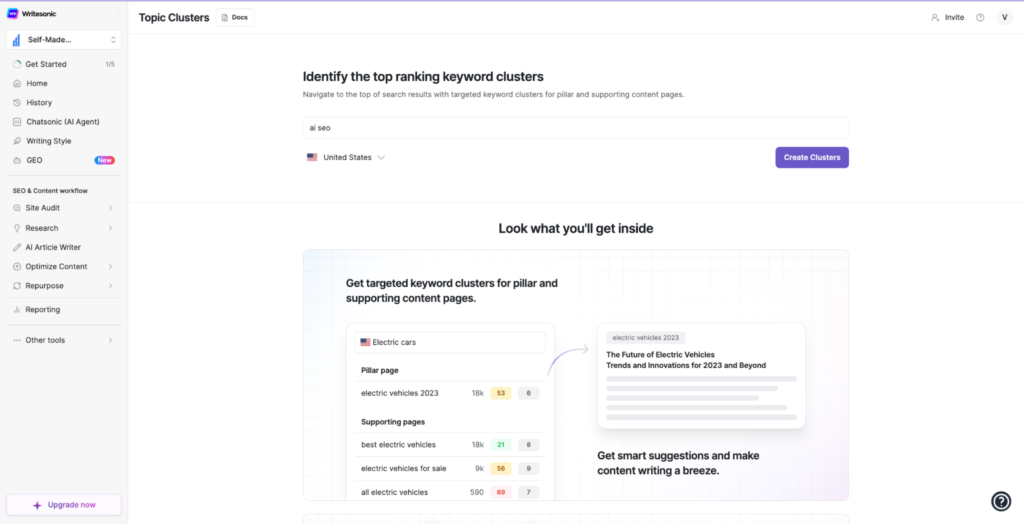
Unlike many standalone clustering tools, Writesonic combines keyword clustering with AI content creation capabilities. This integration creates a logical workflow—cluster your keywords first, then generate optimized content targeting those clusters.
The clustering tool works like Semrush, letting you create content clusters for a seed keyword. However, with Writesonic, you can only work with one seed keyword at a time. On the bright side, you can still use the free plan to cluster keywords, though some features might be limited.
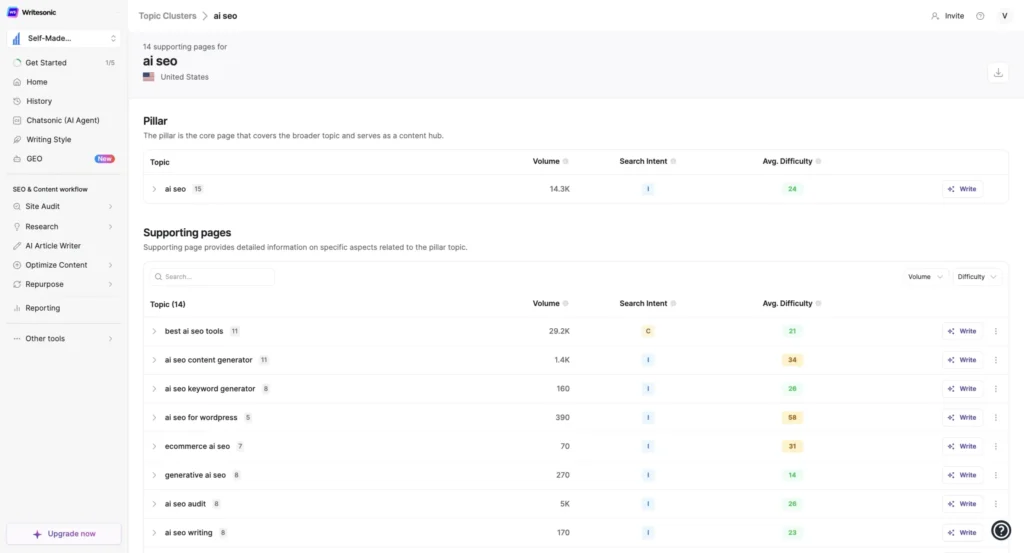
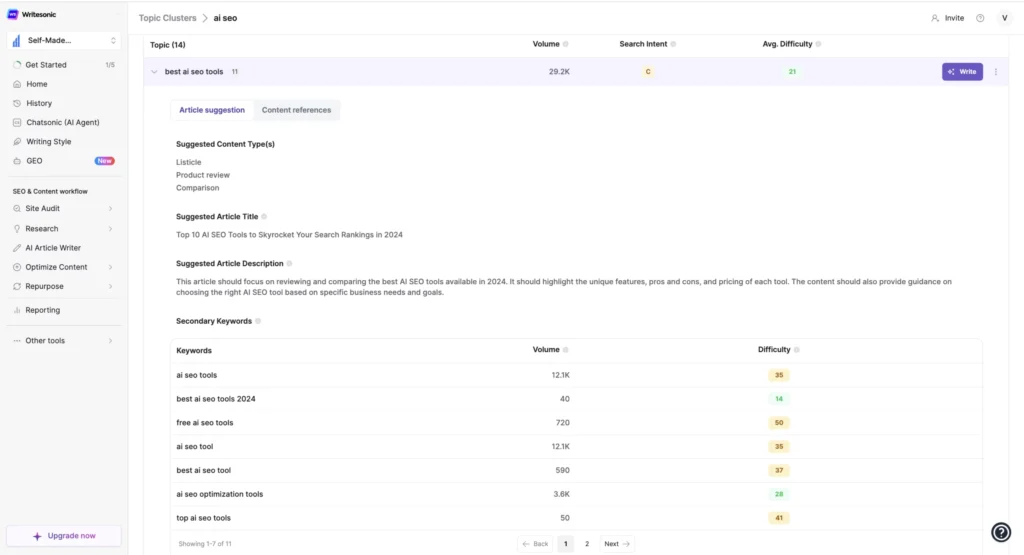
Writesonic gives you a complete article suggestion for every topic idea. You’ll get a suggested content type, a title, a short description, and a list of related keywords to include.
It also shows useful SEO data like keyword search volume, intent, and difficulty pulled straight from tools like Ahrefs and Semrush.
Once you have the article suggestion, you can instantly start creating content using Writesonic’s AI Article Writer. I explain exactly how it works (and where the data comes from) in my article on content writing tools for SEO.
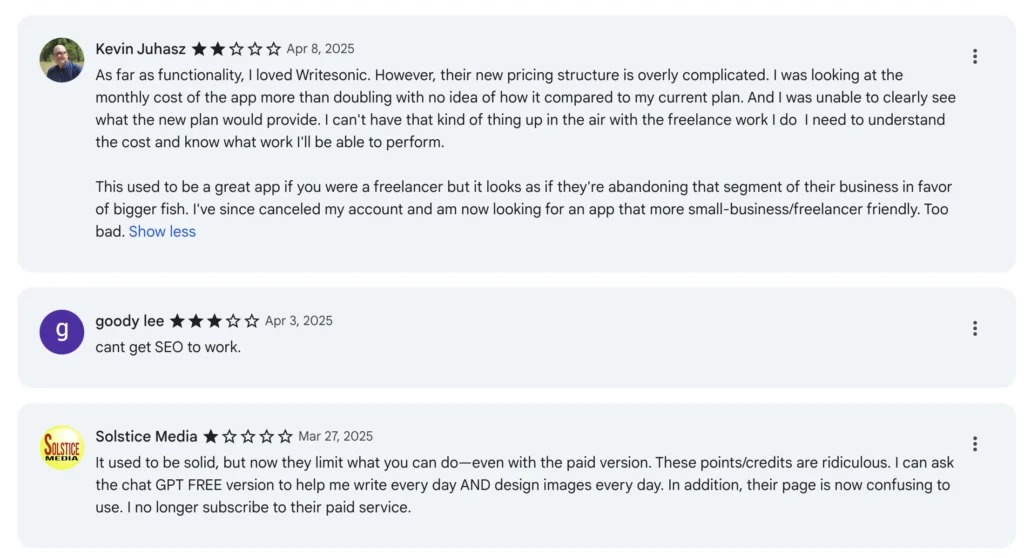
Writesonic’s pricing starts at $20 per month with an unlimited free trial available, positioning it as a mid-range option among paid keyword clustering tools. It’s been featured in quite a few “best of” lists lately, so it’s clearly getting some recognition in the SEO world.
However, I’ve come across a bunch of mixed reviews online, especially around how their pricing works. Since a good number of users have pointed this out, I thought it was worth mentioning here so you know what to expect if you decide to give the tool a try.
Free keyword clustering tools
I’ve listed the free tools below that actually work and get you real results. While writing this article, I also tried a few other free clustering tools, but honestly, they didn’t cut it.
Save yourself the trouble and skip these ones: SEO Scout, Zenbrief, and KeySearch.
4. Cluster AI
- What it does: It analyzes SERP data to create keyword clusters based on search intent.
- Pricing: The Hobbyist plan starts at $39 per month for 1,000 keywords.
- Free Plan: You can cluster up to 200 keywords for free and create structured lists of topics.
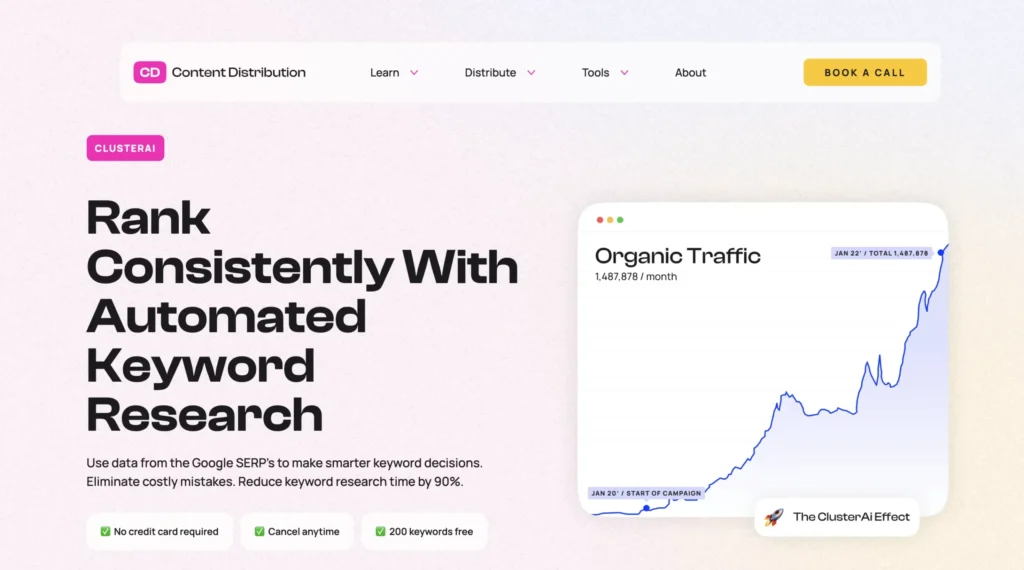
Cluster AI provides you with 200 credits for a month right after you create an account.
It’s worth mentioning that the user interface looks kind of empty at first. There’s not much going on visually, aside from the main menu, which makes it feel a bit unfinished.
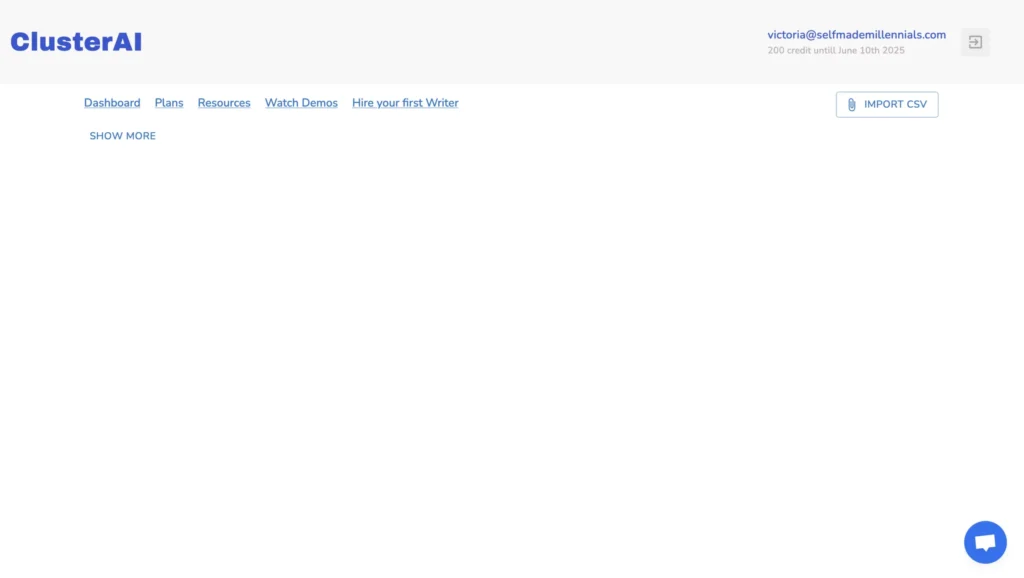
Nevertheless, I uploaded a small list of 43 keywords to see how the tool works. According to their site, you can actually upload up to 25,000 keywords at once. The more keywords you add, the better the results should be.
As to the clustering method, ClusterAI claims to use data from the search engines to make keyword decisions by crawling and retrieving the top 10 websites ranking for each keyword.
Even though the Cluster AI team states that “Using Cluster AI you can finish keyword research for 1,000+ pages in minutes,” it took a few minutes just to upload my tiny file of 43 keywords, and my Internet connection was totally fine.
In my opinion, this tool might work well for hobby bloggers or small site owners. But for bigger sites or client work, I wouldn’t rely on it. The processing time is just too slow.
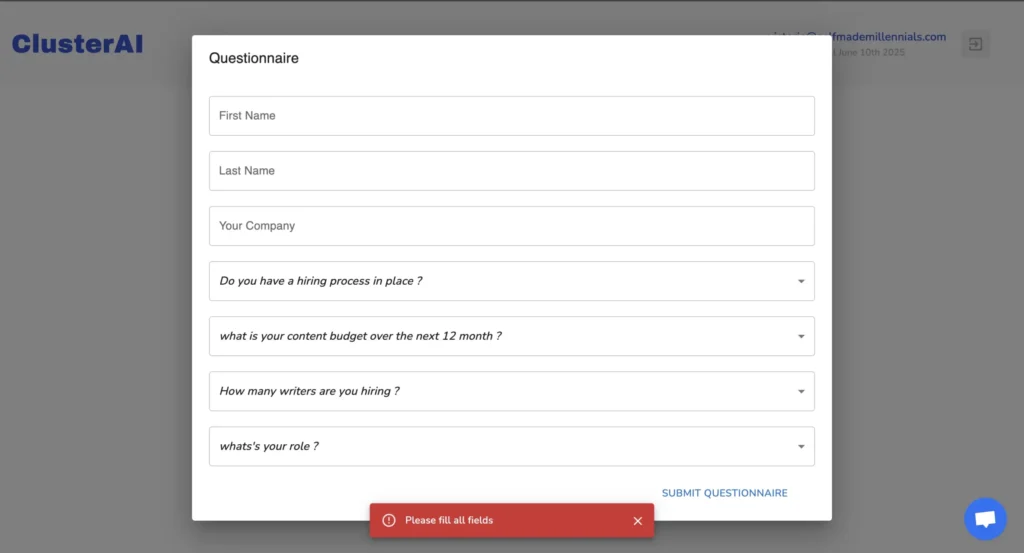
Also, before you can even start using the tool, you’ll have to fill out a questionnaire. You can’t skip it, which is kind of annoying. But I went through it just to try out the clustering feature.
5. RyRob
- What it does: RyRob is a free keyword clustering tool developed by Ryan Robinson, Co-Founder at RightBlogger, that creates content clusters from a seed keyword.
- Pricing: The tool is free to use.
- Free Plan: There’s no free plan.
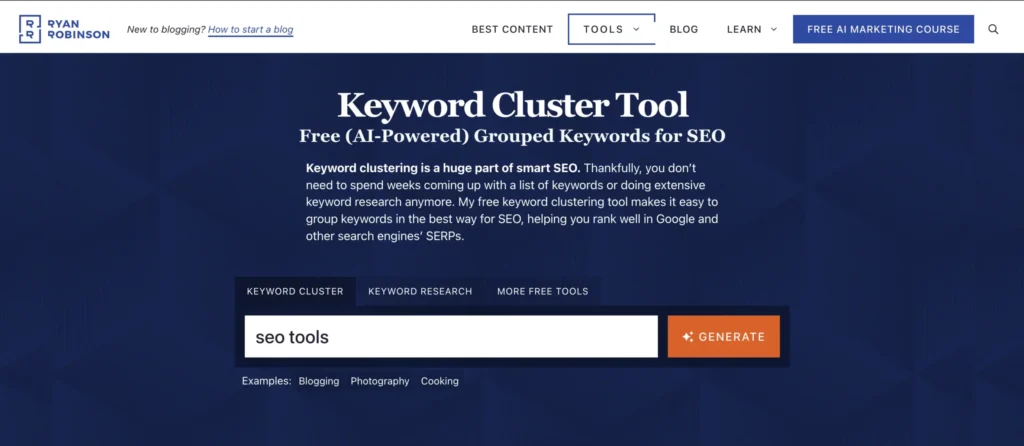
RyRob is super easy to use and, unlike Cluster AI, you don’t even need to sign up to try it out.
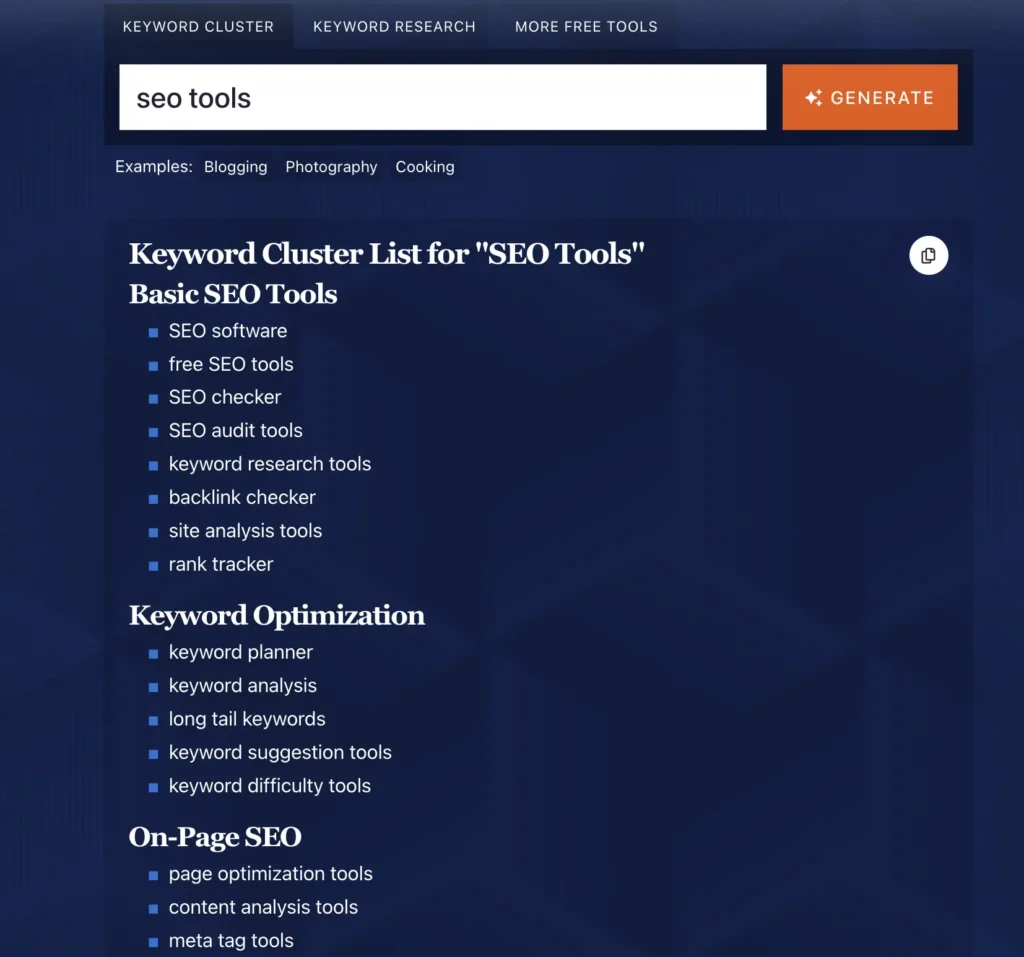
Just pop in your main keyword, hit “Generate,” and you’ll get a neat content cluster to work with. The default language is English (US), but you can actually choose from over 100 languages.
Now, keep in mind, it’s not like Keywordly where you can upload a big list of keywords. Instead, RyRob gives you topic ideas based on one seed keyword.
You won’t see any keyword metrics like search volume or difficulty here. But it’s still a handy starting point. For deeper research, you can always plug those topic ideas into tools like Keywordly, Semrush, or Ahrefs.
SEO AI Keyword Clustering Tool
- What it does: It’s an AI SEO platform with a free keyword clustering tool.
- Pricing: It’s free to use. No registration required.
- Free Plan: There’s no free plan.
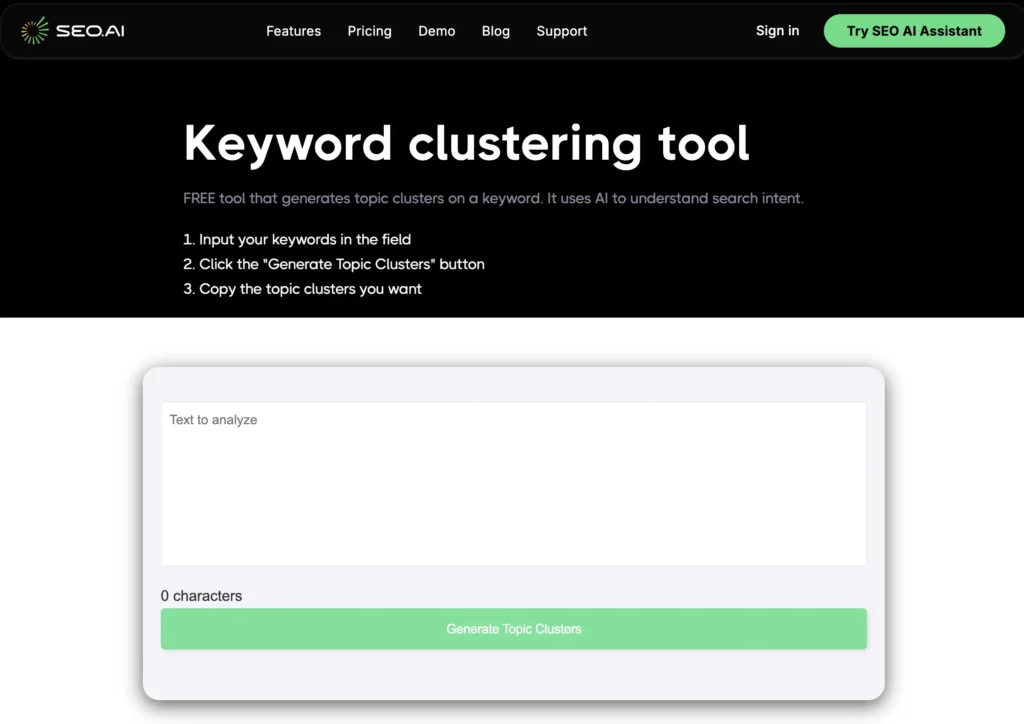
It took me a while to find a third solid keyword clustering tool that’s actually free. Most tools that claim to be “free” either push you into a paid plan or just don’t work properly.
The third tool that finally worked for me is from SEO.AI — an AI SEO platform.
It works a lot like Keywordly. You enter a list of keywords, and it groups them into topic clusters.
Here’s what you do:
- Paste your keywords into the box
- Hit the “Generate Topic Clusters” button
- Copy the clusters you like
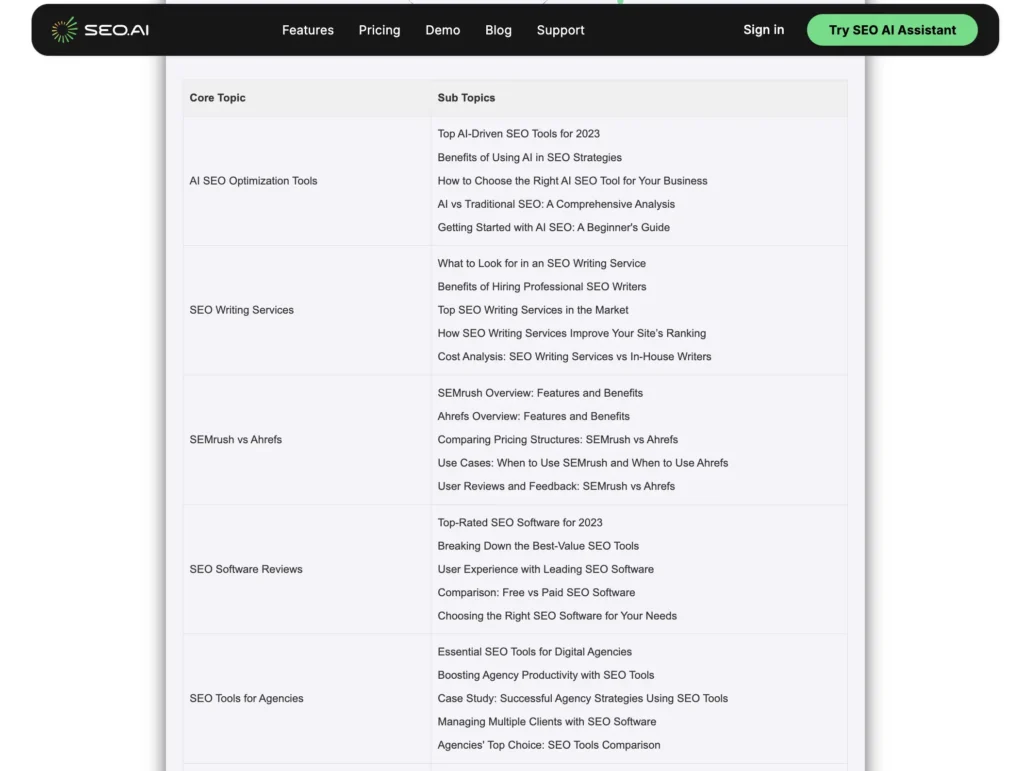
I tested it with a list of about 30 keywords, and it gave me a neat table with topics and subtopics.
Now, the results aren’t perfect. Some keywords show up in multiple clusters, and a few groupings (like “Semrush vs. Ahrefs”) don’t really make sense. But overall, it’s a helpful way to add some structure to a messy keyword list. It can also be helpful for planning your content or organizing your site.
Free vs. paid keyword clustering tools: what’s better?
I’ve used both free and paid tools. However, my honest recommendation will be to go with paid keyword clustering tools, like Keywordly AI, because the paid tools justify their cost through significantly improved clustering accuracy and additional features that save time in the long run.
Additionally, paid tools let you analyze and cluster more keywords at once. For example, Semrush Keyword Strategy Builder lets you process up to 10,000 keywords simultaneously. This will save you time if you work with big websites.
I’ve also noticed that free tools usually let you do one or a few tasks only, like creating topic clusters or analyzing a particular number of keywords. But what if you need more than that? In this case, you’ll have to navigate to a paid tool.
Free tools could work for hobbyists and bloggers who are just starting out. However, if you are taking your website seriously or work on client websites, I assure you, you’ll need a proper tool with decent keyword research and clustering functionality.
The right tool will make this process more efficient and effective, ultimately leading to better-performing content.
FAQ
What’s keyword clustering?
The process of keyword clustering essentially involves grouping keywords with similar meanings or intent into clusters.
For instance, “how to bake bread,” “bread baking tips,” and “homemade bread recipe” would naturally form a cluster since they all revolve around the same core topic.
This approach aligns perfectly with how modern search engines evaluate content, not just through exact keyword matches but through topical relevance and comprehensive coverage.
The technical foundation of keyword clustering relies on analyzing the following keyword attributes:
- Search intent: Are users looking for information, navigation, commercial investigation, or making a transaction?
- Semantic similarity: How closely related are the meanings behind different search phrases?
- SERP overlap: Do the same pages rank for multiple related keywords?
- User behavior: Do people searching for one term also search for others in the group?
Why is keyword grouping important for SEO?
Implementing keyword clustering brings several significant advantages to the SEO strategy.
First, it helps identify topical relationships and helps avoid creating separate articles for keywords that could have performed better as a single, comprehensive piece.
Second, it helps create comprehensive content that thoroughly addresses a topic rather than superficially touching on multiple related keywords. Search engines reward this depth with better rankings as they increasingly prioritize content that demonstrates expertise and thoroughness.
Ultimately, keyword clustering helps solve a critical problem that many content creators face: determining which keywords belong together on a single page versus which deserve separate content pieces.
When do I need to do keyword clustering?
The process typically begins with comprehensive niche keyword research. Once you’ve gathered a substantial list of potential target keywords, the real work of clustering begins. This involves analyzing the relationships between keywords and organizing them into logical groups.
For example, I identified the following clusters for my website with Keywordly:
- SEO tools (AI SEO tools, SEO tools for small businesses, SEO tools for agencies )
- Email marketing tools (beehiiv, Mailchimp, Substack, best newsletter platforms)
- AI and SEO (AI SEO tools, AI SEO trends)
Each cluster then becomes the foundation for either a single piece of content or a section within your site architecture, depending on the scope and competitiveness of the topics.
Keywordly generated pretty accurate clusters. I already have a pillar page on SEO tools linking to all pages on my website that compare various SEO tools.

Join the newsletter for actionable SEO tips, case studies, and a behind-the-scenes look at my affiliate marketing journey.
No spam. Unsubscribe anytime.