

If you’ve been doing SEO for a while, you probably remember Moz. It was one of the first SEO tools out there, launching way back in 2007.
Back then, Rand Fishkin, one of the co-founders, was super active on the Moz blog, sharing tips and insights about SEO.
I started my own SEO journey in 2015 and mostly used Moz alternatives, but I still remember the Moz blog being one of the best places to learn about SEO.
I’ve tried using Moz twice over the years, and each time, after a month of testing, I ended up switching to Ahrefs or Semrush.
Here’s why Moz didn’t really work for me:
- The interface felt outdated
- It shows keyword volume ranges, not exact numbers
- Some important reports were missing, like Top Performing Pages
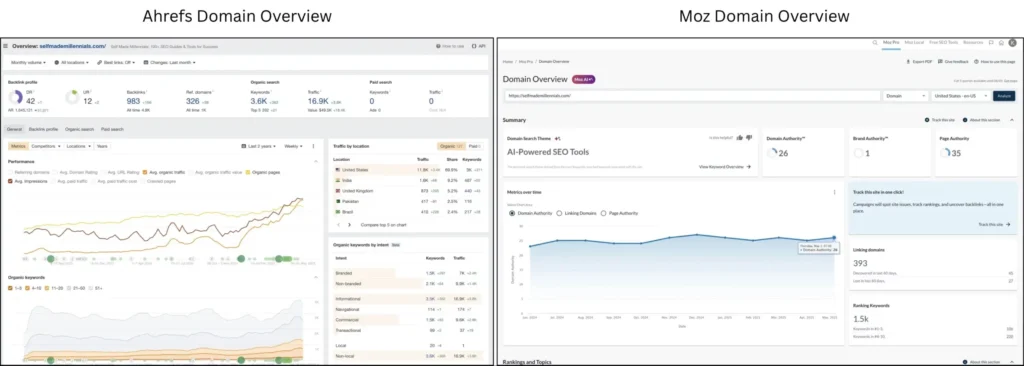
- The Domain Overview report doesn’t provide enough information for a domain assessment
- No quick way to check how competitors are doing organically
- No global keyword volume estimates
- And honestly, the list goes on…
So yeah, I never really became a fan. That’s why you won’t see me recommending Moz on my site, even though I’ve been encouraged to.
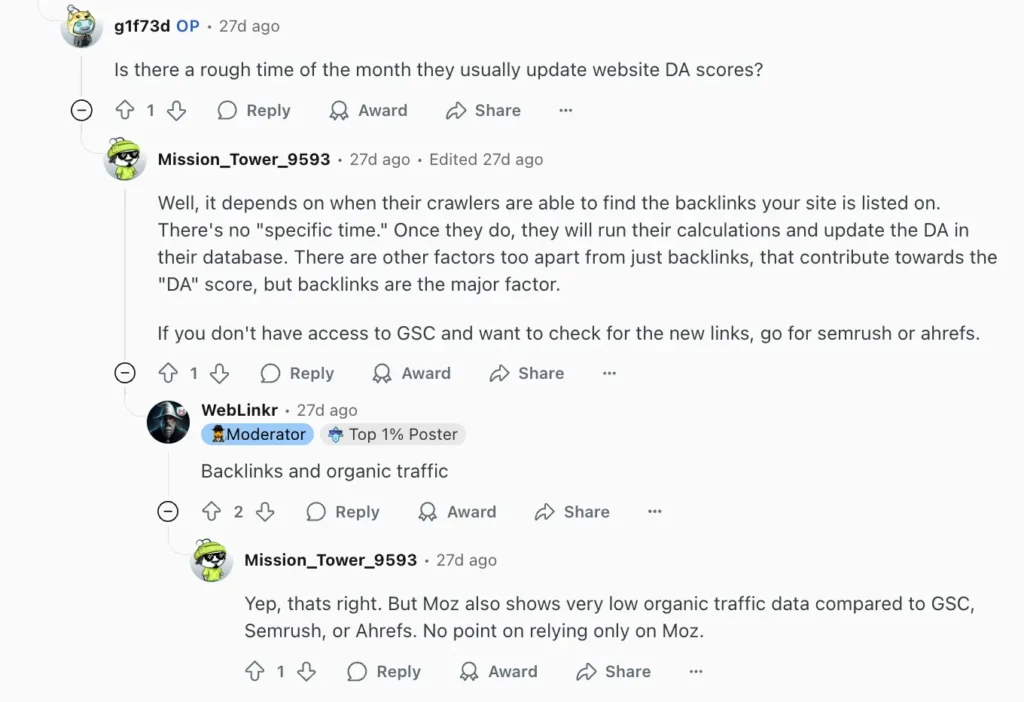
Out of curiosity, I also looked at recent Moz reviews on Reddit to see what others think. A lot of people feel it’s outdated and mention better alternatives to Moz.
It was challenging to find a meaningful Reddit comment to actually understand what users liked and disliked about Moz, since most shared their feelings.
But I did come across one meaningful Reddit comment that stood out. Someone mentioned that “Moz’s organic traffic estimates are way off compared to Google Search Console.”
I’ll show you what I found when I ran my own tests, so you can see which tools actually give you reliable data.
These days, I honestly don’t see the point in sticking with Moz or bouncing between different SEO tools if I already have a few I trust and use every day.
If you’re on the hunt for solid Moz Pro alternatives that won’t break the bank and actually give you reliable data, I’ve got some great picks to share. These are tools I’ve personally used and recommend.
Before we get into the list, here’s what I paid attention to when choosing these alternatives:
- How reliable the data is
- The price
- How easy it is to use
P.S. This post includes a few affiliate links. If you decide to try any of these tools, I might earn a small commission at no extra cost to you. Just being upfront about it! I’m only recommending tools I’ve used myself and truly believe in.
My top 6 Moz alternatives
Based on the criteria I mentioned earlier, I’ve picked a few SEO tools that I think are the closest alternatives to Moz.
Let me quickly walk you through each one so you know what they’re about:
- Semrush – A powerful all-in-one marketing tool with over 55 features for SEO, paid ads, social media, content, and checking out your competitors.
- Search Atlas – A budget-friendly Moz alternative that uses AI, especially helpful for agencies.
- Ahrefs – An all-in-one SEO toolkit.
- SERanking – SEO software made for agencies, with an AI tool that tracks search overviews.
- SEOtoolbox – Combines SEO features with project management, great for team use.
- Ubersuggest – My favorite pick for hobby bloggers and small website owners.
1. Semrush
- Unique features: Keyword Magic Tool, powered by AI, to provide you with thousands of keyword ideas suitable for your website.
- Pricing: Starts at $139/month for the Semrush Pro plan.
- Free trial: You can use Semrush’s free plan to run 10 searches a day, or sign up for a 14-day free trial to test out the full version.
Semrush is probably one of the most well-known Moz alternatives that has been on the market since 2008.
These days, Semrush offers over 55 tools for online marketers. They’ve also added extras like ContentShake AI (for content writing) and the Agency Growth Kit (for agencies looking to scale).
I first came across Semrush back in 2015 and still use it from time to time. Personally, I prefer it over Moz mainly because the data feels more accurate, and I really like their Keyword Research Toolkit. As someone who creates optimized content and does SEO for both my own site and clients, I need tools I can count on.
One of my favorites is the Keyword Magic Tool. You just enter one keyword, and it spits out thousands of keyword ideas with all the important metrics. You can then filter the results by metrics like search intent, monthly search volume, and keyword difficulty, which makes it super easy to find keywords that are worth targeting.
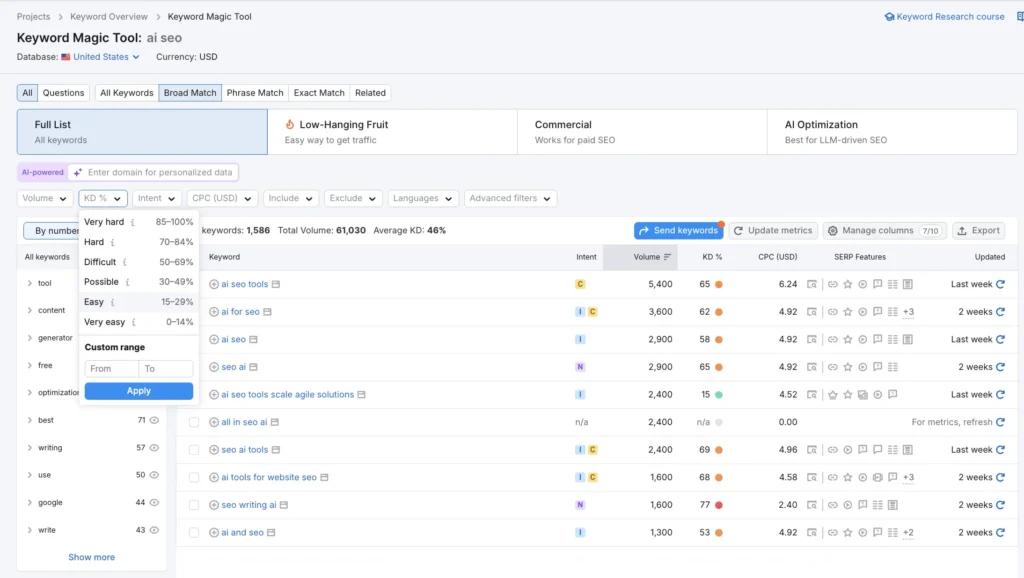
These days, I’m using the free plan, which lets you track up to 8 keywords. That’s enough for me to keep an eye on a few top-performing keywords. I like comparing the data with what I see in Moz and Ubersuggest (which I got a lifetime deal on, by the way).
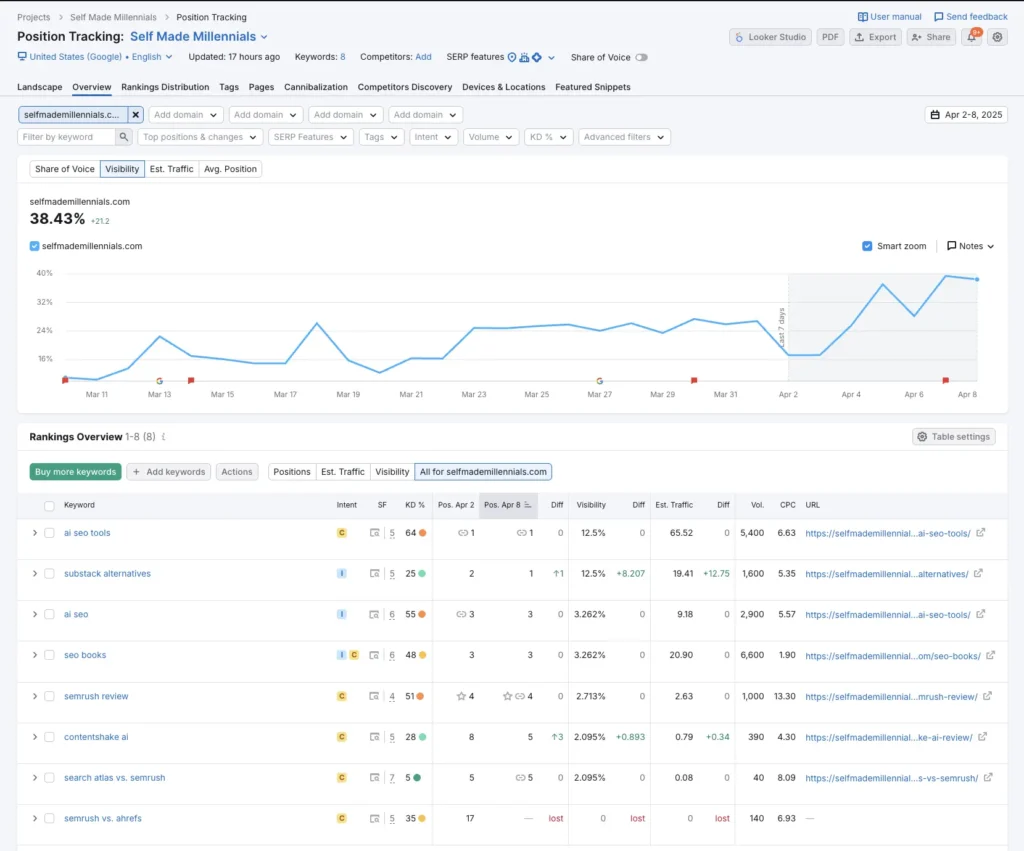
Semrush’s Position Tracking tool is also really useful. Here’s what I like about it:
- It updates your keyword rankings daily
- Shows a nice visibility chart so you can track your progress
- Alerts you when you add or remove keywords
- Lets you compare your performance over time—weekly, monthly, quarterly, or even yearly
- And it sends email updates so you’re always in the loop
Here’s a sample ranking report from my own site. If you decide to upgrade to the Semrush Pro plan, you can track up to 500 keywords across 5 different domains.
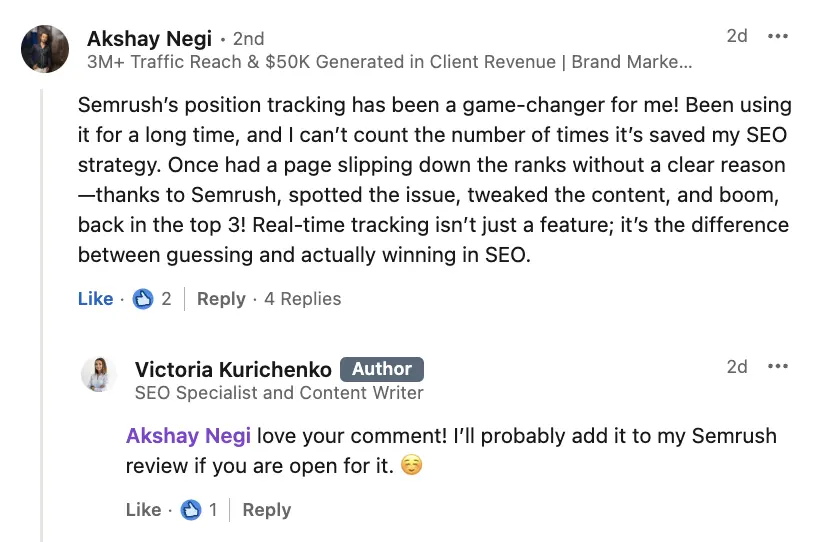
And here’s a quick quote from Akshay Negi, a brand marketing expert, sharing how the Position Tracking tool helped grow his online business:
Comparing Semrush and Moz
To give you a clearer picture of how accurate Semrush and Moz really are, I’m going to compare their data to the real numbers from my own website, straight from Google Search Console.
Here’s what my site stats looked like in May 2025:
| Category | Semrush | Moz | Google Search Console |
|---|---|---|---|
| Domain authority | 32 | 26 | – |
| Organic traffic | 8,500 | 6,200 | 7,300 |
| Number of keywords | 2,326 | 1,500 | 7.8k (kws with at least one click) |
| Number of referring domains | 522 | 393 | – |
| Number of backlinks | 1,900 | 1,200 | 8.4k (external links shown in GSC) |
| Number of keywords ranking in the top 3 | 190 | 106 | 298 (exported data from GSC) |
| Top 3 pages based on organic traffic | AI SEO tools, Substack alternatives, SEO books | AI SEO tools, Substack alternatives, Blogging niche ideas | AI SEO tools, Substack alternatives, Beehiiv review |
It’s worth mentioning that Semrush has one of the largest keyword databases on the market. Therefore, it can spot and show more data for your domain than Moz.
Below, you can see the numbers I could find for Semrush (up-to-date numbers here) and Moz. You can see that Semrush’s keyword database is much larger, letting you find more keywords through its Keyword Research Toolkit and track more keywords for your website.
If you frequently do keyword research, Semrush is a solid alternative to Moz.
- Semrush keyword database: 26.7 billion keywords in 142 locations (as of May 2025), 3.6 billion keywords in the USA alone.
- Moz keyword database: 1.25 billion keywords.
Now, while Moz actually has a larger backlink database on paper, it missed a bunch of referring domains and backlinks pointing to my site. So if link building is a big part of your daily SEO work, that’s something to keep in mind.
- Semrush backlink database: 43 trillion backlinks and 390 million referring domains, with 10 billion URLs crawled per day.
- Moz backlink database: 44.8 trillion backlinks and 1 billion referring domains.
It’s also worth mentioning that Semrush’s Domain Overview report is much more insightful than Moz’s. With just one click, you can check a site’s authority, organic keywords, traffic, top pages, and top keywords—it’s all right there.
Semrush has a free plan that actually gives you access to a bunch of tools. And if you want to test out the Semrush Pro version, there’s a 14-day free trial.
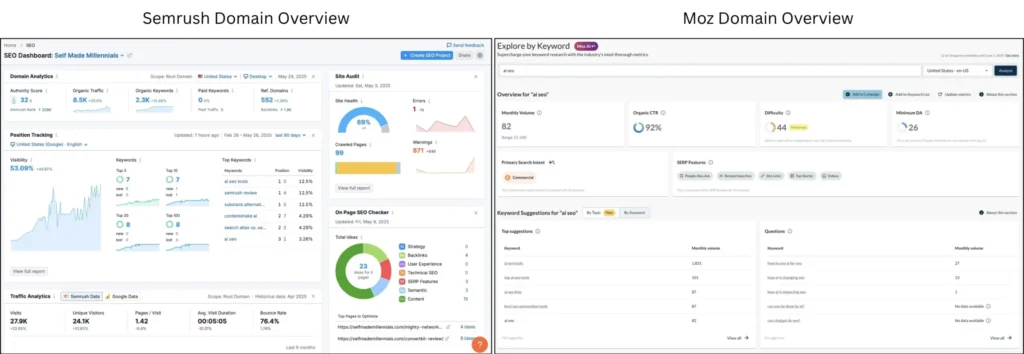
Let me also show you how the keyword research toolkit and keyword metrics compare for both tools.
| Tool description | Semrush | Moz |
|---|---|---|
| Assess any keyword potential, including search volume, keyword difficulty, and search intent, to name a few | Keyword Overview | Explore by Keyword |
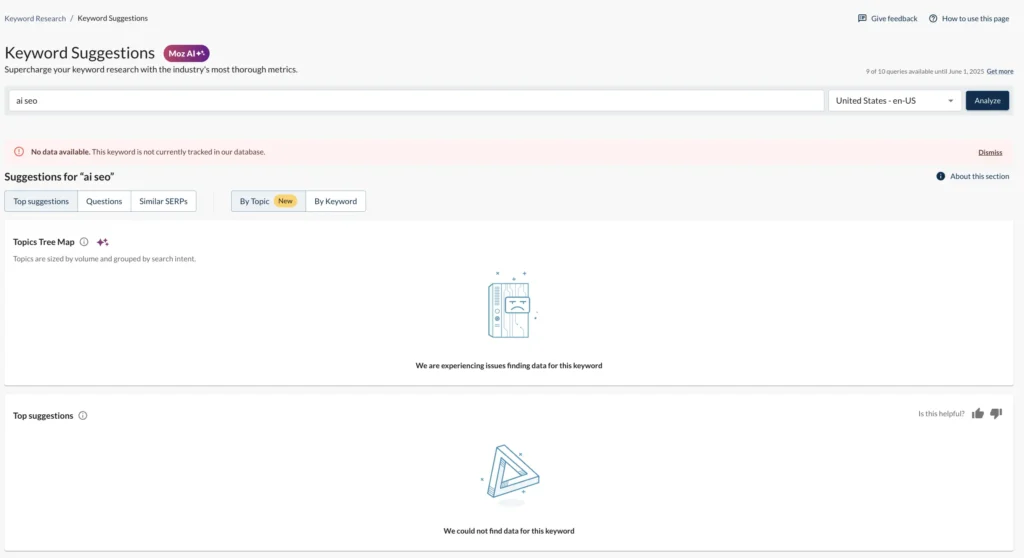
| Generate thousands of keyword ideas with one seed keyword | Keyword Magic Tool | Keyword Suggestions (didn’t work in May 2025) |
| Create topic clusters based on a seed keyword | Keyword Strategy Builder | Topic Tree Map (It’s part of the Keyword Suggestions tool that doesn’t work) |
| AI-powered keyword research with custom output for your domain | AI Keyword Research | Not available |
Keyword research toolkit is probably one of the most important features for me personally. That’s why I always take the time to test how well they work across different platforms.
When I start doing keyword research, I usually go with Semrush’s Keyword Magic tool. I broke down how it works and what it helps me achieve in my Semrush review.
Moz’s Keyword Suggestions tool seems like it’s trying to do something similar—help you come up with keyword ideas and build topic clusters. But honestly, it didn’t really work for me. I tested it with all kinds of keywords and still didn’t get the desired results. Hopefully, they’ll improve it by the time you’re reading this!
If you’re searching for a solid alternative to Moz for SEO and online marketing, I’d definitely recommend checking out Semrush.
Personally, it’s been my go-to tool for years. It’s usually the first to catch any keyword ranking changes, and I rely on it for my own site and client work. From keyword research to tracking domain data, it’s been super helpful. Honestly, I think it’s one of the best tools out there. Nothing else really compares.
If you sign up for a paid plan and change your mind, Semrush gives you a 7-day money-back guarantee. I actually upgraded to their Pro plan once by accident (it was $139.95), reached out to support, and they refunded me within a few days. No stress at all. Just make sure to contact them within 7 days, and they’ll take care of it.

2. Search Atlas
- Unique features: AI SEO assistant (OTTO SEO), Site Visualization, and a Keyword Magic Tool.
- Pricing: Starts at $99/month for the Starter plan.
- Free trial: You get 7 days free. After that, you’ll need to upgrade to a paid plan to keep using it.
Search Atlas is an all-in-one SEO tool built with agencies in mind, and it even comes with its own AI assistant called OTTO SEO.
I first noticed it on social media because their ads were everywhere. I talked more about that in my comparison of Semrush vs. Search Atlas.
Naturally, I got curious. I wanted to see if it could be a more affordable alternative to Moz and what kind of features it actually offers.
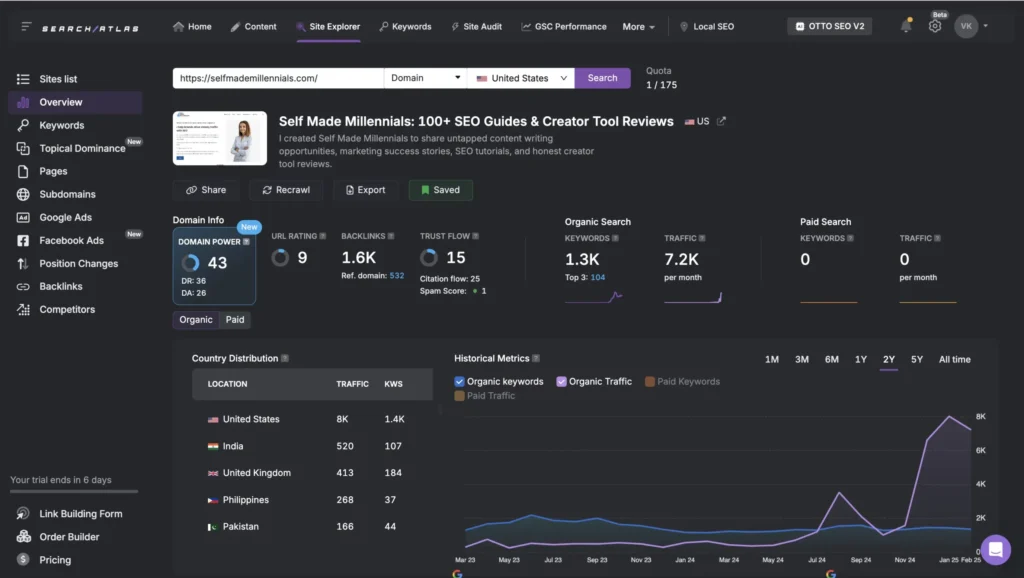
To me, Search Atlas feels like a mix of Semrush and Ahrefs. It has a similar layout and many similar features. If you’ve used either of those tools, you’ll feel right at home.
Here’s an example: the Site Overview report inside Search Atlas looks a lot like what you’d see in Ahrefs or Semrush.
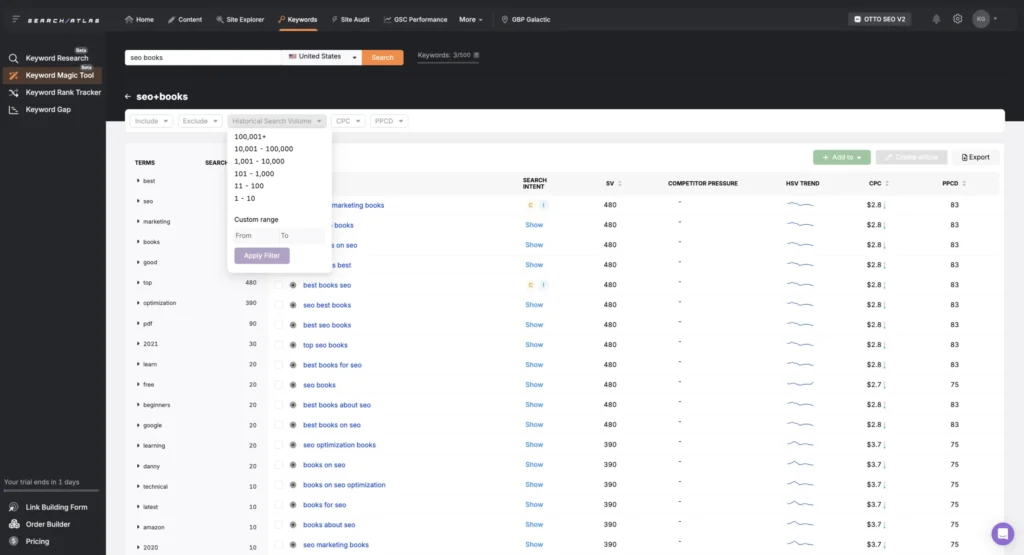
It even has a Keyword Magic Tool. Yes, it has the exact same name as the one in Semrush. You can plug in a seed keyword and get a bunch of ideas.
Semrush offers a few more filters, but honestly, I didn’t think that was a big deal.
And just FYI, Moz doesn’t offer anything like this.
I’ve also published an in-depth Search Atlas review recently to help you get a detailed overview of the tool’s features and data accuracy.
| Category | Search Atlas | Moz | Google Search Console |
|---|---|---|---|
| Domain authority | 43 | 26 | – |
| Organic traffic | 7,000 | 6,200 | 7,300 |
| Number of keywords | 1,700 | 1,500 | 7.8k (kws with at least one click) |
| Number of keywords ranking in the top 3 | 122 | 106 | 298 (exported data from GSC) |
| Number of backlinks | 1,700 | 1,200 | 8.4k (external links shown in GSC) |
| Top 3 pages based on organic traffic | AI SEO tools, Substack alternatives, SEO books | AI SEO tools, Substack alternatives, Blogging niche ideas | AI SEO tools, Substack alternatives, Bee |
Search Atlas isn’t perfect, but its numbers were pretty close to what I saw in my Google Search Console. Sure, it’s just an estimate for one month, but it gives you a solid sense of what’s happening on your site.
I even tried to find something like Semrush’s “Stats” page. After searching around (and asking ChatGPT for help), I stumbled across a Facebook comment that gave me a little more context.
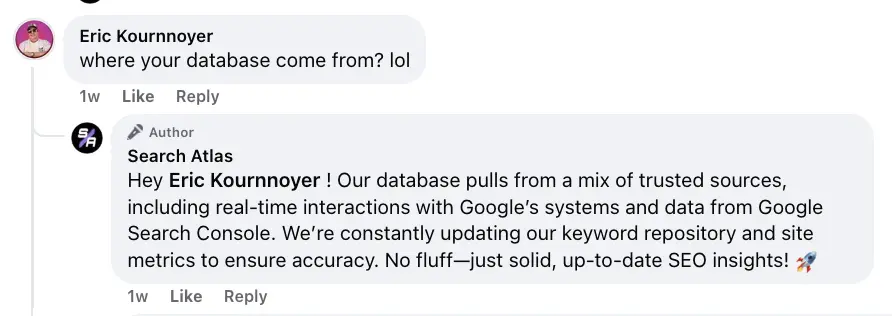
One significant advantage is that the Search Atlas team actually responds to comments on their ads. You don’t see that often with SEO tools.
This also makes me think they pull performance data directly from your Google Search Console and then use it to give you helpful suggestions. If I find out more about how their data works, I’ll update this post.
All in all, I think Search Atlas is a strong alternative to Moz. It offers more features and uses AI to help with site audits and insights.
You can try it free for 7 days, but you’ll need to enter your credit card info. I know it’s a bit annoying, but they won’t charge you unless you stick with the paid plan.
Note that if you cancel your trial before it ends, you’ll lose access to the tool immediately. So, try to make the most of those 7 days.
If that sounds interesting, you can check out Search Atlas here.
3. Ahrefs
- Unique features: AI Content Grader, AI Content Helper, Brand Radar, Broken links
- Pricing: Starts at $129/month for the Lite plan
- Free trial: Not available. But you can use Ahrefs’ Webmaster Tools for free with limited features once you verify your domain authority
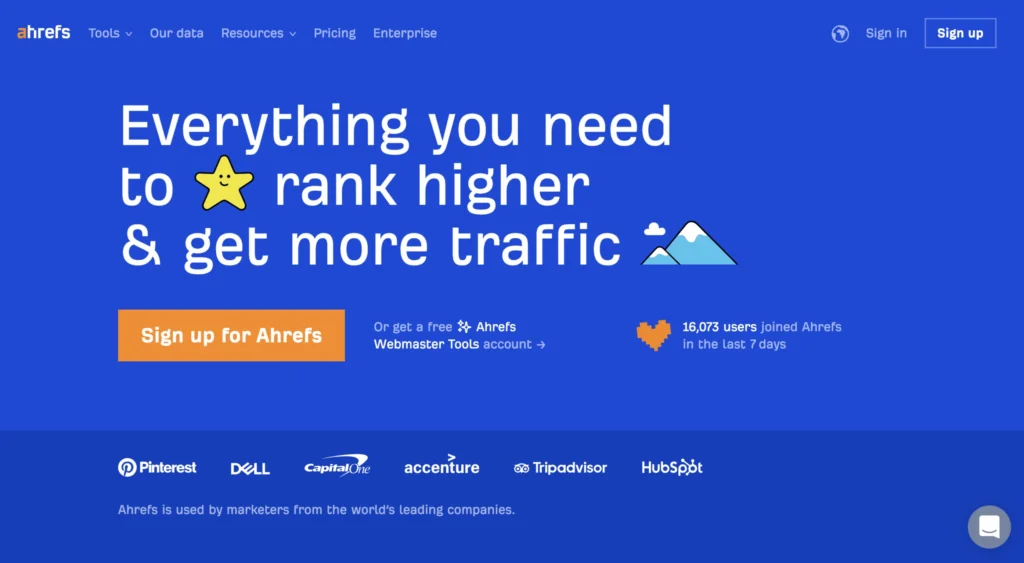
Ahrefs has been the very first SEO tool that I’ve used since 2015. The user interface hasn’t changed much since then, but the number of features has increased over the years.
I’ve used Ahrefs for all kinds of things, like:
- Doing keyword research
- Tracking how my keywords rank over time
- Seeing how adding more pages affects my organic traffic
- Spotting technical issues on my site
- Checking out my competitors’ top pages
- Monitoring new and lost backlinks
…and honestly, so much more.
These days, I’m on the Ahrefs Starter Plan, which is $29/month. It’s a budget-friendly option made for small businesses or solo website owners like me. You still get access to most of the main tools, just with some limits.
Here’s what I can do with the Starter Plan:
- I get 100 credits per month (each time you open a report, apply a filter, or dig deeper into data, it uses one credit)
- Track up to 40 keywords
- Use their AI Content Helper for one document—great for optimizing content
- See what people and AI are saying about any brand or topic using Brand Radar
- Analyze different websites with the Site Explorer
After using Ahrefs for over 10 years, I can confidently say it’s one of the most powerful SEO tools out there, especially for big or complex projects.
Also, if you compare domain overview reports in Ahrefs vs. Moz, Ahrefs just gives you way more data in one place. That makes it easier to quickly decide if a site is worth guest posting on, how it’s performing overall, and more.
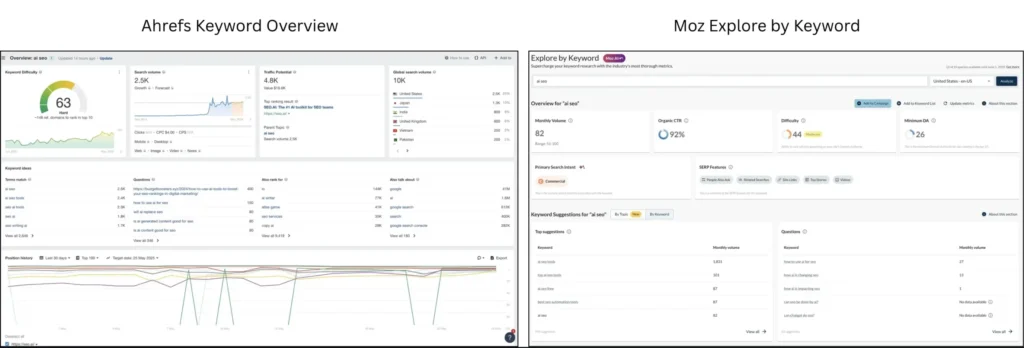
Similar to Semrush, Ahrefs provides lots of details and metrics for keyword analysis. In the Keyword Overview report, you’ll find data on:
- How hard it is to rank for a keyword
- Search volume (both global and by country)
- The search intent for every keyword
- Keyword suggestions
- How much traffic the keyword could bring
- A look at who’s ranked in the top 10 over time
- The SERP overview
- Ad history
- And much more!
Moz, on the other hand, doesn’t show most of this. Personally, I wouldn’t rely on it for keyword research.
Here’s one thing I really want to point out about Ahrefs — their organic traffic numbers aren’t quite accurate!
So, I wouldn’t recommend relying on that metric to assess how well a site is doing organically.
For example, in my case, Ahrefs shows my organic traffic as about twice what it actually is. But interestingly, their number is pretty close to my total traffic from all sources combined.

So, if you are looking for a decent Moz alternative, Ahrefs is a go-to solution for all SEO-related needs.
I suggest starting with Ahrefs’ free Webmasters Tool if you have a verified domain. It’s a great way to try it out and see if it fits what you’re looking for. Honestly, I’m pretty confident Ahrefs can cover your SEO needs because their toolkit is solid.
4. SERanking
- Unique features: AI Overviews Tracker, Agency Success Kit, Local SEO toolkit.
- Pricing: Starts at $65/month for the Essential plan.
- Free trial: There’s a 14-day free trial, so you can try it out first. After that, you’ll need to upgrade to keep using it.
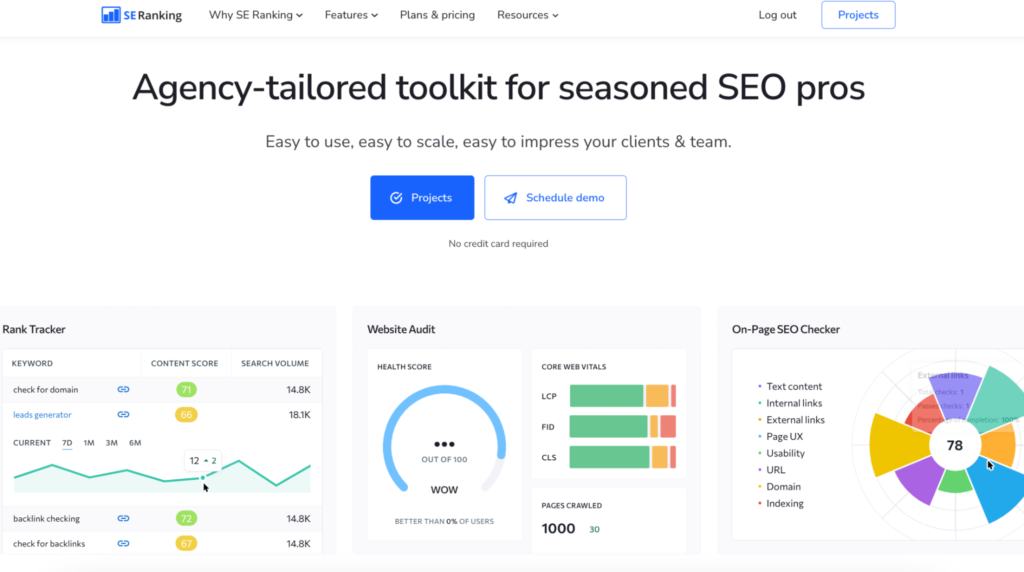
SERanking is worth trying if you’re looking for an affordable SEO tool. It’s built for agencies, business owners, and SEO pros, and it packs a lot of useful features into one platform.
You can do everything from keyword tracking to website audits, backlink monitoring, competitor research, and more.
Here’s a quick breakdown of what SERanking has to offer:
- Keyword Generator – Similar to Semrush’s Keyword Magic Tool, this helps you come up with keyword ideas based on your main topic.
- Keyword Grouper – Groups similar keywords together based on what people are looking for (search intent).
- Keyword Rank Tracker – Keeps an eye on where your keywords rank in Google and other search engines.
- AI Overviews Tracker – A newer feature that lets you analyze AI-generated search snippets for your target keywords.
- On-Page SEO Checker – Helps you improve individual pages by spotting what’s missing or what could be better.
- Website Audit – Scans your site for technical issues and tells you how to fix them.
- Backlink Checker – Looks at your backlink profile and checks out your competitors’ too.
- Competitor Analysis Tool – Shows you what keywords your competitors are ranking for, how much traffic they get, and even their ad strategies.
- AI Content Generator – Helps you write and optimize content using your keywords, and it works with Google Docs.
- Local Marketing Toolkit – Great for local SEO; helps you reach more people in your area.
- Agency Success Toolkit – Built for SEO agencies with features like a lead generator, SEO report builder, and API access.
I personally gave SERanking a shot when I was looking for a better alternative to Moz. These days, I mostly use Ubersuggest and Semrush, but SERanking is still a solid choice if you’re on a tighter budget.
For $65/month, you get access to a massive database of 4.2 billion keywords and 1.9 billion backlinks across 188 countries. You can manage 5 websites and track up to 500 keywords—pretty close to what Semrush offers.
If you run an agency, SERanking’s Pro plan lets you track up to 2,000 keywords across 30 domains and gives access to 3 users for just $119/month.
Note that there’s no free plan. After your 14-day trial, everything gets locked unless you upgrade.
To unlock the Agency Success Toolkit, you’ll need the Pro ($119/month) or Business ($259/month) plan and a yearly commitment.
You can save 20% if you choose the annual plan.
One more thing: if historical data matters to you, the Pro plan only gives you 3 months of it. To access all historical data, you’ll need the Business plan.
I get that it can feel a bit confusing, but with historical data, you can track long-term trends and performance.
5. SEOtoolbox
- Unique features: SEO project management toolkit, Keyword rankings visualization report
- Pricing: Starts at $59 monthly
- Free trial: There’s a 7-day free trial and a limited free plan
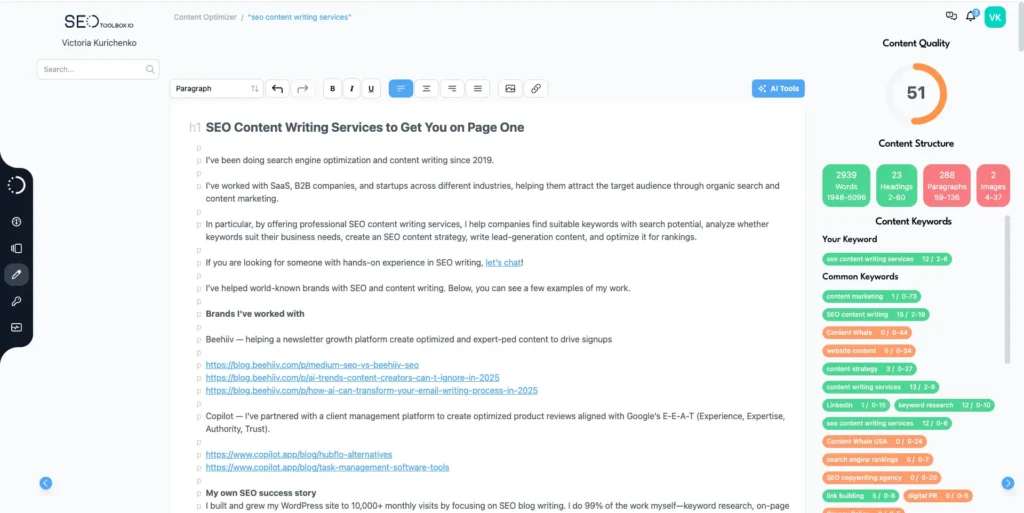
I recently came across a tool called SEOtoolbox, and of course, I had to give it a try for my SEO work. At first, I thought it was just another all-in-one SEO platform, but it’s actually more like a project management hub built specifically for SEO teams.
You can connect Google Search Console, Meta Ads, Instagram, your Facebook page, and more—all in one dashboard. That’s the best way I can describe it: everything you need, in one place.
If you’re leading an SEO team, assigning tasks, or tracking progress, this could come in really handy.
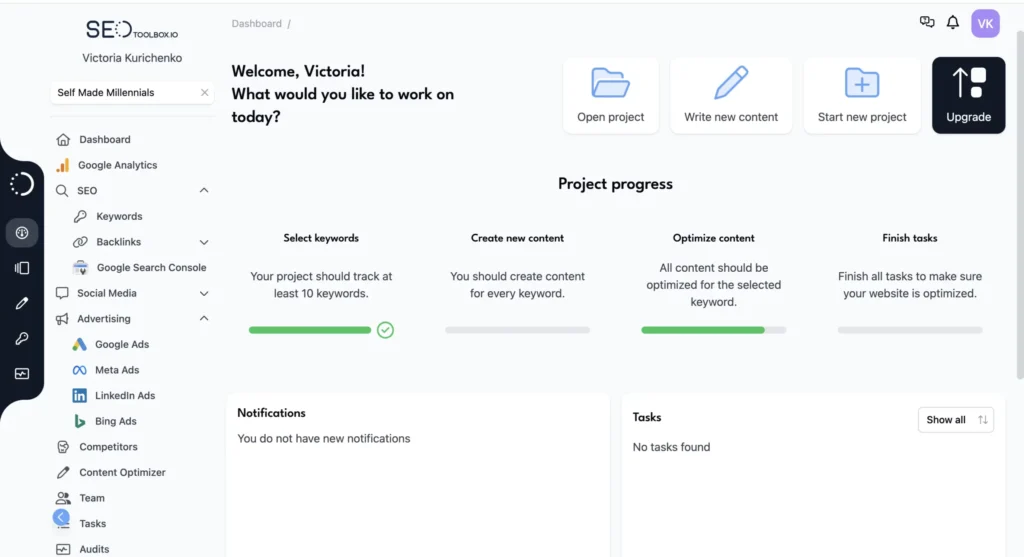
One feature I keep going back to is the Keyword Rank Tracking report. It lets you see how your keywords are doing compared to your competitors over time, like the past 7 days, 30 days, or even last month.
I check it weekly because it gives me a quick, clear view of what works, and it’s available on the free plan.
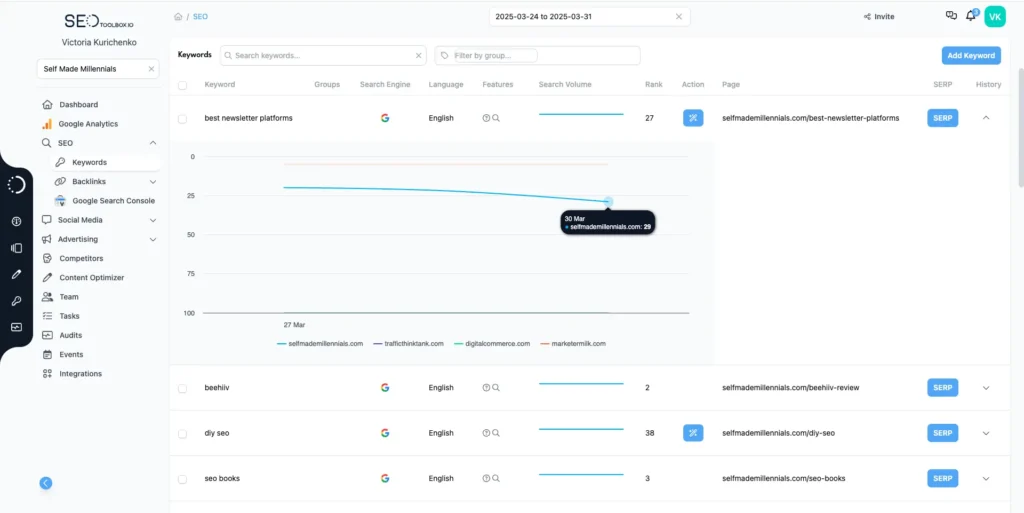
If you’re into SEO writing or updating old content, you’ll probably like the Content Optimizer too. It’s a pretty good alternative to Moz.
What I like is that it gives you different starting points:
- Generate a full AI article
- Build an AI-generated outline
- Pull content from a specific URL
- Or just start from scratch
This is super helpful when you’re updating a page. No need to copy-paste content manually—SEOtoolbox can pull the existing text for you and load it right into the tool.
For example, I used the Content Optimizer to refresh my SEO content writing services page. I added a few keyword suggestions, fixed the layout, and now that page ranks in the top 10 for a few of my target keywords.
But there are a few things that could be better.
The Keyword Research tool is missing filters, which makes it a bit clunky when you’re trying to narrow down your list.
Also, unlike Moz, SEOtoolbox doesn’t show search intent for keywords. So that’s something to keep in mind when you’re analyzing the data.
The Site Audit feature didn’t work for me even after a few tries. Maybe it’s fixed by now, but I thought I’d mention it.
I also tried to find out where SEOtoolbox pulls its data from, but couldn’t find anything clear online. I’ll probably reach out to their support team to ask.
One thing that really stood out to me: some of their keyword volume numbers seem off.
For example, Moz says the keyword “AI SEO tools” has a U.S. search volume of 1,800 in the USA and a keyword difficulty of 46.
SEOtoolbox shows 9,900 searches and a difficulty of just 30%.
I rank #1 on Google for that keyword (and a bunch of related ones), and my post brings in around 3–5k visits per month. So I’m pretty skeptical about that 9.9k figure.
6. Ubersuggest
- Unique features: Top SEO opportunities report, Chrome extension, Keywords by Traffic report
- Pricing: Starts at $29 monthly or $290 lifetime to manage one domain
- Free trial: There’s a 7-day free trial and a limited free plan.
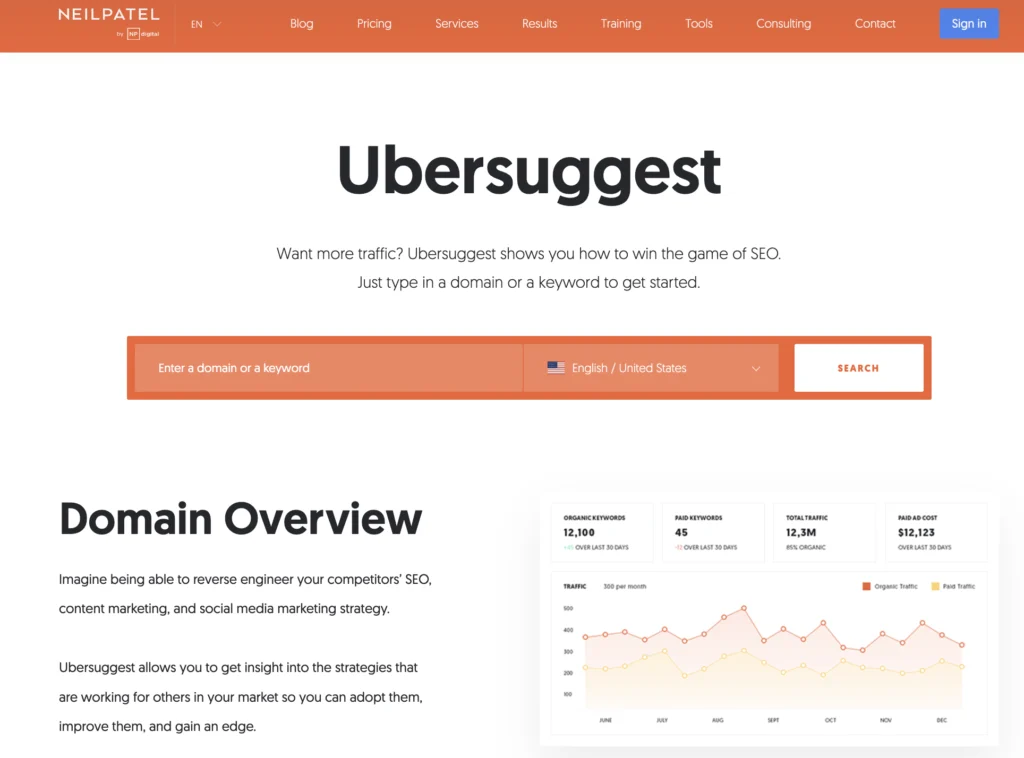
For $290, you could pay for a couple of monthly SEO tool subscriptions. But with Ubersuggest, that same amount gets you a lifetime plan as long as you’re only managing one website.
I grabbed their Individual plan back in December 2024 to keep tabs on my site’s performance, check out what my competitors are doing, and do keyword research. I’ve been using it daily ever since.
Honestly, Ubersuggest is a pretty solid alternative to Moz, especially if you’re running a small business or side project and don’t want to spend a ton.
Here’s what you get for $29/month or $290 for life:
- 1 user seat to manage 1 domain
- 150 keyword searches per day
- Track up to 5 competitors
- See which pages and keywords your competitors are ranking for
- Scan up to 1,000 pages on your site
- Access 20,000 keyword suggestions
- 200 content ideas
- Track up to 2,000 backlinks from the past 3 years
- Monitor new/lost backlinks from the last 30 days
- Get access to SEO training and support
One thing I really like is that Ubersuggest regularly updates keyword rankings, and in my experience, some of its data is even more accurate than Moz, especially for my top-performing keywords.
With the Individual plan, you can track up to 125 keywords for your domain. But if you need more, you can pay an extra $5/month to add 250 more keywords, which is pretty reasonable.
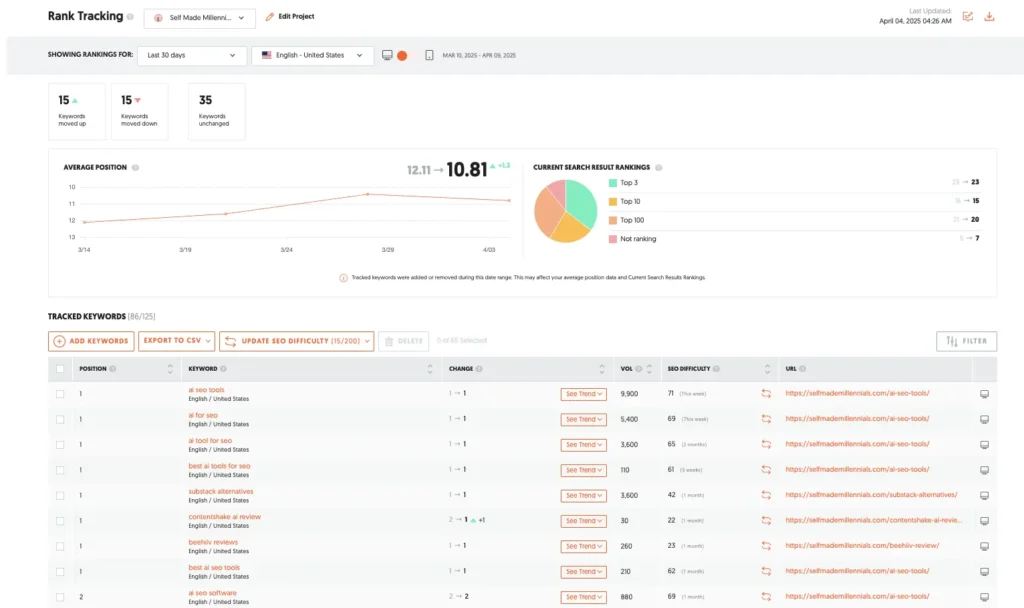
Unlike Moz, Ubersuggest gives you two helpful tools: Keyword Overview and Keyword Ideas, both of which help you come up with new keyword targets based on your seed keyword.
You can also use their Keyword Research Toolkit to explore ideas and filter them by country or other criteria, which makes it easier to find the best opportunities.
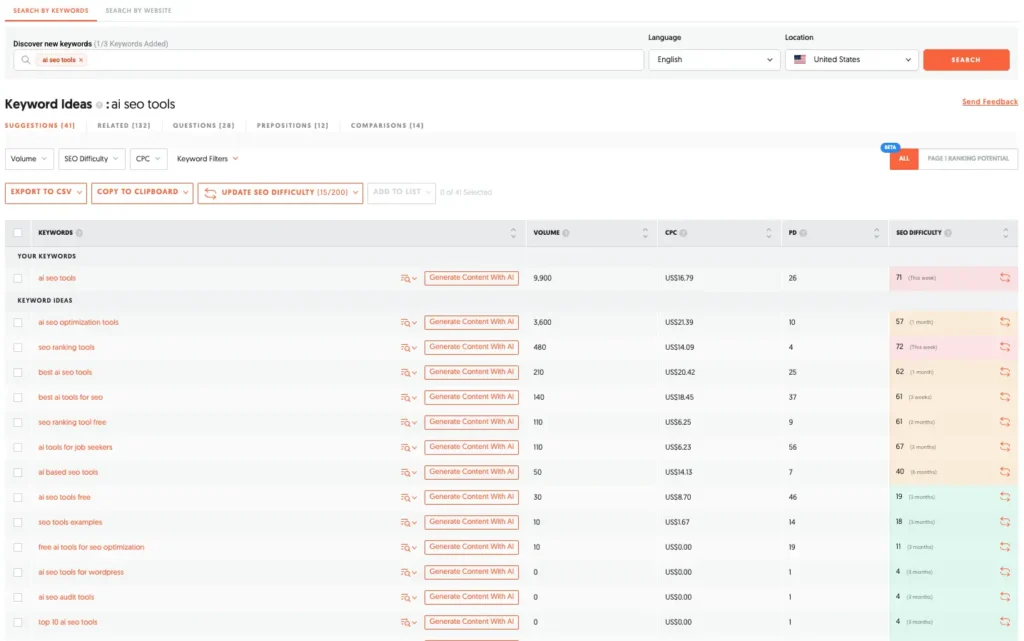
I believe that Ubersuggest’s keyword volume numbers aren’t accurate.
For instance, Ubersuggest shows 9,900 searches/month for “AI SEO tools” in the USA, but Moz reports just 1,800. That lower number seems more accurate, especially since my article ranks #1 on Google for that keyword and brings in about 3,000–5,000 visits a month.
On the flip side, their keyword difficulty estimates seem to be fairly close to what I see on Ahrefs and Semrush.
I was curious where Ubersuggest gets its numbers from, so I looked into it. According to one of their posts, here’s how they estimate organic traffic:
- They start with a monthly search volume for each keyword
- Then look at which websites rank for those keywords and in which positions
- They estimate how many clicks each position typically gets
- Finally, they combine that with page-level traffic data and, if available, info from other countries
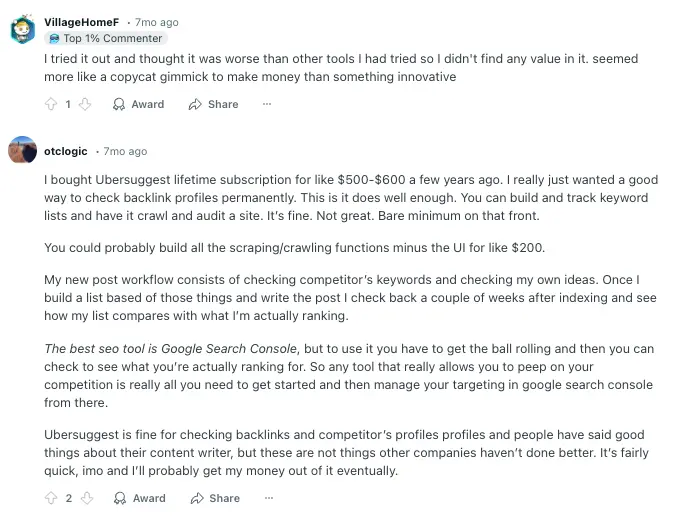
People on Reddit seem split on Ubersuggest, but I agree with one comment I saw—it’s a great tool for tracking if you’re running a small business or a personal project.
If you’re not ready to invest in something more expensive like Ahrefs or Semrush, Ubersuggest is definitely worth a try.
What’s the best alternative to Moz?
I’ve been doing SEO for years, trying things on my own and testing a bunch of different tools along the way. These days, I mainly use Semrush. But that wasn’t always the case. It actually took a while to figure out which tools I could trust and which ones had the right features for what I needed.
If you’re on the hunt for a Moz alternative, start by asking yourself: What do I actually need this tool for?
Not every SEO tool is built the same. Some are amazing for digging up niche keywords. Others are better for tracking backlinks or coming up with content ideas.
So before you pick a new tool, think about what you do most often. Are you focused on boosting your organic traffic? Checking out what your competitors are doing? Building backlinks?
Your daily tasks should help guide your choice. It’s also worth thinking about your experience level. Some tools are super beginner-friendly, while others (like Screaming Frog) have a bit of a learning curve.
And of course, budget matters, especially if you’re a freelancer or running a small business.
Instead of asking, “What’s the best tool out there?” try asking, “What’s the best tool for me right now?”
That simple shift in thinking can make your decision a whole lot easier.

Join the newsletter for actionable SEO tips, case studies, and a behind-the-scenes look at my affiliate marketing journey.
No spam. Unsubscribe anytime.